13
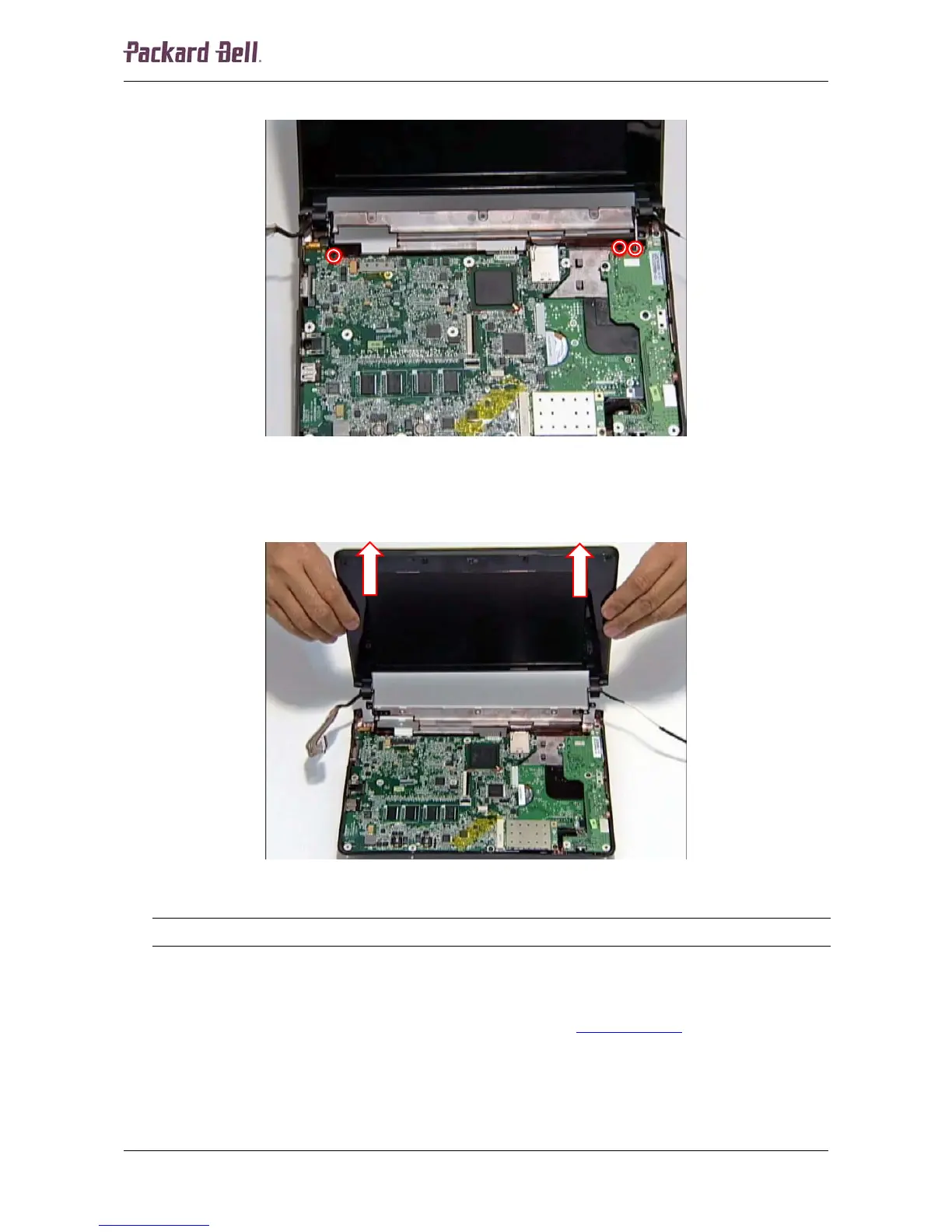
6. Remove the three screws securing the hinges.
Fig. 19 Location of the hinge screws.
7. Tilt the LCD assembly into a 90-degree angle.
8. Lift the LCD assembly upward and remove it from the unit.
Fig. 20 Removing the LCD assembly.
Note:
Ensure that all cables are clear of the base before lifting the LCD assembly upward.
LCD Bezel
To remove the LCD bezel, first remove the LCD assembly (see LCD Assembly on page 10), and
then perform the following steps:
1. Remove the six screw covers on the LCD bezel.
Packard Bell dot Disassembly Manual













 To Next Page