5
Keyboard
To remove the keyboard, first remove the battery (see Battery on page 4) and then perform the
following steps:
1. Turn the notebook over so the top is facing up and open the LCD completely.
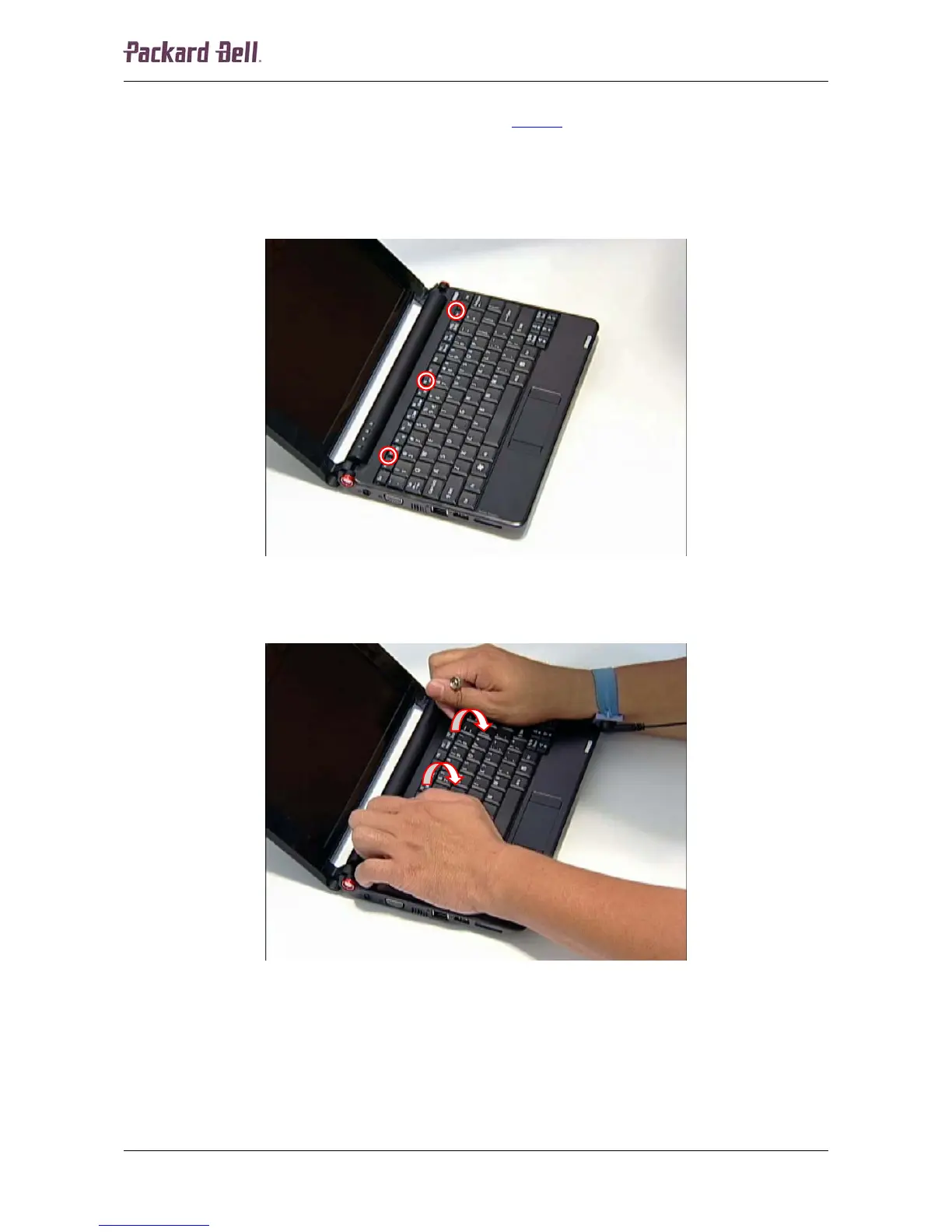
2. Release the keyboard by prying it up along the top side of the keyboard. There are four
tabs holding the keyboard in place on the front.
Fig. 3 Releasing the keyboard.
3. Tilt the keyboard gently forward and let it rest upside down on the touchpad.
Fig. 4 Removing the keyboard.
Packard Bell dot Disassembly Manual













 To Next Page