10
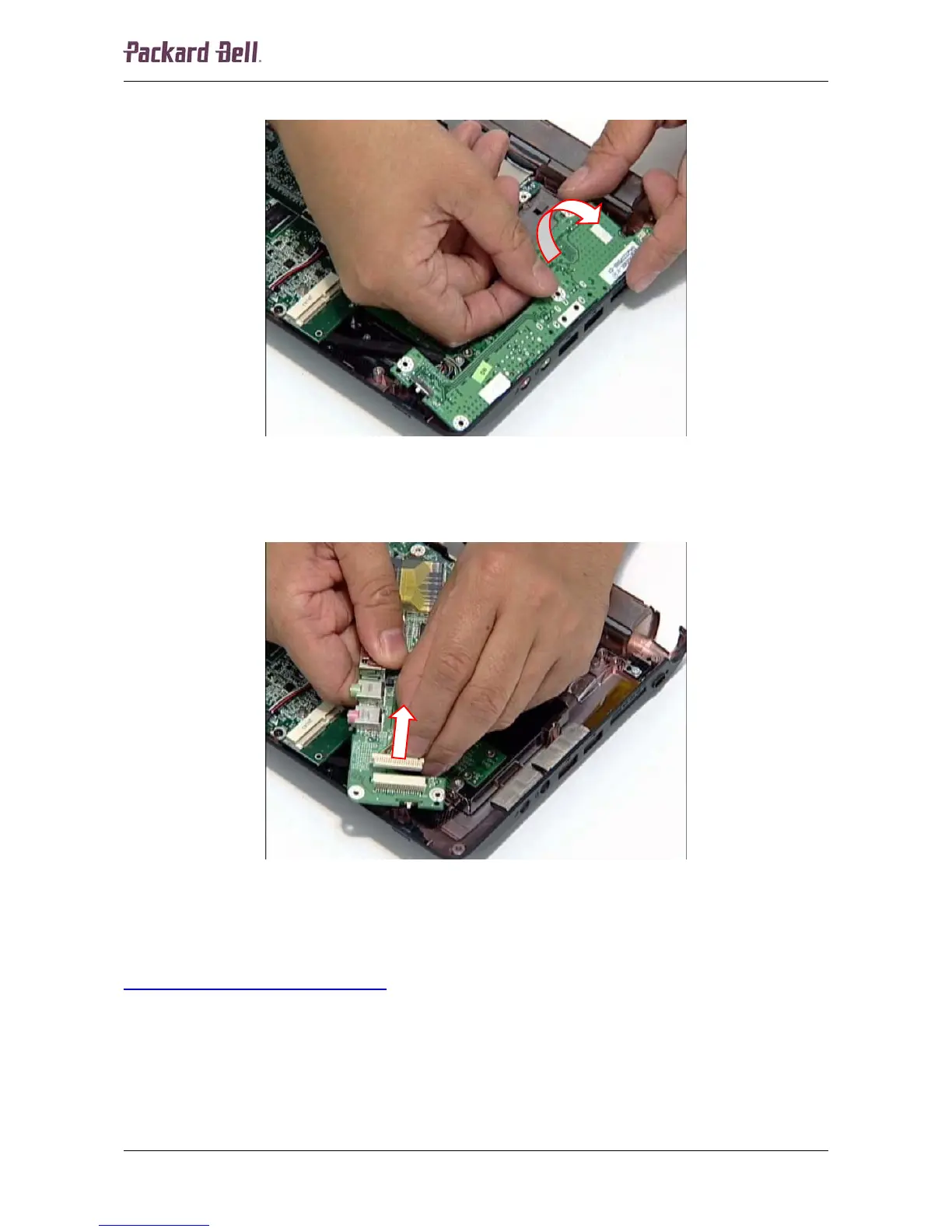
2. Tilt the USB/LED/power/card reader board gently forward and turn it upside down.
Fig. 13 Turning USB/LED/power/card reader board upside down.
3. Disconnect the cable from the header on the USB/LED/power/card reader board and
remove the board.
Fig. 14 Disconnecting the USB/LED/power/card reader board cable.
LCD Assembly
To remove the LCD assembly, first remove the USB/LED/power/card reader board (see
USB/LED/Power/Card Reader Board
on page 9) and then perform the following steps:
1. Turn the notebook upside down.
Packard Bell dot Disassembly Manual













 To Next Page