6
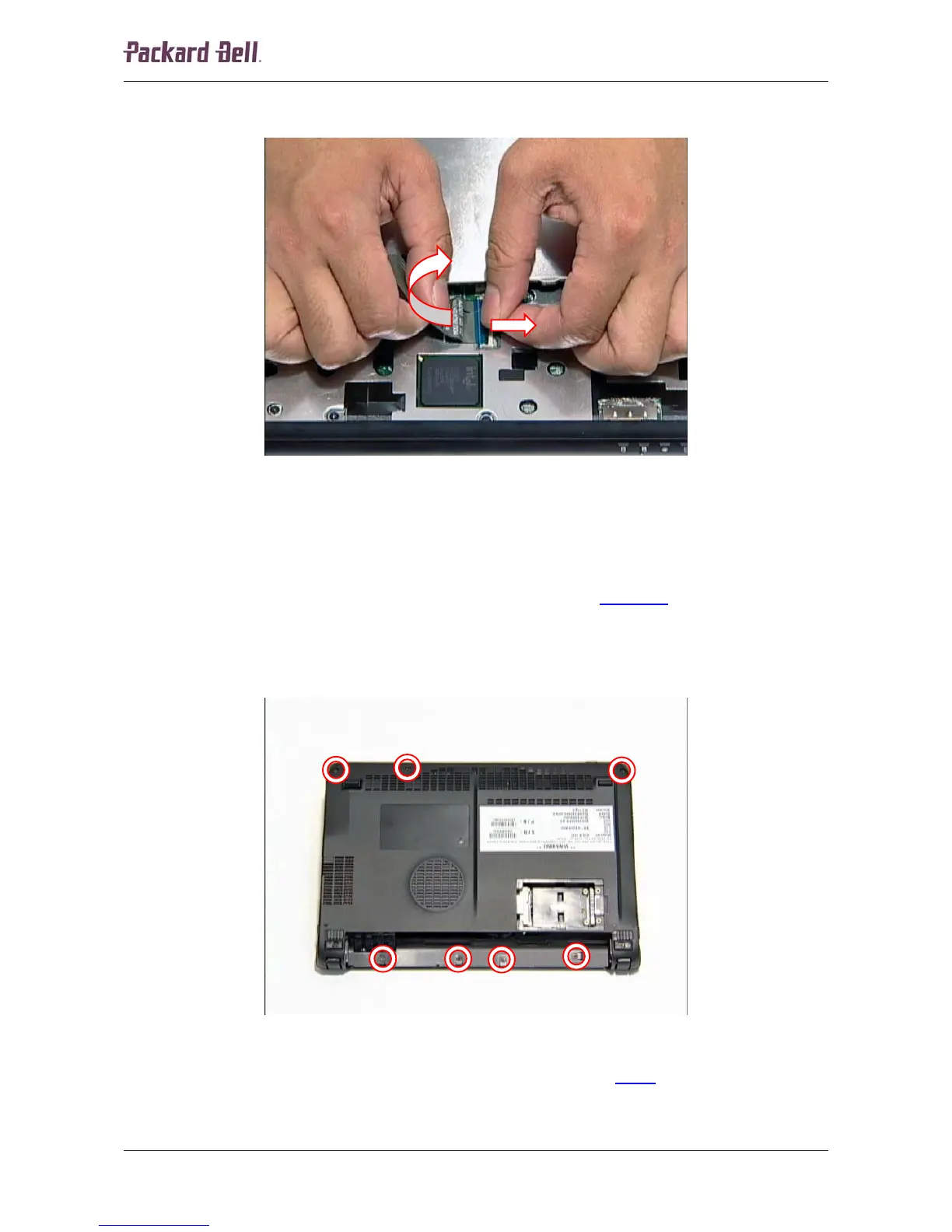
4. Before removing the keyboard entirely, carefully release the white clip securing the flat
cable and disconnect the cable from the header on the main board.
Fig. 5 Releasing the keyboard flat cable.
5. Remove the keyboard entirely.
Top and Base Cover
To remove the top and base cover, first remove the keyboard (see Keyboard on page 5) and then
perform the following steps:
1. Turn the notebook upside down.
2. Remove the four screws located in the battery compartment.
Fig. 6 Removing the battery compartment and base cover screws.
3. Remove the other three screws securing the base cover (see Fig. 6
).
4. Turn the notebook over so the top is facing up.
Packard Bell dot Disassembly Manual













 To Next Page