9
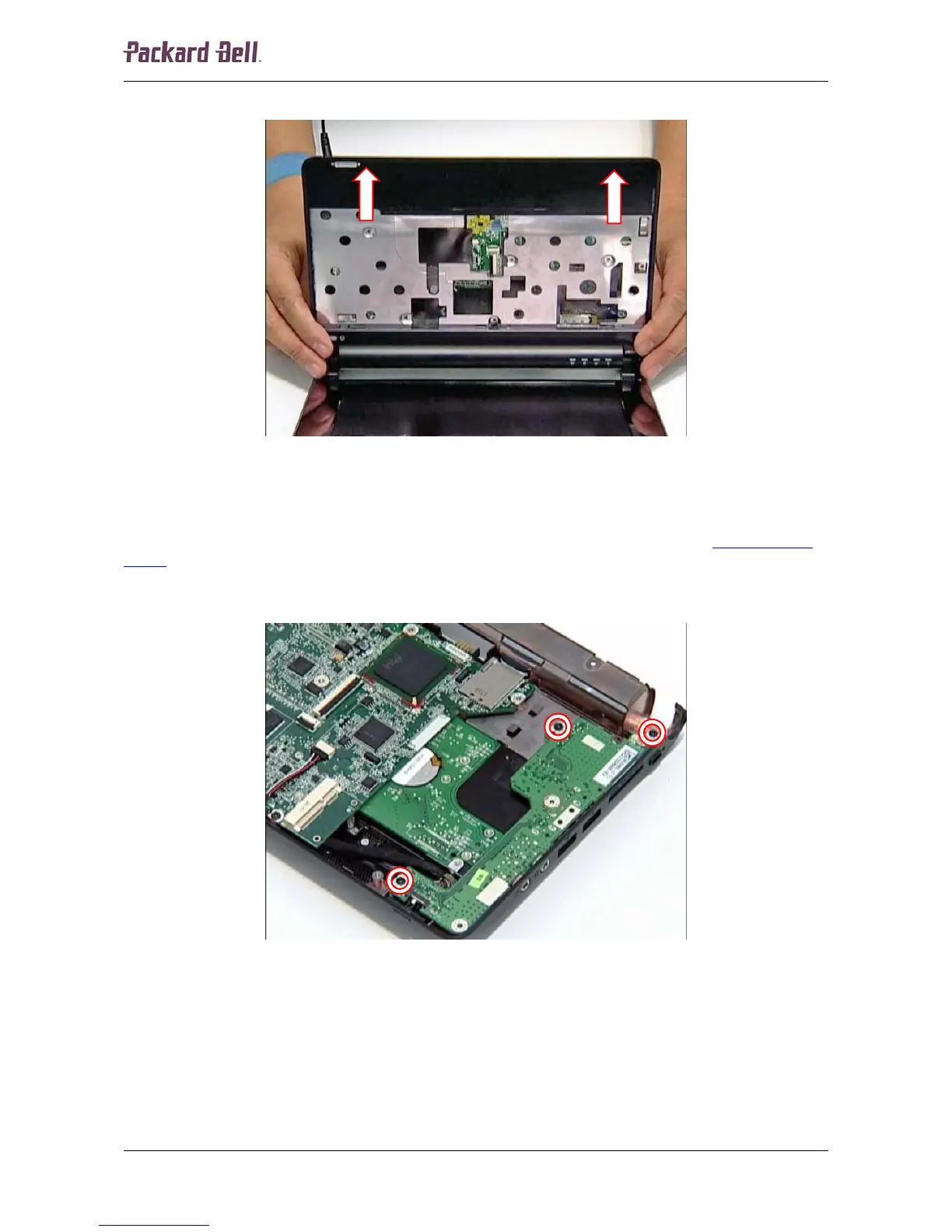
12. Lift the top cover and remove it from the unit.
Fig. 11 Removing the top cover.
USB/LED/Power/Card Reader Board
To remove the USB/LED/power/card reader board, first remove the top cover (see Top and Base
Cover on page 6), and then do the following:
1. Remove the three screws securing the USB/LED/power/card reader board.
Fig. 12 Location of the USB/LED/power/card reader board screws.
Packard Bell dot Disassembly Manual













 To Next Page