8
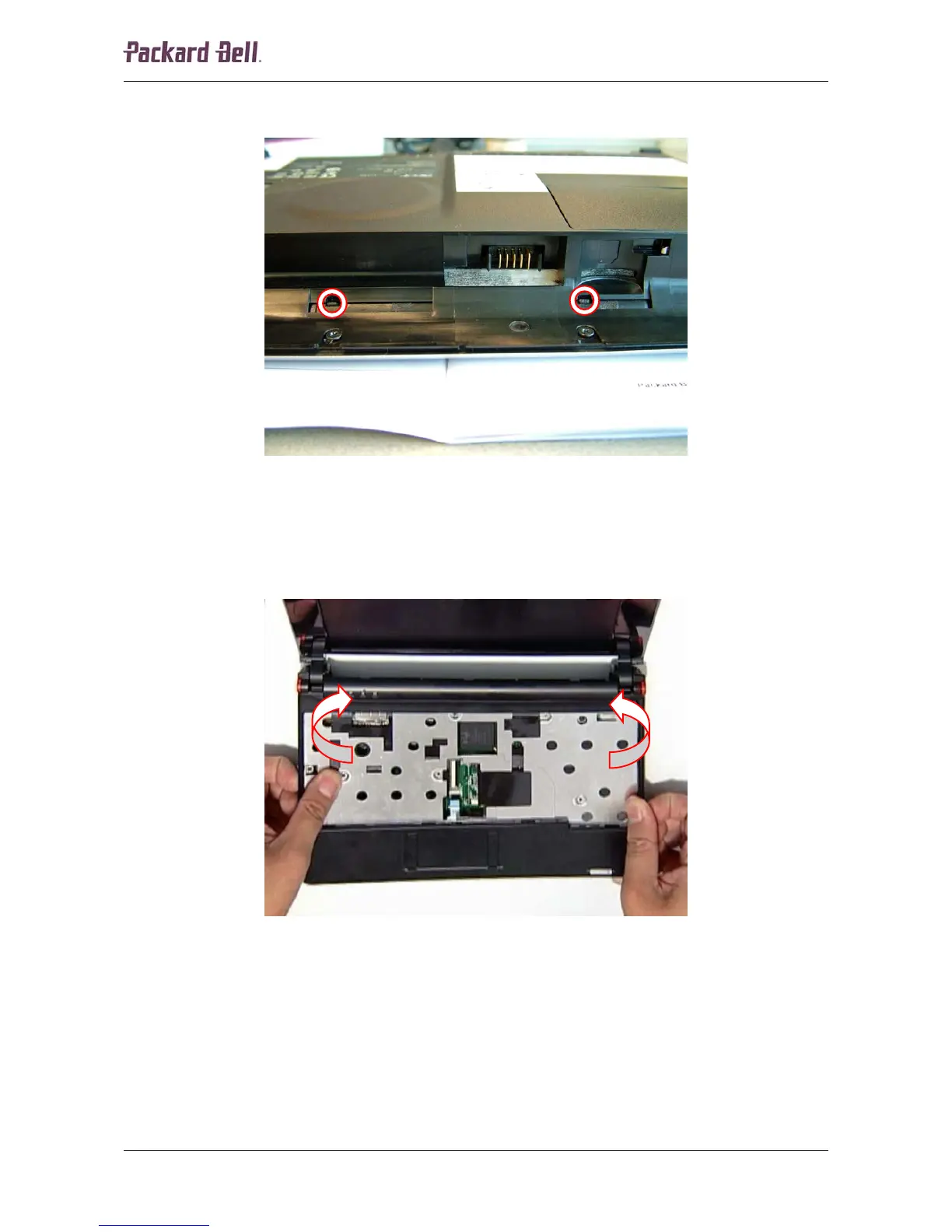
7. Insert the small flat screwdriver into the two notches in the battery compartment to release
the LED panel.
Fig. 9 Location of the LED panel notches.
8. Turn the notebook over so the top is facing up.
9. Pry loose the LED panel.
10. Remove the two screws underneath the LED panel.
11. Pull the top cover to separate it from the base.
Fig. 10 Releasing the top cover.
Packard Bell dot Disassembly Manual













 To Next Page