4
Battery
Perform the following steps to remove the battery:
1. Make sure the power to the system is off.
2. Unplug the AC adapter and all power and signal cables from the system.
3. Turn the notebook upside down.
Note:
Use an anti-static mat or something soft like a piece of cloth underneath the notebook to prevent damage to
the exterior of the notebook.
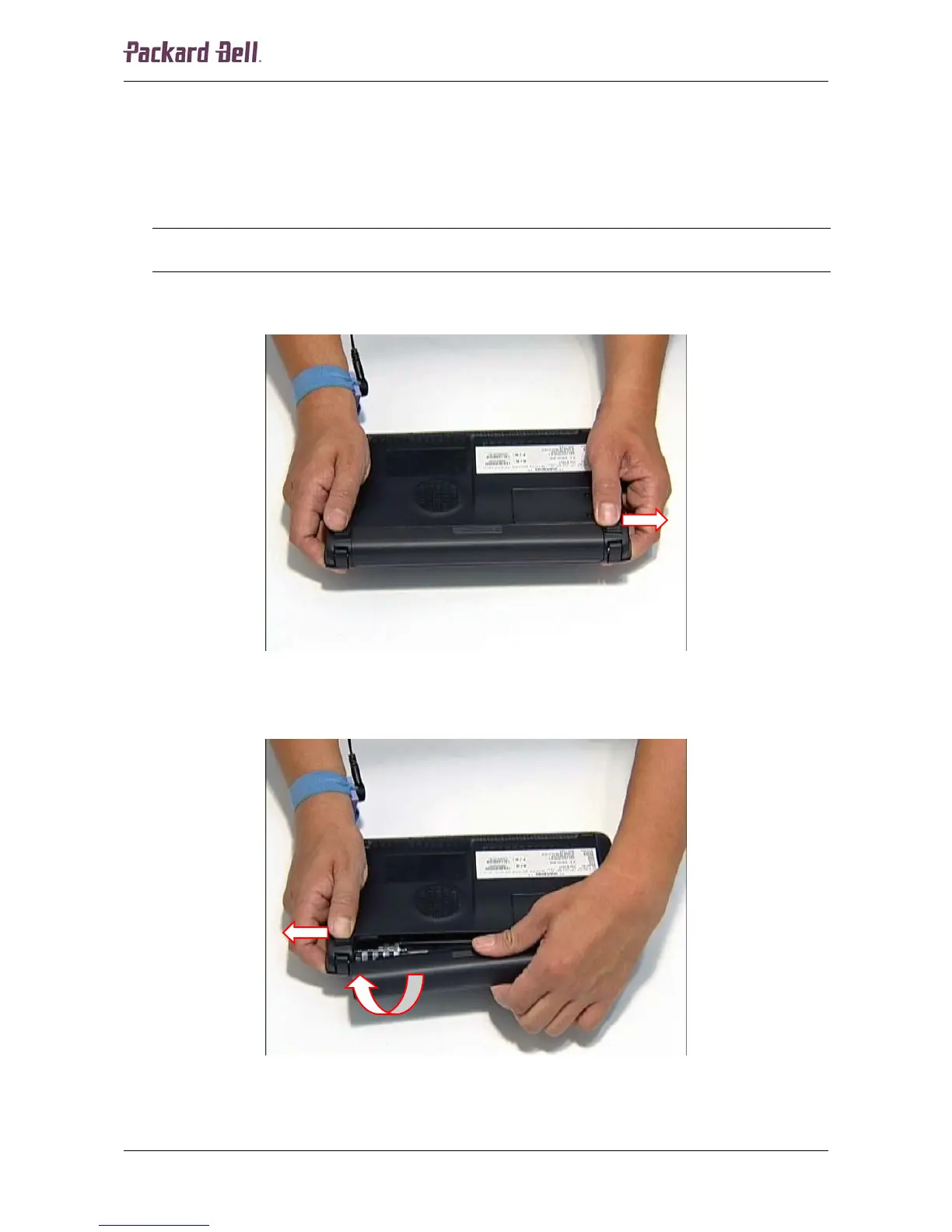
4. Slide the battery lock/unlock latch into the unlock position.
Fig. 1 Releasing the battery.
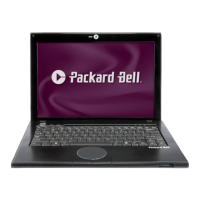
5. Slide the battery release latch into the release position and slide the battery out of the unit.
Fig. 2 Removing the battery.
Packard Bell dot Disassembly Manual













 To Next Page