26
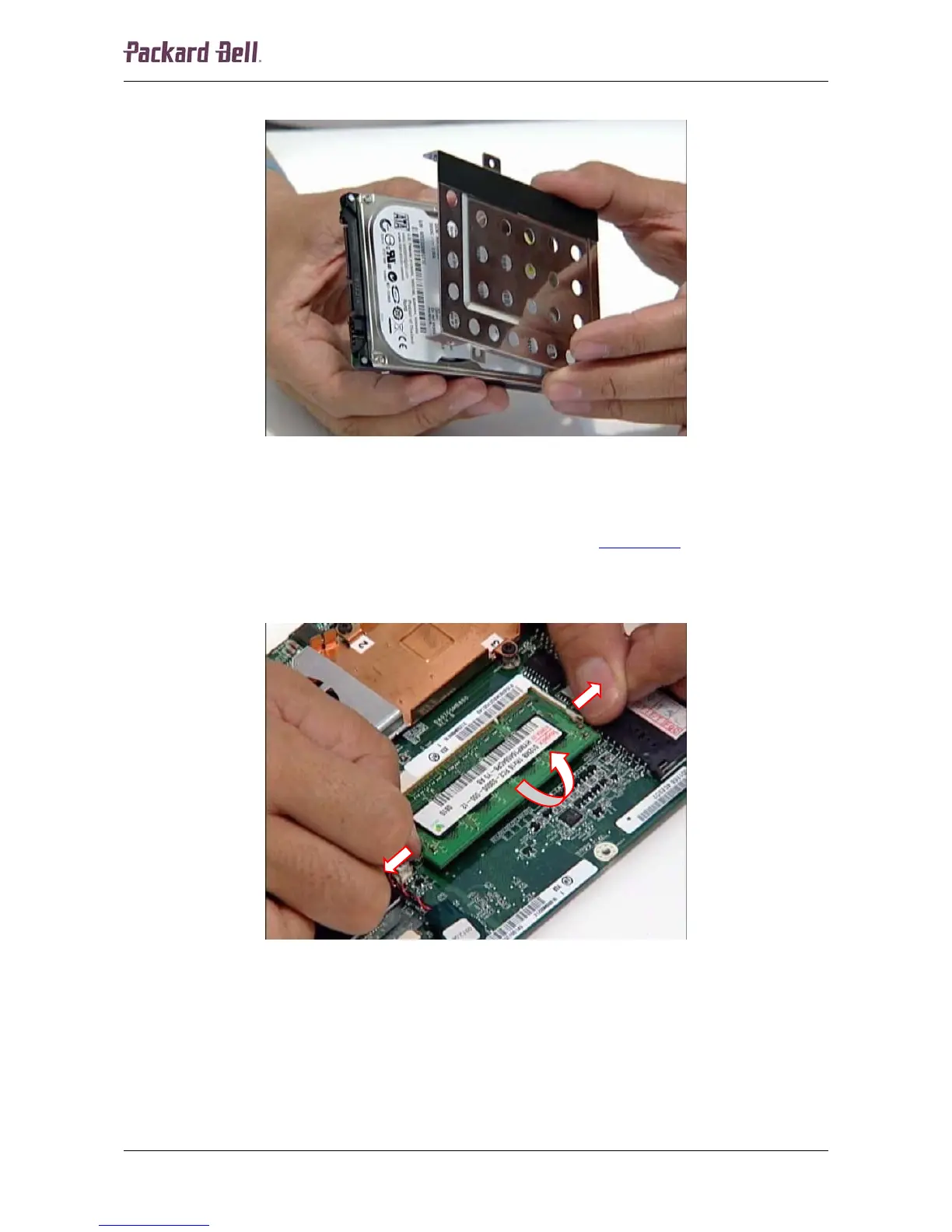
4. Separate the metal bracket and the hard disk drive.
Fig. 45 Separating the hard disk drive from the bracket.
Memory
To remove the memory installed, first remove the main board (see Main Board on page 21) and
then perform the following steps:
1. Release the clip on each side securing the memory module; the module will eject upwards.
Fig. 46 Releasing the installed memory module.
Packard Bell dot Disassembly Manual













 To Next Page