20
4. Remove the four screws securing the LCD panel brackets (two on the left side and two on
the right side).
Fig. 33 Location of the LCD panel bracket screws.
Note:
In Fig. 33 only two screws are visible; the other two are located on the other side of the LCD panel. The
brackets are paired diagonally (observe the markings on the brackets).
Wireless LAN Adapter
To remove the wireless LAN adapter, first remove the top and base covers (see Top and Base
Cover on page 6) and then perform the following steps:
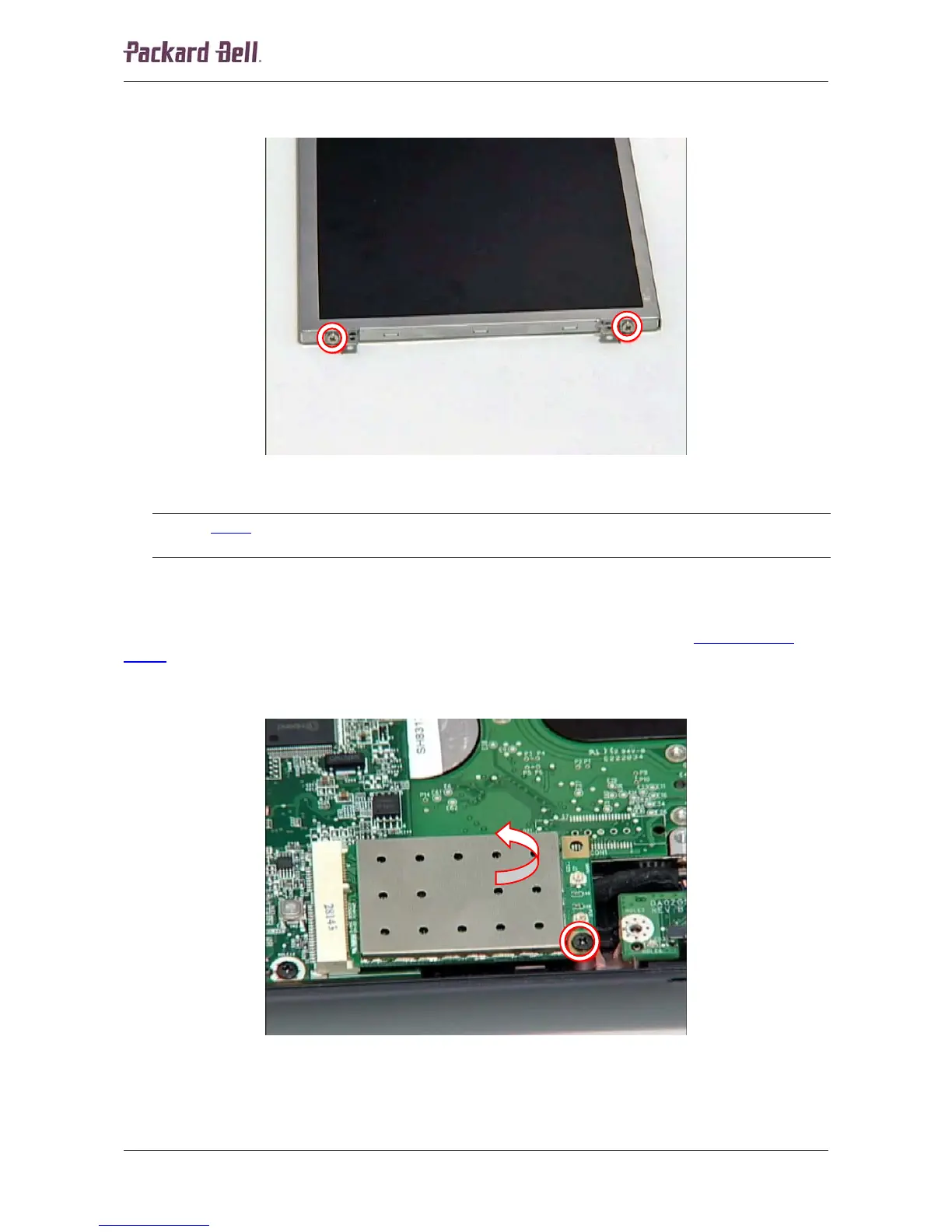
1. Remove the screw securing the wireless LAN adapter; it will eject upwards.
Fig. 34 Location of the wireless LAN adapter screw.
Packard Bell dot Disassembly Manual














 To Next Page