12
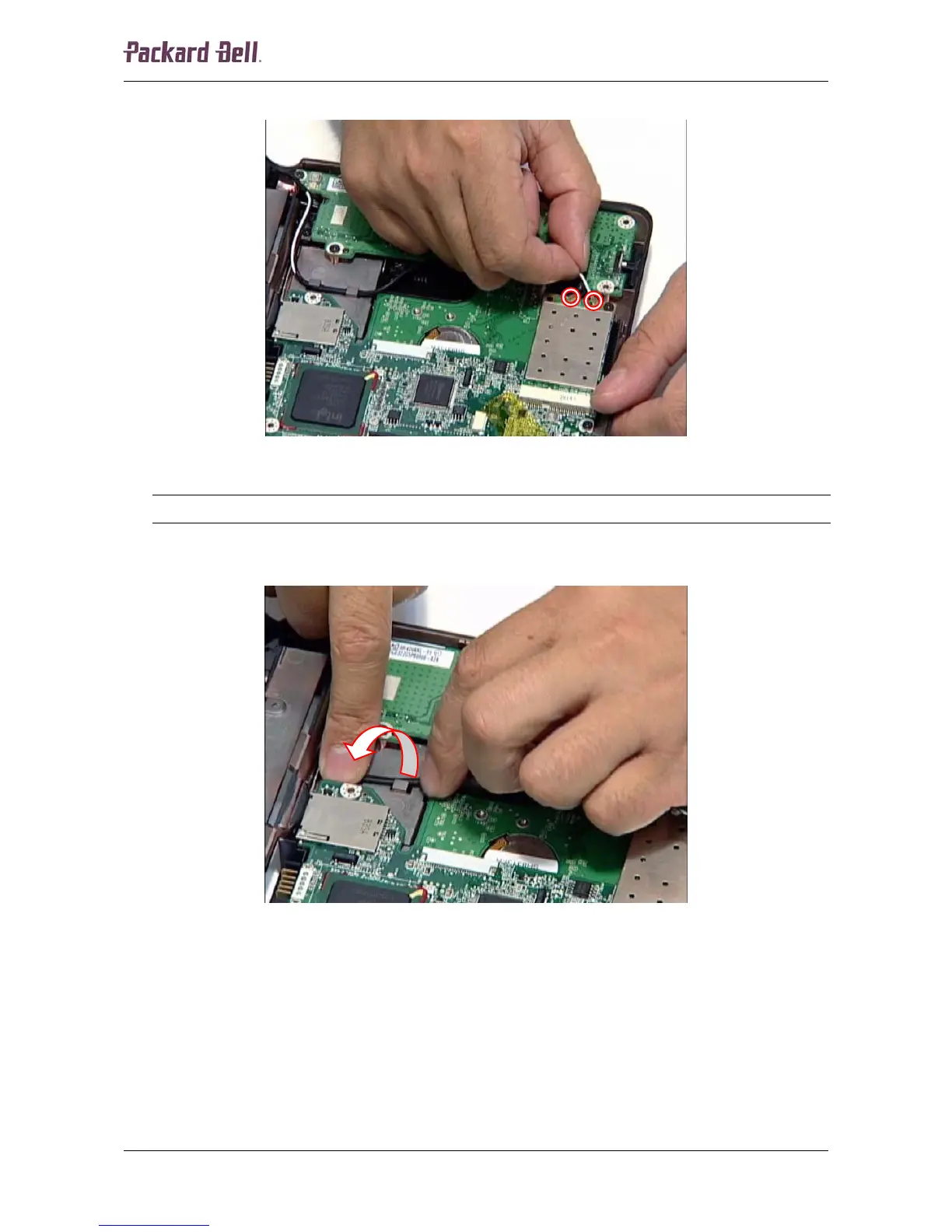
6. Disconnect the two antenna cables from the wireless LAN adapter.
Fig. 17 Disconnecting the antenna cables.
Note:
The black antenna cable is connected to MAIN, the white antenna cable to AUX.
7. Clear the two antenna cables and remove them from the housing.
Fig. 18 Clearing the antenna cables.
Packard Bell dot Disassembly Manual













 To Next Page