29
The operating mode can be chosen in the "HMI mode":
• Automatic: delegated to the BMS/Auto-change-over (refer to the UM)
• Cooling: request for cool mode
• Heating: request for heat mode
The “Mode from” line states which element requested the current mode:
• Contact: D2 confi gurable digital input
• HMI: user interface
• BMS
• Schedul.
CAUTION The automatic change-over mode is activated if the local mode and the BMS mode are set to “Auto”.
1
1
0
0
0
0
44°
44°
8
0°
8,0°
M
chedul
utomat
Dele
at
ircuit
ircuit
rau
c c
rcu
apacit
L
urrent set
. hea
eat
n
setp
urrent set
. coo
ooling setp
tate fro
fr
HMI
t
t
mo
tatu
1/13
HMI
Schedul.
Automatic
Delegate
State from
Mode from
HMI state
HMI mode
Status
orced heatin
N
estart re
u
re
A
ter modi
ication o
valu
ontacts D
ontacts D1
N
F
ontacts D1 D
2/4
Forced heating
NO
Contacts D2
Contacts D1 ON/OFF
Contacts D1 D2
3/4
Reduced mode
Forced heating
Low shedding
None
/
cces
ervice
ommissionin
tatu
a
n
en
1/4
Services
Commissioning
Status
Main Menu
1
r
v
arameter
nputs-
utput
L
k
peration hour
D
i
n
l
ntr
onfiguratio
ervic
1/8
Configuration
Service
eturn
20
ommissionin
ontrol o
T ret./su
. tem
ontacts D1 D
ircuit contro
um
onfi
uratio
1/7
Configuration
✔
✔
✔
✔
Contacts D1 D2
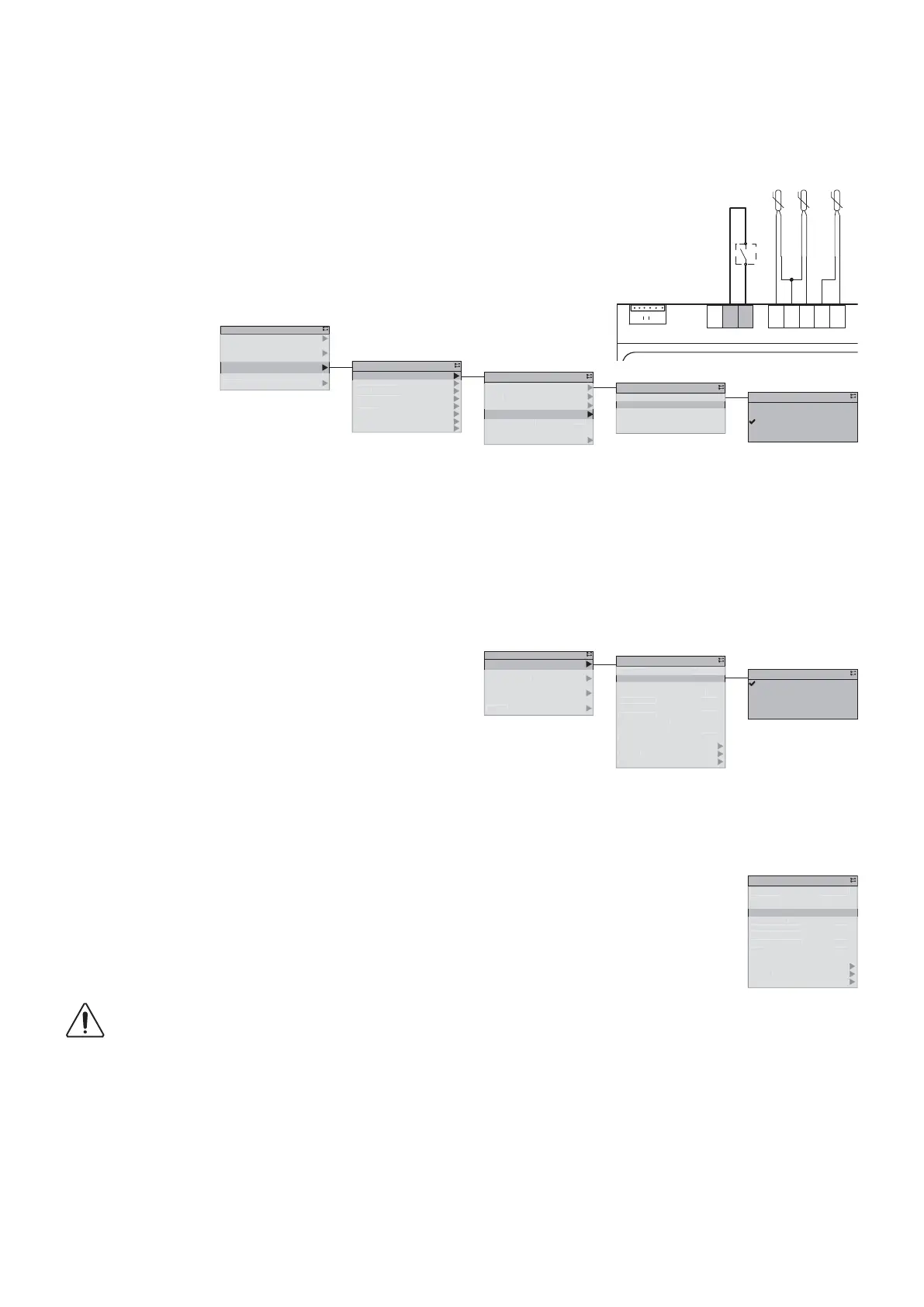
13.4.2. Confi guring input D2
During installation, a switch can be connected onto the D2 digital input.
The operating mode defi ned for this input takes priority over all control systems such as the HML, BMS or calendar.
The input can be confi gured with the function values defi ned below:
• None
• Low shedding
• Forced Heating
• Reduced mode
Further information regarding this contact’s confi guration can be found in the user manual, § CASCADE OF PRIORITIES.
13.4.3. Heat/cool selection
2xBK
2xBK
2xBK
EWT
LWT
OAT
B1
M
B2
M
T1
B3
T4
D1
M
D2
EEV
T13
COM
COM
B
A
B
A
SD/N
O1
cces
ervice
Commissionin
tatu
n
n
1
0
0
0,0
4°
4°
8,0°
8
0°
chedul
utomat
e
egat
ircuit
ircuit
H
draulic circui
Capacit
oa
urrent set
. hea
Heatin
setp
urrent set
. coo
ooling setp
tate from
Mode
ro
stat
HMI m
tatu
1/3
Heating
Cooling
Automatic
HMI mode
1/13
Automatic
Delegate
HMI state
HMI mode
Status
✔
✔



 To Next Page