3.5 Setting of System Connection
3.5.2 Setting on the Programming Tool Side
• Settings should be performed on the programming tool FPWIN GR7 side.
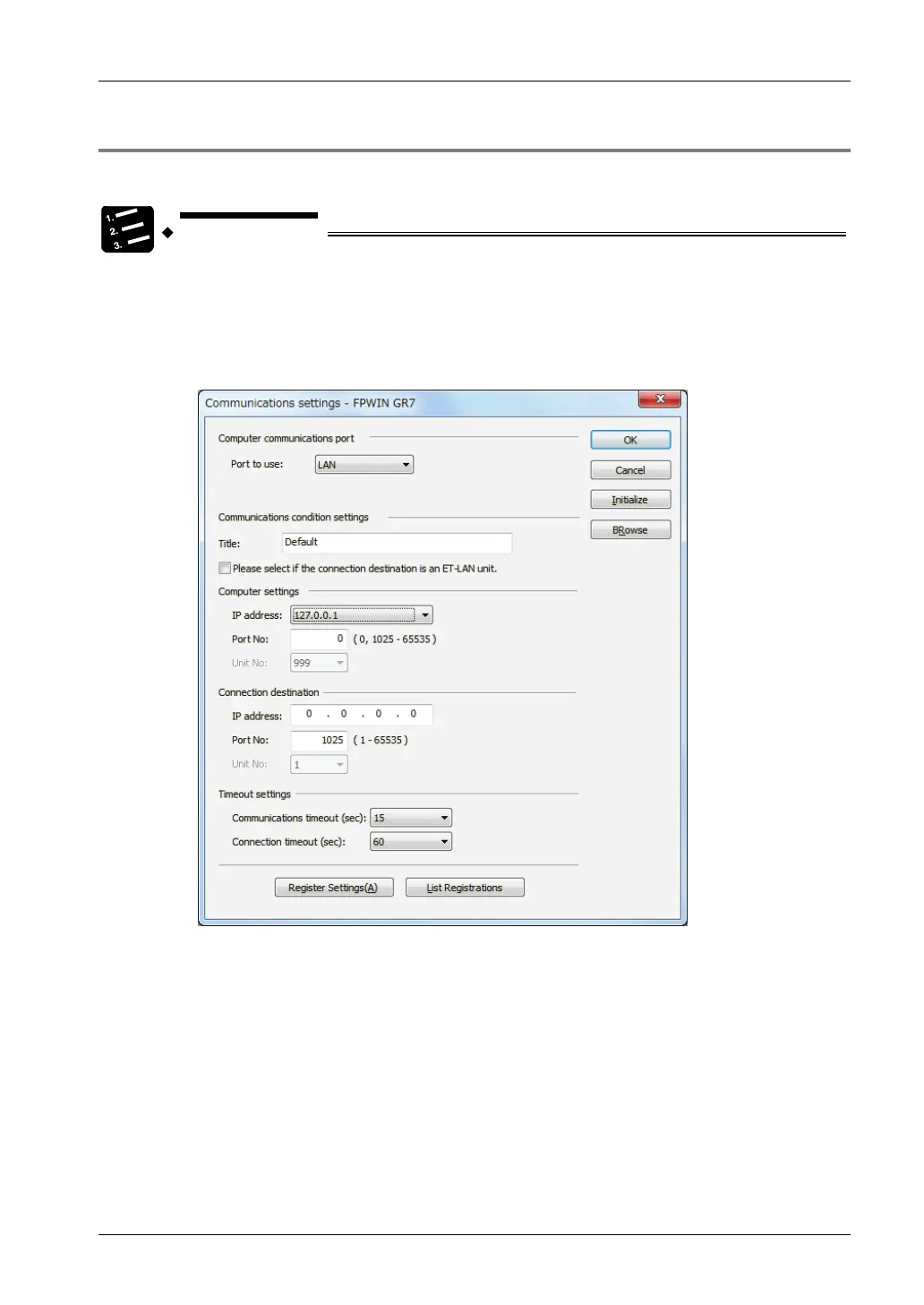
1. From the menu bar, select "Online" > "Communication Settings".
The "Communication Settings" dialog box is displayed.
2. Switch the port to be used to "LAN".
Setting items for LAN connection are displayed.
3. In the "Connection destination" setting field, input the IP address and the
port number.
4. Press [OK] button.
3-9



 To Next Page