4.1 Configuration Concerning Open Process
4.1.5 Instructions for Specifying Connection Conditions
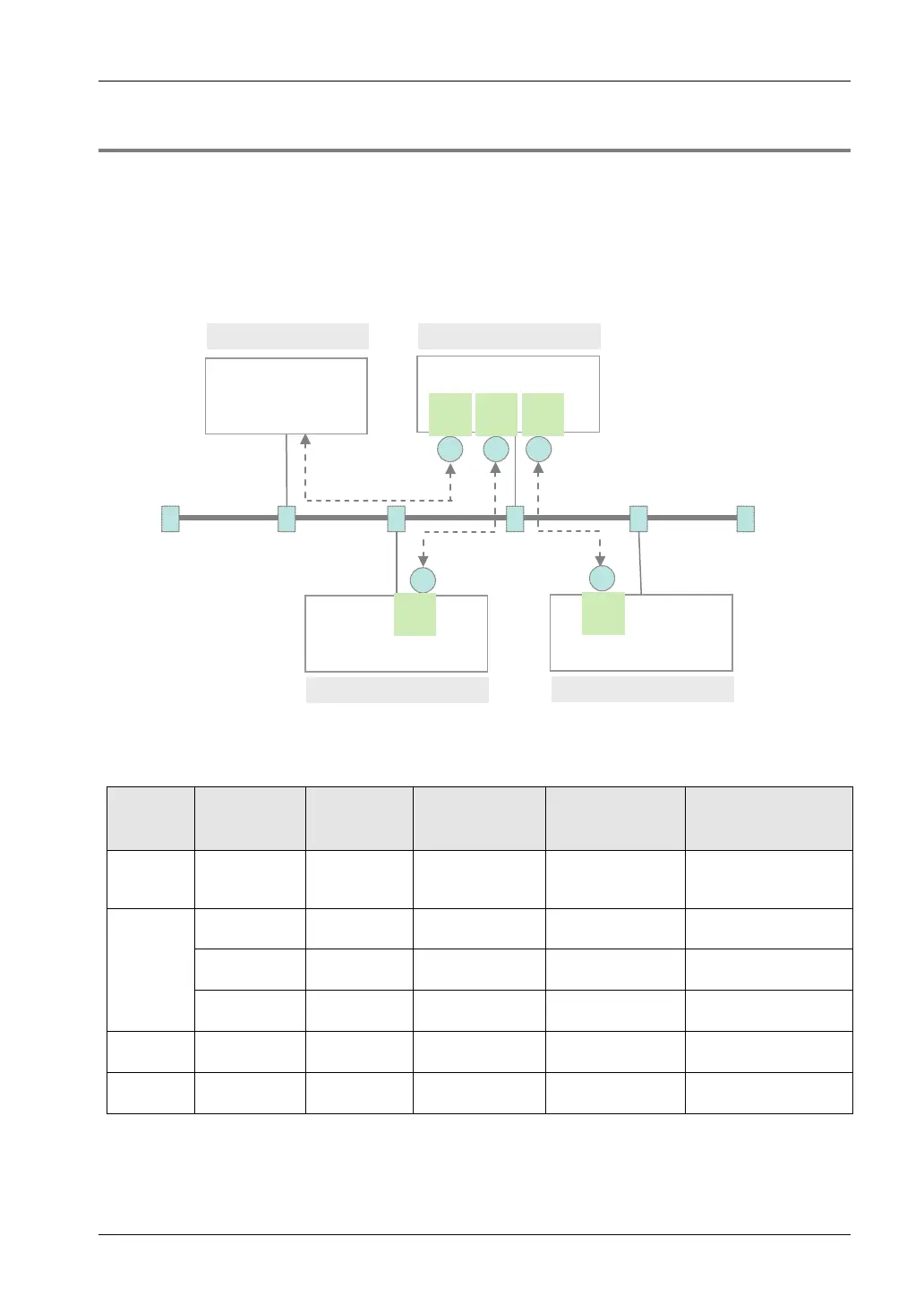
• In Ethernet communication using the FP7 unit, different operation modes, open method, and
communication methods can be specified for each connection.
• Specify the same conditions for operation mode (MEWTOCOL-DAT, MEWTOCOL-COM,
MODBUS-TCP, general-purpose communication) and communication methods (TCP/IP,
UDP/IP) for devices to be connected in each connection. Also specify the IP address and
port number of each device.
PC (personal computer) FP7 CPU No.1
FP7 CPU No.2
FP7 CPU No.3
MEWTOCOL
-COM
MEWTOCOL-
DAT
1 2 3
2
3
IP XXX.XX.XX.XXX
IP XXX.XX.XX.XXX
IP XXX.XX.XX.XXX
IP XXX.XX.XX.XXX
Port No. 8000
Client
Client
Server
Server
Server
Port No.
8000 8001
8002
8000
Port No.
8000
Port No.
Note) Circled numbers in the figure above indicate examples of allocation of connection numbers.
Setting example
Node
Connection
no.
Operation
Mode
Setting
Open method
Communication
method
Remark
PC
(personal
computer)
-
MEWTOCOL-
COM
Active Open TCP / IP
Use applications that
support MEWTOCOL-
COM.
FP7 CPU
No. 1
1
MEWTOCOL-
COM
Server connection
Auto Open
TCP / IP
2
MEWTOCOL-
DAT
Client connection
Auto Open
TCP / IP
3
MEWTOCOL-
DAT
Client connection
Auto Open
TCP / IP
FP7 CPU
No. 2
2
MEWTOCOL-
DAT
Server connection
Auto Open
TCP / IP
FP7 CPU
No. 3
3
MEWTOCOL-
DAT
Server connection
Auto Open
TCP / IP
When the partner is FP2 ET-LAN unit, select "Connect FP2 ET-LAN" for the MEWTOCOL communication type.
4-3



 To Next Page