8.4 MEWTOCOL7-COM Format
8.4 MEWTOCOL7-COM Format
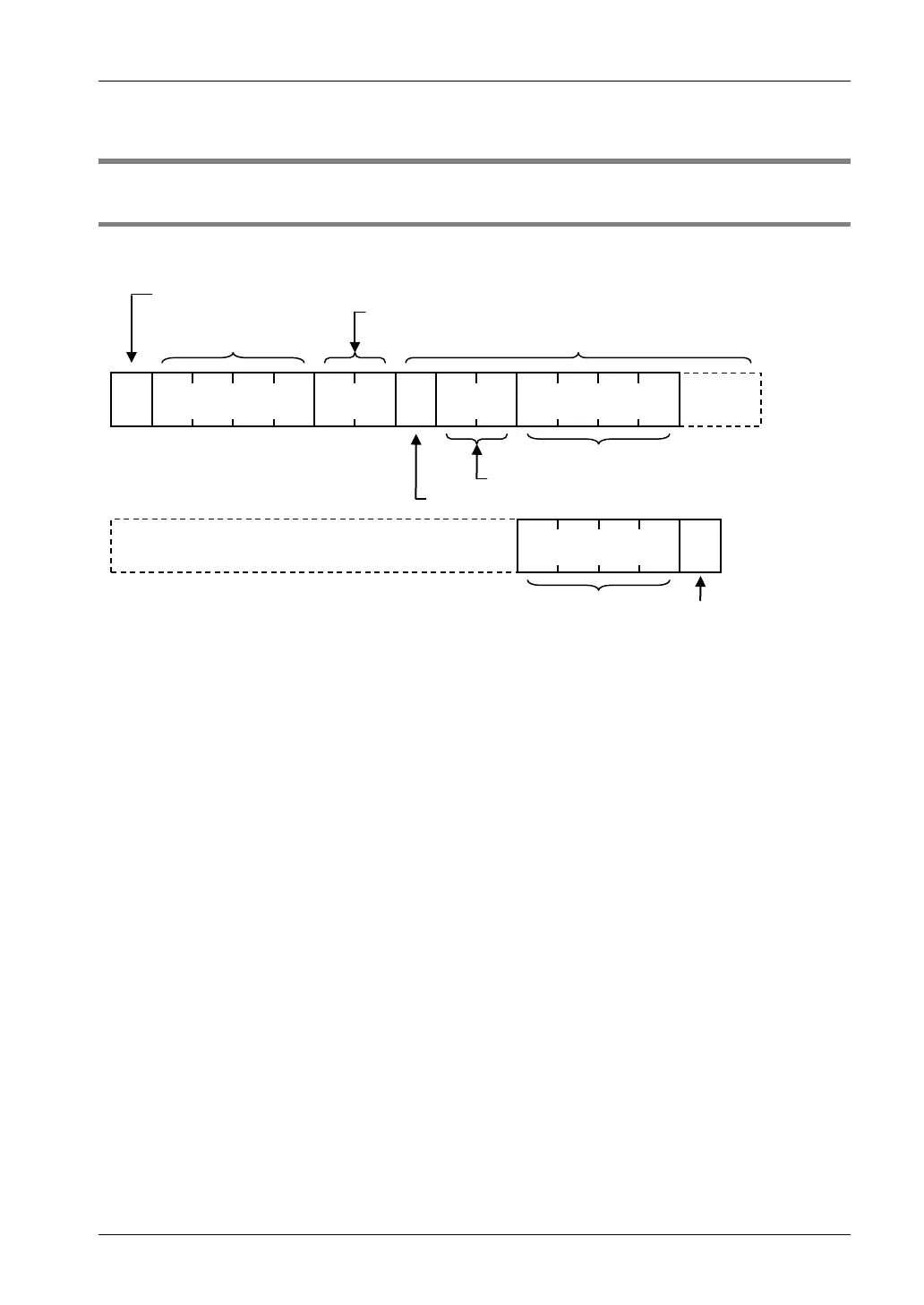
8.4.1 MEWTOCOL7-COM Command Format
Command message
@ E E E 0 # 0> 0 M M R D0
* * * *
C
(1) Header (start code)
(2) Station no. of the receiver
Command ID code
Command code value
(3) Frame No.
Command name
(4) Text (to be specified in accordance with the type of command)
(5) Check code (16bit CRC (CCITT) )
(6) Terminator (end code)
R
(1) Header (start code)
A “>” (ASCII code: H3E) must be at the beginning of a message.
(2) Station no.
• The station no. of the receiving PLC to which you want to send the command must be
specified with "@ and three digits". The station no. of the PLC is specified by the system
register. In the case of the FP7 CPU unit, the station no. is specified in the FPWIN GR7
configuration menu.
• When the receiver is FP7, specify "01" (ASCII code: H3031). The receiver to which you want
to connect is specified by IP address.
(3) Frame No.
This indicates the sending frame No. Make sure to use consecutive frame numbers.
E.g. Commands for multiple frames
>@EEE00#00MMRDD001G0DT0000000001000****CR
>@EEE01****& CR
* Make sure to use consecutive values for frame numbers. The usable number range is
from 00 to FF. After FF, return to 00.
(4) Text
The content of this varies depending on the type of command. The content should be noted in
all upper-case characters, following the fixed formula for the particular command.
8-11



 To Next Page