7.2 Sending Operation
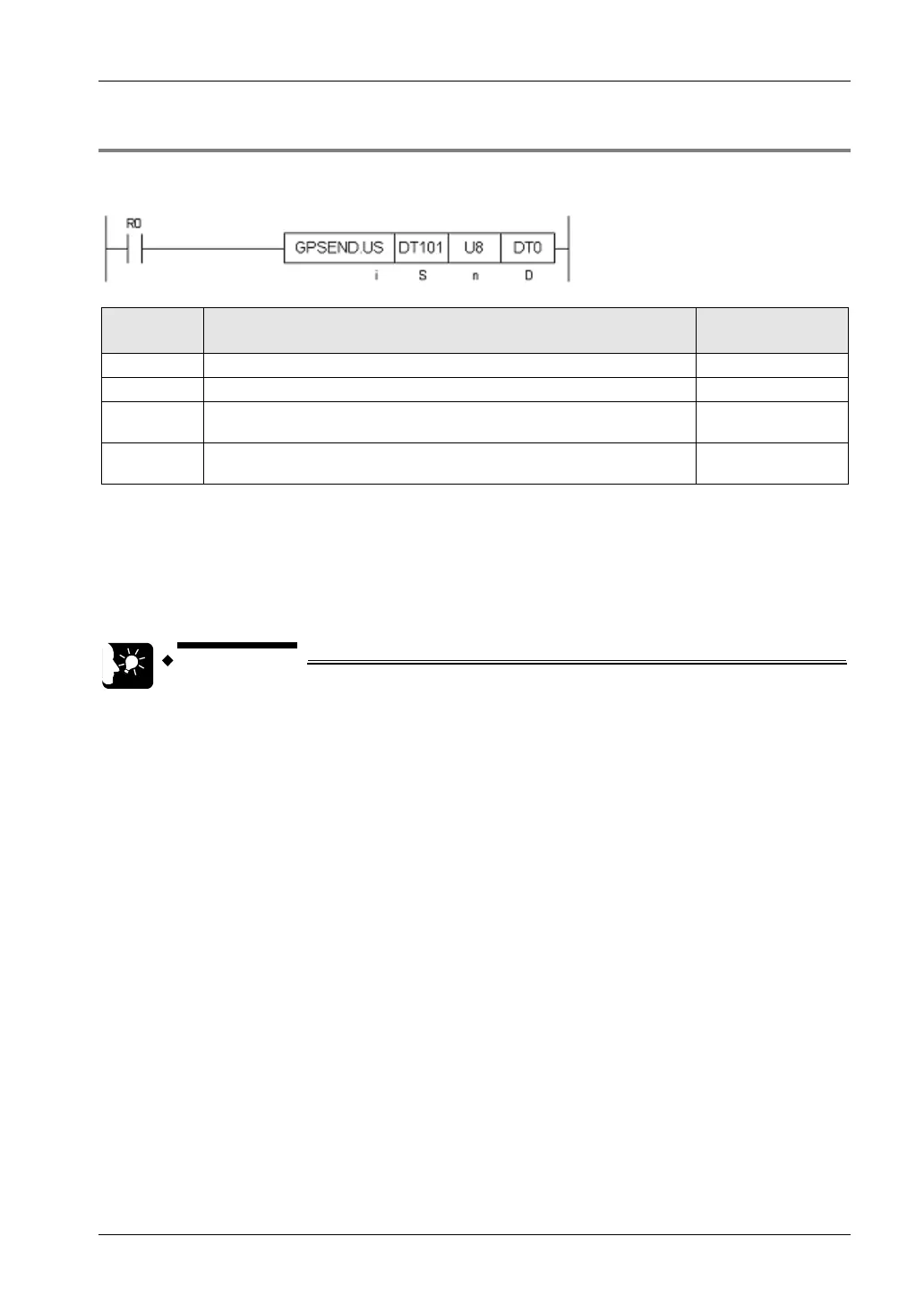
7.2.3 GPSEND (General-Purpose Communication Sending Command)
Command format
Setting
item
Settings Setting range
i Specify the operation unit. US / SS (Note 1)
S Specify the header of the source node data area. (Note 2)
n Specify the No. of bytes of sent data.
1 - 16384
(Note 1) (Note 4)
D
Specify the device area in the source node to save the processing result
code (one word).
(Note 3)
(Note 1) When a K constant (integer with a symbol) is specified for the No. of sent bytes [n], select SS for operation
unit [i]. When a U constant (integer without a symbol) or an H constant (hexadecimal integer), select US for
operation unit [i].
(Note 2) Devices that can be specified for S are: WX, WY, WR, WL, DT, LD.
(Note 3) Devices that can be specified for D are: WX, WY, WR, WL, DT, LD.
Once the sending process is completed, the sent bytes are saved. When an error occurs, "FFFFH" is saved.
(Note 4) This indicates a case where the sending port is a LAN port. When a dedicated header is attached, the size is
up to 16,372 bytes.
• Specify the connection targeted for communication, using UNITSEL
command immediately before GPSEND command.
• Maintain the ON conditions for GPSEND command until sending is
completed and the sending general-purpose communication flag (Y80 - Y8F)
turns OFF.
• When GPSEND command is executed for connection in progress, the
sending flag and the sending result are updated.
• Confirm that the "clear to send general-purpose communication flag" (X80 -
X8F) for the targeted connection has turned ON, and execute GPSEND
command.
• GPSEND command cannot be used in an interrupt program.
7-7



 To Next Page