7.2 Sending Operation
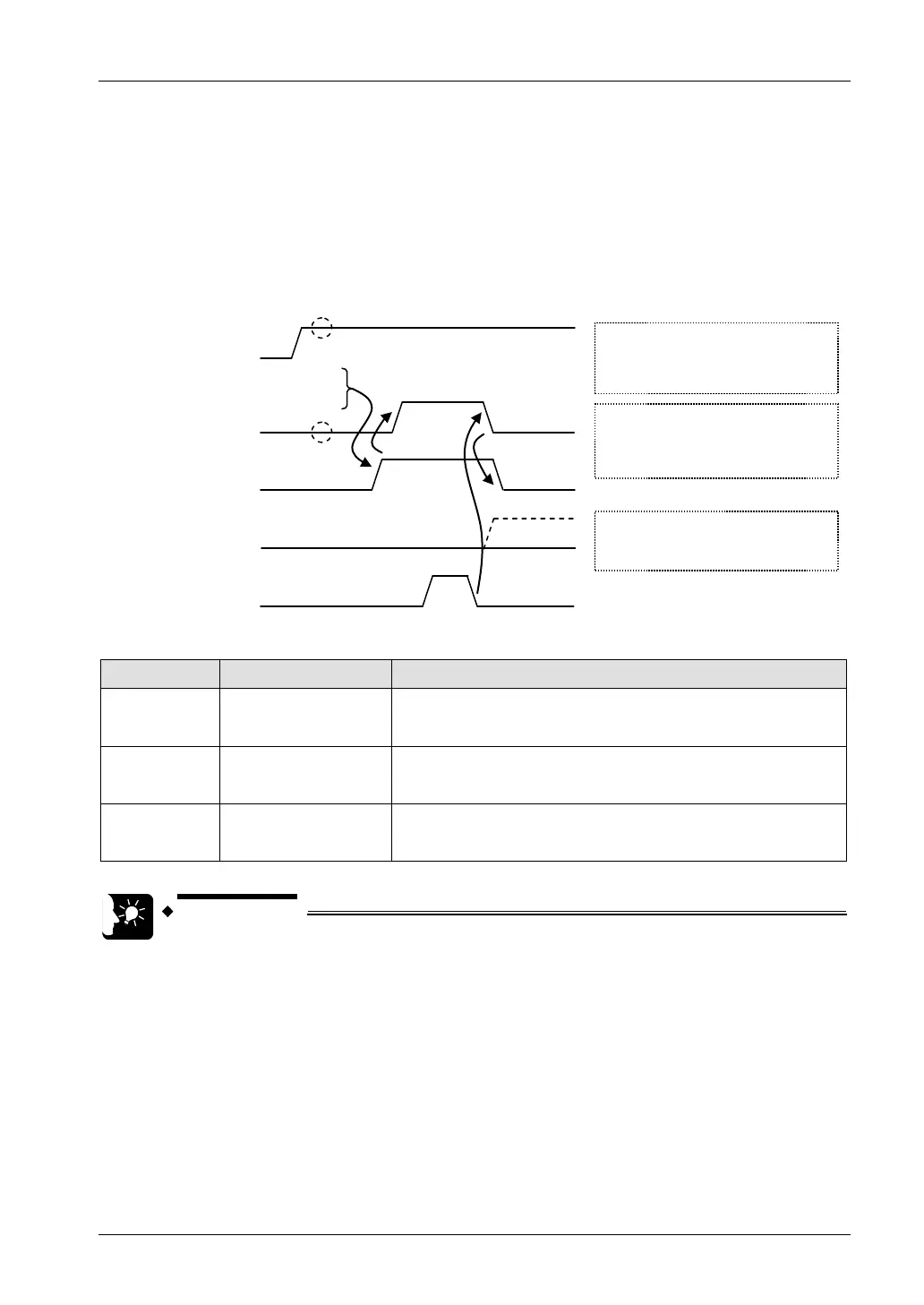
Timing chart
• Data in the table specified by GPSEND command are sent, in ascending order from lower
bytes.
• While data are being sent, the sending general-purpose communication flag for the relevant
connection (Y80 - Y8F) turns ON. The flag is turned OFF when sending is completed.
• The sending result (0: normal completion, 1: abnormal completion) is saved in the general-
purpose communication sending result flag (Y70 - Y7F).
Confirm OFF
Conditions to enable execution of
GPSEND command
Clear to send flag (X80 -
X8F): ON
Sending flag (Y80 - Y8F): OFF
Sending done result flag (Y70 -
Y7F):
Normal completion: OFF
Abnormal completion: ON
Execute GPSEND
Sending general-purpose
communication flag
(Y80 - Y8F)
Sending done result flag
(Y70 - Y7F)
Sending data
Clear to send general-
purpose communication
flag (X80 - X8F)
Confirm ON
Sending flag (Y80
- Y8F):
During the sending process: ON
During execution of command following
sending completion: OFF
I/O Allocation
I/O number
X80 - X8F
Clear to send general-
purpose
communication flag
When connection is ON in general-purpose communication, the flag
is ON.
Y80 - Y8F
Sending general-
purpose
communication flag
Turns ON during sending data based on GPSEND command.
Turns OFF when GPSEND command is executed for the next time
following sending completion.
Y70 - Y7F
Sending done result
flag
Reports completion result of sending data in general-purpose
communication or master communication.
(Normal completion: 0, Abnormal completion: 1)
(Note 1) Each contact is used for reading the operation status. Do not write over it with a user program.
• Specify the connection targeted for communication, using UNITSEL
command immediately before GPSEND command.
• Maintain the ON conditions for GPSEND command until sending is
completed and the sending general-purpose communication flag (Y80 - Y8F)
turns OFF.
7-5



 To Next Page