7.3 Receiving Operation
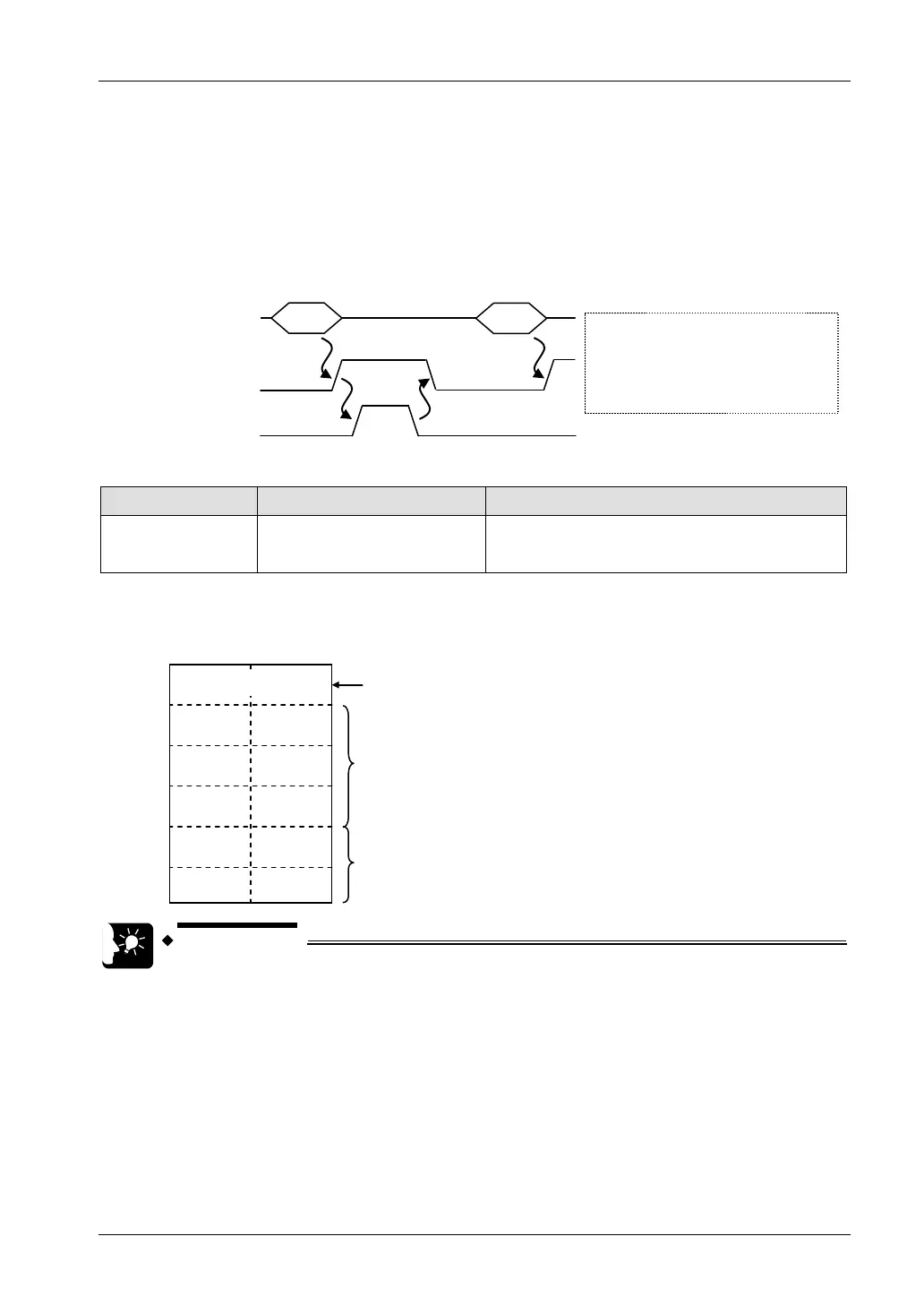
Timing chart
• Data received from an external device are saved in the reception buffer for each connection.
• When data are received, the “reception done” flag (X70 - X7F) turns ON.
• When the GPRECV command is executed, data are copied into the specified area, and the
reception done flag (X70 - X7F) turns OFF. The reception done flag (X70 - X7F) turns OFF
when the I/O refresh is executed at the beginning of the subsequent scans.
Execute GPRECV
Reception done flag
(X70
-
X7F)
Reception done flag (X70 -
X7F):
When reception has been done: ON,
When copying of received data has
been done based on GPRECV
command: OFF
Reception buffer
Received data
I/O number
I/O Allocation Name Explanation
X70 - X7F
General-purpose
communication reception done
flag
Turns ON when the receiving process is completed
in the general-purpose communication mode.
Saving method for received data
When data are saved in a given data register from the reception buffer, based on GPRECV
command, the data are saved in the following manner.
----- -----
The received data are saved in ascending order from
lower bytes.
DT200
H32(2) H31 (1)
H34 (5)
H33 (3)
H0D (CR)
H35 (4)
-----
-----
DT201
DT202
DT203
DT204
Saves the received No. of bytes.U6
-----
If the received No. of bytes is smaller than the area
specified by the GPRECV command, the data are not
overwritten.
• Specify the connection targeted for communication, using UNITSEL
command immediately before GPSEND command.
• The data size that can be received in a single transmission based on
GPRECV command from the LAN port of the FP7 CPU unit is up to 16,384
bytes.
7-9



 To Next Page