24
VQT3K06
≥ Open the lens cover before turning on the unit. (l 10)
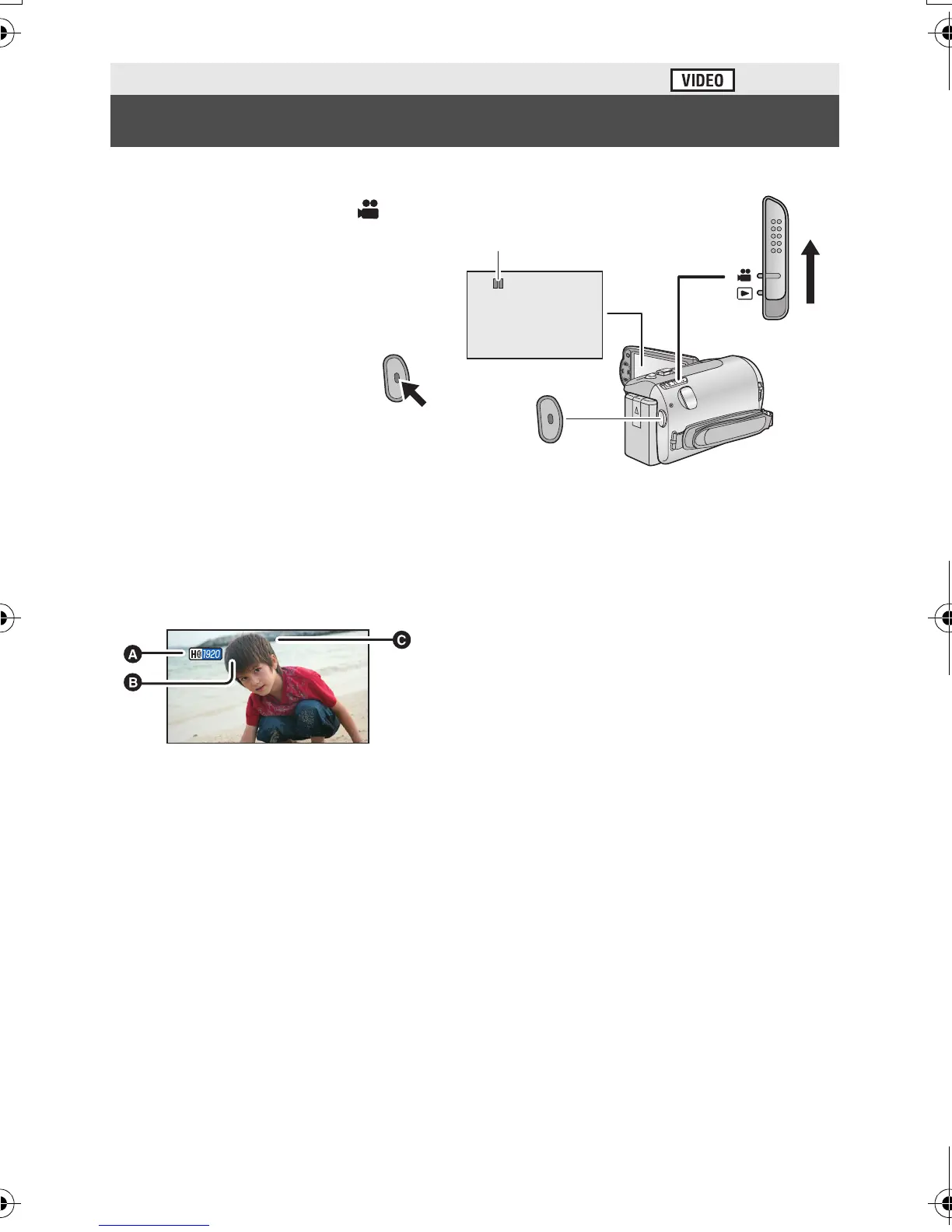
1 Change the mode to and
open the LCD monitor.
2 Press the recording start/
stop button to start
recording.
A When you begin recording, ;
changes to ¥.
3 Press the recording start/
stop button again to pause
recording.
∫ About the screen indications in the motion picture recording
Basic
Recording motion pictures
0h00m00s0h00m00s0h00m00s
R 1h20mR 1h20mR 1h20m
A Recording mode
B Approximate remaining recordable
time
(When the remaining time is less than
1 minute, R 0h00m flashes red.)
C Recording time elapsed
Each time the unit is put into recording
pause, the counter display will be reset
to 0h00m00s.
(“h” is an abbreviation for hour, “m” for
minute and “s” for second.)
HDC-SD40&TM40EB-VQT3K06_mst.book 24 ページ 2011年2月8日 火曜日 午後6時8分















 To Next Page