33
VQT3K06
≥ The items displayed differ depending on the position or settings of the mode switch.
Select the menu.
The screen display can be changed to [OFF] (a portion of information displayed) or [ON] (all
information displayed).
Please refer to page 21.
It is possible to display and record the time at the travel destination by selecting your home
region and the travel destination.
1 Select [SET WORLD TIME] and press the ENTER button.
≥ If the clock is not set, adjust the clock to the current time. (l 21)
≥ When the [HOME] (your home region) is not set, the message appears. Press the ENTER
button and proceed to step 3.
2 (Only when setting your home region)
Select [HOME] using 2/1and press the ENTER button.
3
(Only when setting your home region)
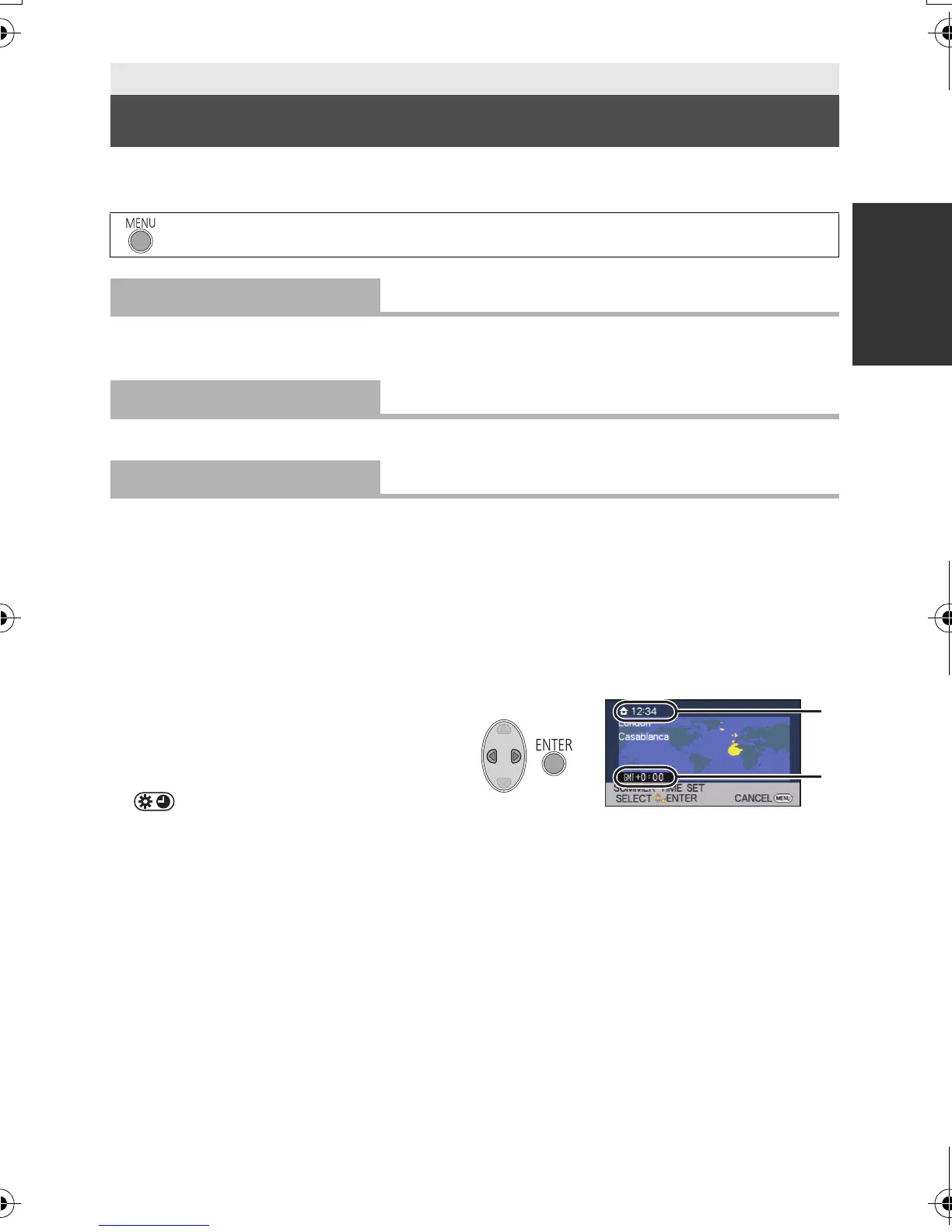
Select your home region using
2/1and press the ENTER button.
≥ Press 3 to set daylight saving time.
appears and the summer time
setting is turned on; the time
difference from GMT is set forward by
one hour. Press 3 again to return to
the normal time setting.
4 (Only when setting the region of your
travel destination)
Select [DESTINATION] using 2/1 and press the ENTER button.
≥ When the home region is set for the first time, the screen for selecting home/travel
destination appears after setting the home region successively. If the home region has
already been set once, execute the menu operation for step 1.
Basic
Using the Setup Menu
: [SETUP] # desired setting
[DISPLAY]
[OFF]/[ON]
[CLOCK SET]
[SET WORLD TIME]
A The current time
B The time difference from GMT
(Greenwich Mean Time)
HDC-SD40&TM40EB-VQT3K06_mst.book 33 ページ 2011年2月8日 火曜日 午後6時8分















 To Next Page