28
VQT3K06
∫ Intelligent auto mode
When switching to intelligent auto mode, the auto white balance and auto focus operate and
automatically adjust the colour balance and focusing.
Depending on the brightness of the subject etc., the aperture and shutter speed are
automatically adjusted for an optimum brightness.
≥ Colour balance and focus may not be adjusted automatically depending on light sources or
scenes. If so, manually adjust these settings. (l 52, 55)
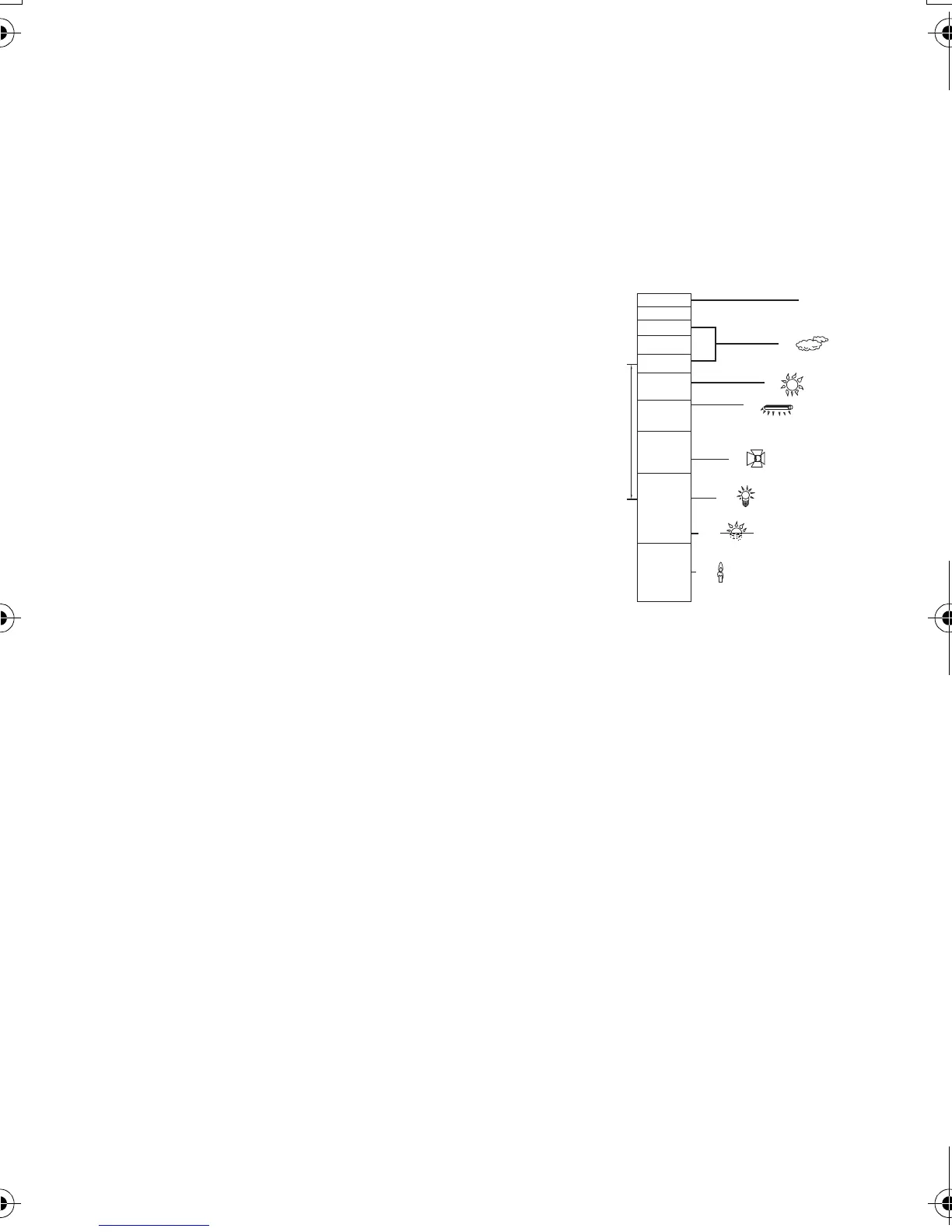
Automatic white balance
The illustration shows the range over which automatic white balance functions.
1) The effective range of automatic white balance
adjustment on this unit
2) Blue sky
3) Cloudy sky (rain)
4) Sunlight
5) White fluorescent lamp
6) Halogen light bulb
7) Incandescent light bulb
8) Sunrise or sunset
9) Candlelight
If the automatic white balance is not functioning normally,
adjust the white balance manually. (l 52)
Auto focus
The unit focuses automatically.
≥ Auto focus does not work correctly in the following
situations. Record pictures in the manual focus mode. (l 55)
jRecording distant and close-up objects at the same time
jRecording a subject behind dirty or dusty window
jRecording a subject that is surrounded by objects with glossy surfaces or by highly
reflective objects
4)
5)
6)
7)
8)
10 000K
9 000K
8 000K
7 000K
6 000K
5 000K
4 000K
3 000K
2 000K
1 000K
2)
1)
3)
9)
HDC-SD40&TM40EB-VQT3K06_mst.book 28 ページ 2011年2月8日 火曜日 午後6時8分















 To Next Page