50
VQT3K06
When recording, the input level from the built-in microphones can be adjusted.
≥ Switch to manual mode. (l 52)
1 Select the menu.
2
(When [SETr ]/[SET] is selected)
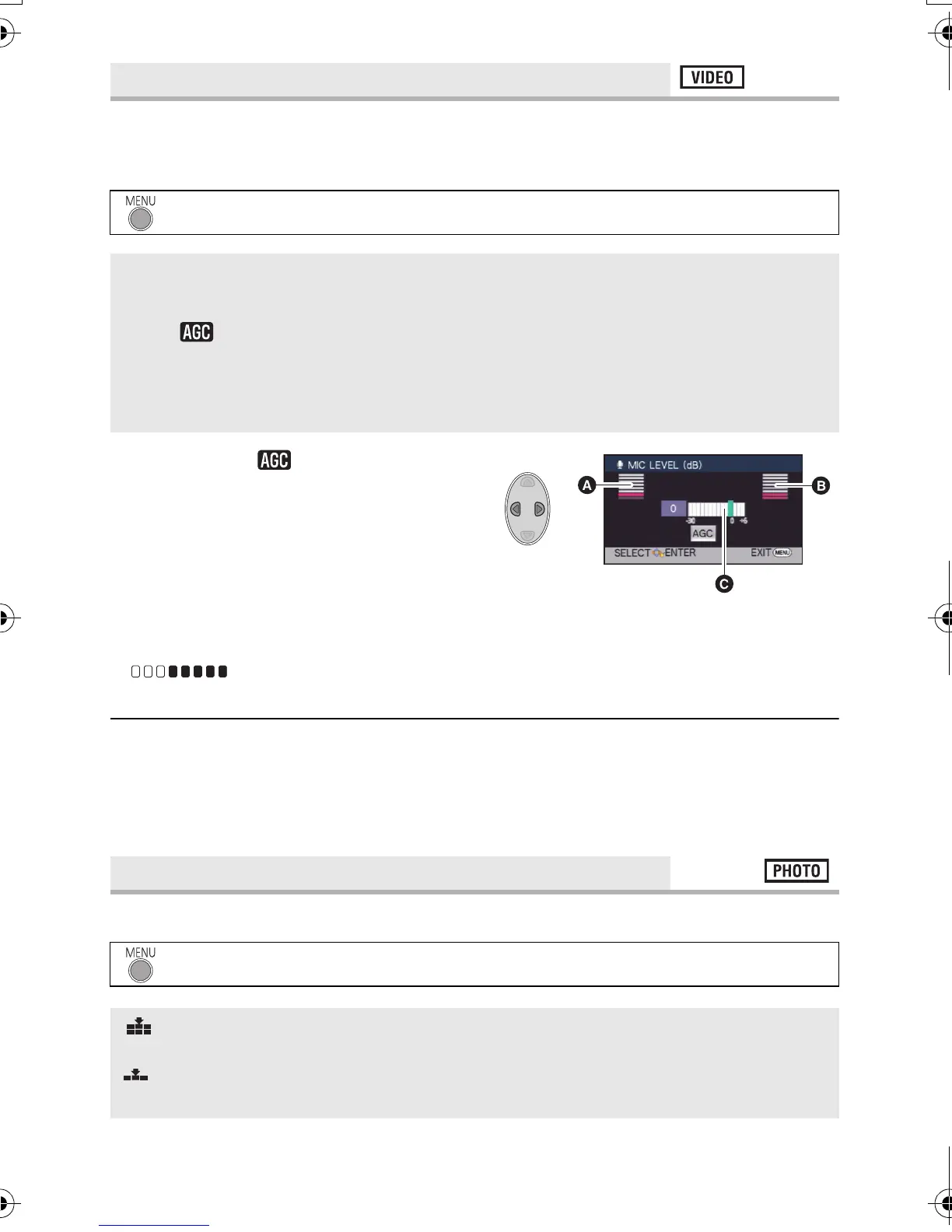
Press 2/1 to adjust.
≥ Adjust the microphone input level so that the
last 2 bars of the gain value are not red.
(Otherwise, the sound is distorted.) Select a
lower setting for microphone input level.
3 Press the ENTER button to determine
the microphone input level and then
press the MENU button.
≥ (Microphone input level meter)
appears on the screen.
≥ When switching to intelligent auto mode, the setting is fixed to [AUTO] and cannot be
changed.
≥ The microphone input level meter shows the larger of the inputs from the 2 built-in
microphones.
≥ You cannot record with the audio completely muted.
Selecting the picture quality.
[MIC LEVEL]
: [RECORD SETUP] # [MIC LEVEL] # desired setting
[AUTO]: AGC is activated, and the recording level is adjusted
automatically.
[SETr ]: The desired recording level can be set.
AGC is activated, reducing noise.
[SET]: The desired recording level can be set.
You will be able to record natural-sounding audio.
[QUALITY]
: [PICTURE] # [QUALITY] # desired setting
: Still pictures with a high picture quality are recorded.
: Priority is given to the number of still pictures recorded. Still pictures are
recorded in normal picture quality.
A Left
B Right
C Microphone input level
HDC-SD40&TM40EB-VQT3K06_mst.book 50 ページ 2011年2月8日 火曜日 午後6時8分















 To Next Page