26
VQT3K06
Still picture recorded with size of (1920k1080) and an aspect ratio of 16:9.
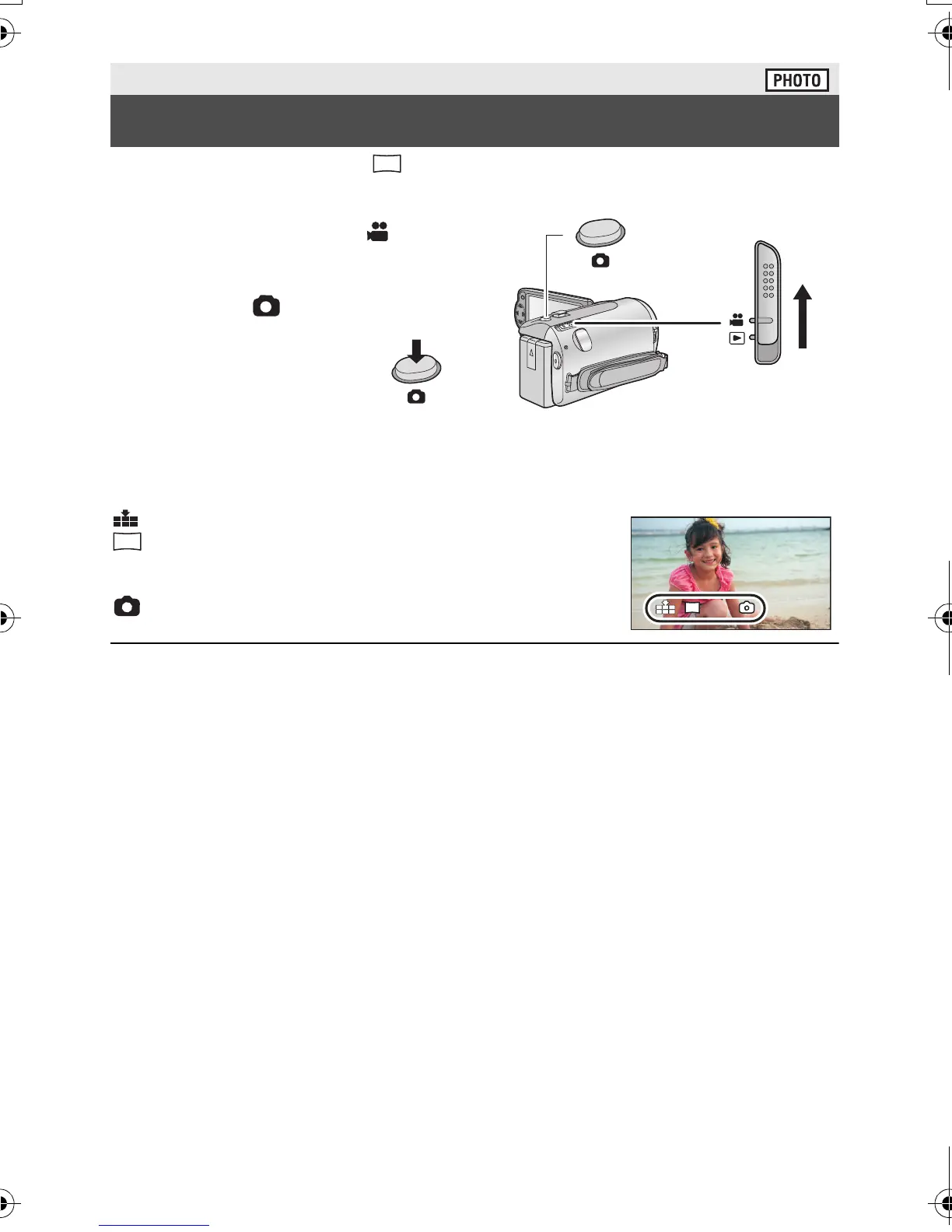
≥ Open the lens cover before turning on the unit. (l 10)
1 Change the mode to and
open the LCD monitor.
2 Press the button.
∫ About the screen indications in still picture recording
: Quality of still pictures (l 50)
: Size of still pictures
R3000: Remaining number of still pictures (Flashes in
red when [0] appears.)
: Still picture operation indicator (l 92)
≥ During motion picture recording or when set to PRE-REC, you cannot record still pictures.
≥ It is recommended using a tripod when recording still pictures in dark places because the
shutter speed becomes slow.
≥ To print a picture, save the picture to the SD card (l 72) and print using a PC or a printer.
≥ The edges of still pictures recorded on this unit with a 16:9 aspect ratio may be cut at
printing. Check the printer or photo studio before printing.
≥ Please refer to page 108 about the number of recordable pictures.
Basic
Recording still pictures
2.1
M
R3000
R3000
HDC-SD40&TM40EB-VQT3K06_mst.book 26 ページ 2011年2月8日 火曜日 午後6時8分















 To Next Page