52
VQT3K06
¬ Change the mode to .
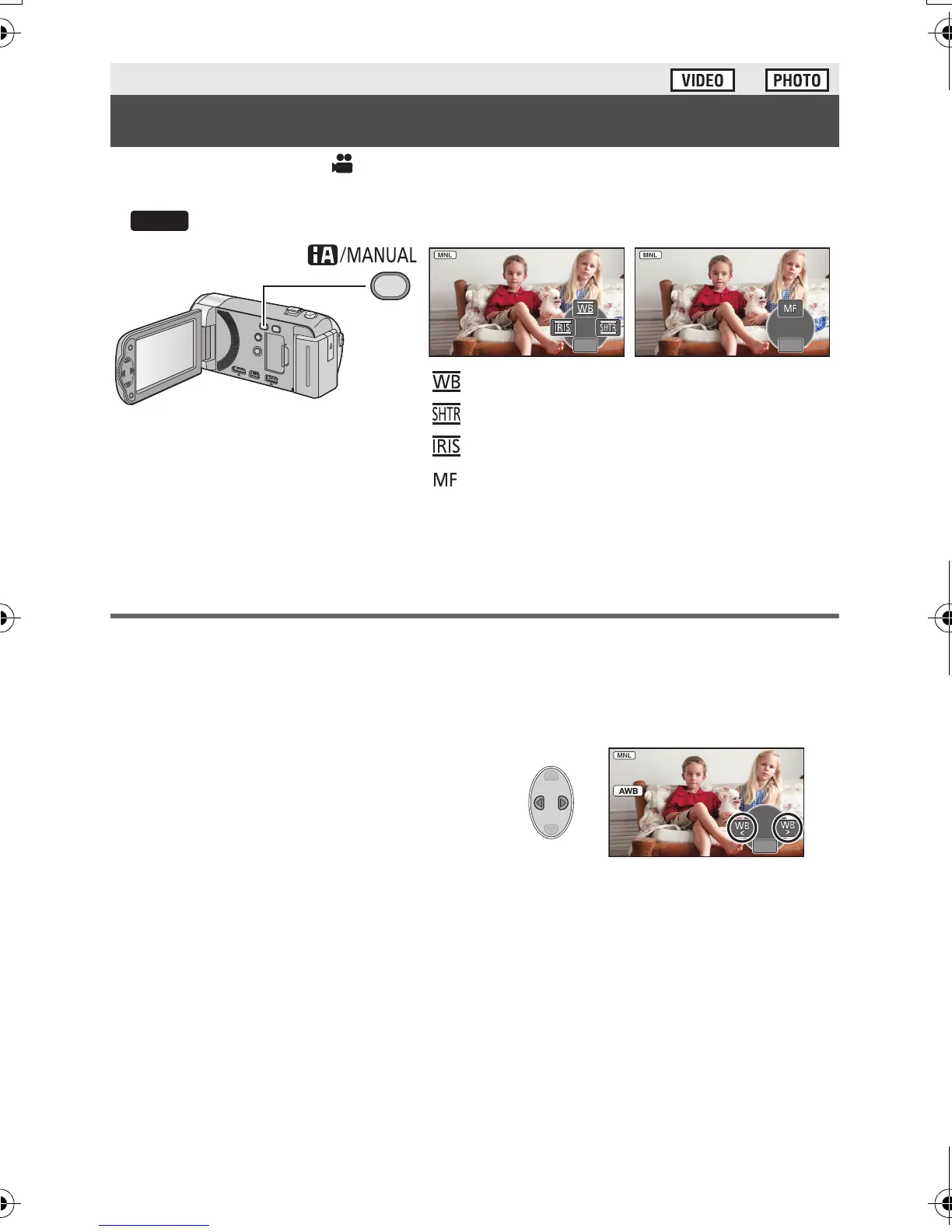
Press the iA/MANUAL button to switch to manual mode.
≥ appears on the screen.
≥ Press the ENTER button to display/not-display the manual icon.
≥ The page changes with each press of 4.
White balance
The automatic white balance function may not reproduce natural colours depending on the
scenes or lighting conditions. If so, you can adjust the white balance manually.
≥ Press the iA/MANUAL button to switch to manual mode.
1 Select [WB] using the cursor button.
2 Press 2/1 to select white balance
mode.
≥ Select the optimal mode by confirming the colour
on the screen.
Advanced (Recording)
Manual recording
4/5 NEXT
4/5 NEXT
5/5 NEXT
5/5 NEXT
White balance
Manual shutter speed (l 54)
Iris adjustment (l 54)
Focus (l 55)
HDC-SD40&TM40EB-VQT3K06_mst.book 52 ページ 2011年2月8日 火曜日 午後6時8分















 To Next Page