48
VQT3K06
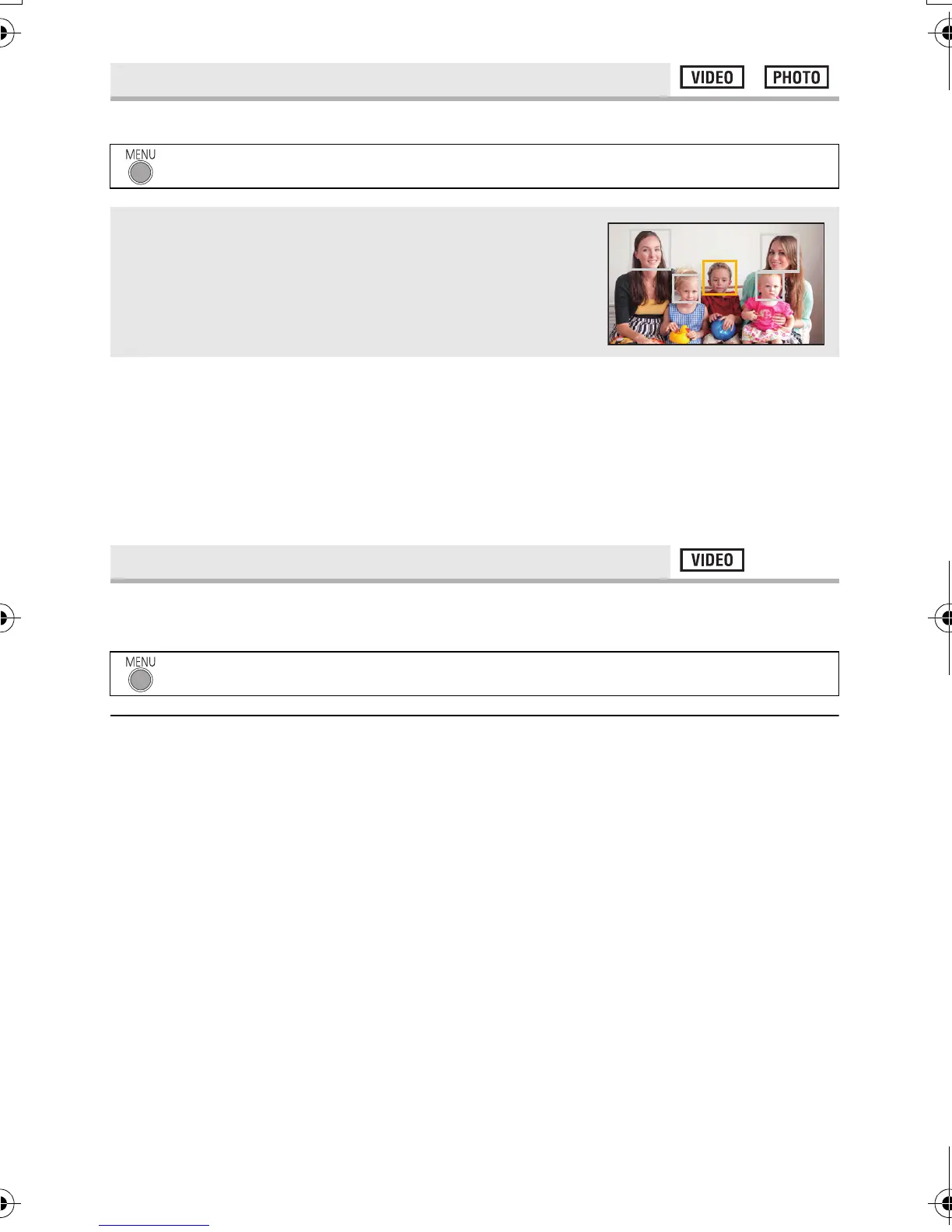
Detected faces appear with frames.
≥ Up to 15 frames are indicated. Larger faces and faces nearer to the centre of the screen
take preference over others.
∫ Prioritised face framing
Prioritised face framing is displayed as orange frames. Focus and adjustment of brightness
will be performed against the prioritised face framing.
≥ Prioritised face framing is only displayed with portrait mode in the intelligent auto mode.
≥ The white frame is for face detection only.
If the unit continues to be tilted upside down from the normal horizontal position while
recording motion pictures, it is automatically put into recording pause.
≥ The AGS function may activate and cause the unit to pause the recording if you are
recording a subject right above or right below you.
[FACE FRAMING]
: [RECORD SETUP] # [FACE FRAMING] # desired setting
[OFF]:
Cancel the setting.
[PRIMARY]:
Only the prioritised face framing is displayed.
[ALL]:
All face detection framings are displayed.
[AGS]
: [RECORD SETUP] # [AGS] # [ON]
HDC-SD40&TM40EB-VQT3K06_mst.book 48 ページ 2011年2月8日 火曜日 午後6時8分















 To Next Page