273
Wi-Fi/Bluetooth
Controlling with a Smartphone
Synchronising the camera’s clock with a smartphone
Wireless connectivity required:
Synchronise the [Clock Set] setting in the [Setup] menu and [Home] or [Destination]
setting in the [World Time] of the camera with those of a smartphone.
1
Make a Bluetooth connection to the smartphone (→257)
2
Select the camera’s menu
→ [Setup] → [Bluetooth] → [Auto Clock Set] → [ON]
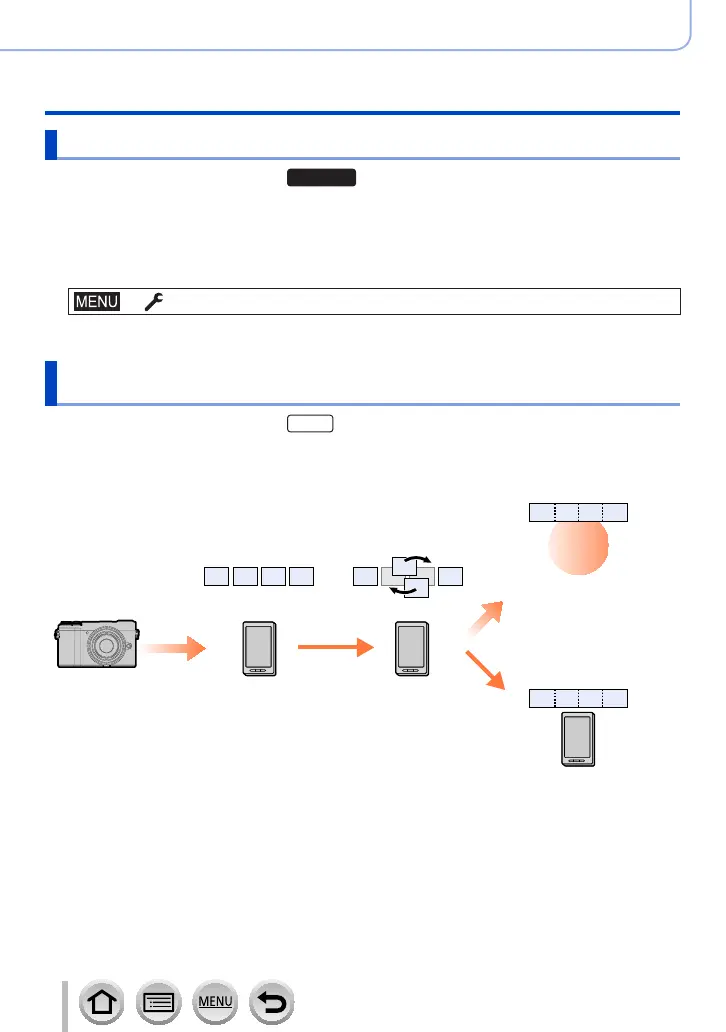
Combining motion pictures recorded with Snap Movie
according to your preference on a smartphone
Wireless connectivity required:
Using a smartphone, you can combine motion pictures recorded with the camera’s [Snap
Movie] function. Music can be added to motion pictures to be combined. In addition, you
can save the combined motion picture or upload it on a web service.
Record motion pictures
with [Snap Movie]
Send the recorded
motion pictures
Edit
WEB
services
Combine the motion
pictures, save the
combined motion picture,
and send it to a web
service
Combine the motion
pictures, and save the
combined motion picture



 To Next Page
 Loading...