VQT1T27
24
Preparation
• Refer to P19 for details.
• Refer to P73 for details.
• Refer to P71 for details.
• When you connect the camera to a TV, the volume of the TV speakers does not change.
• Refer to P60 for details.
• Refer to P40 for details about the review.
• Refer to P74 for details about the [REC] Mode Menu.
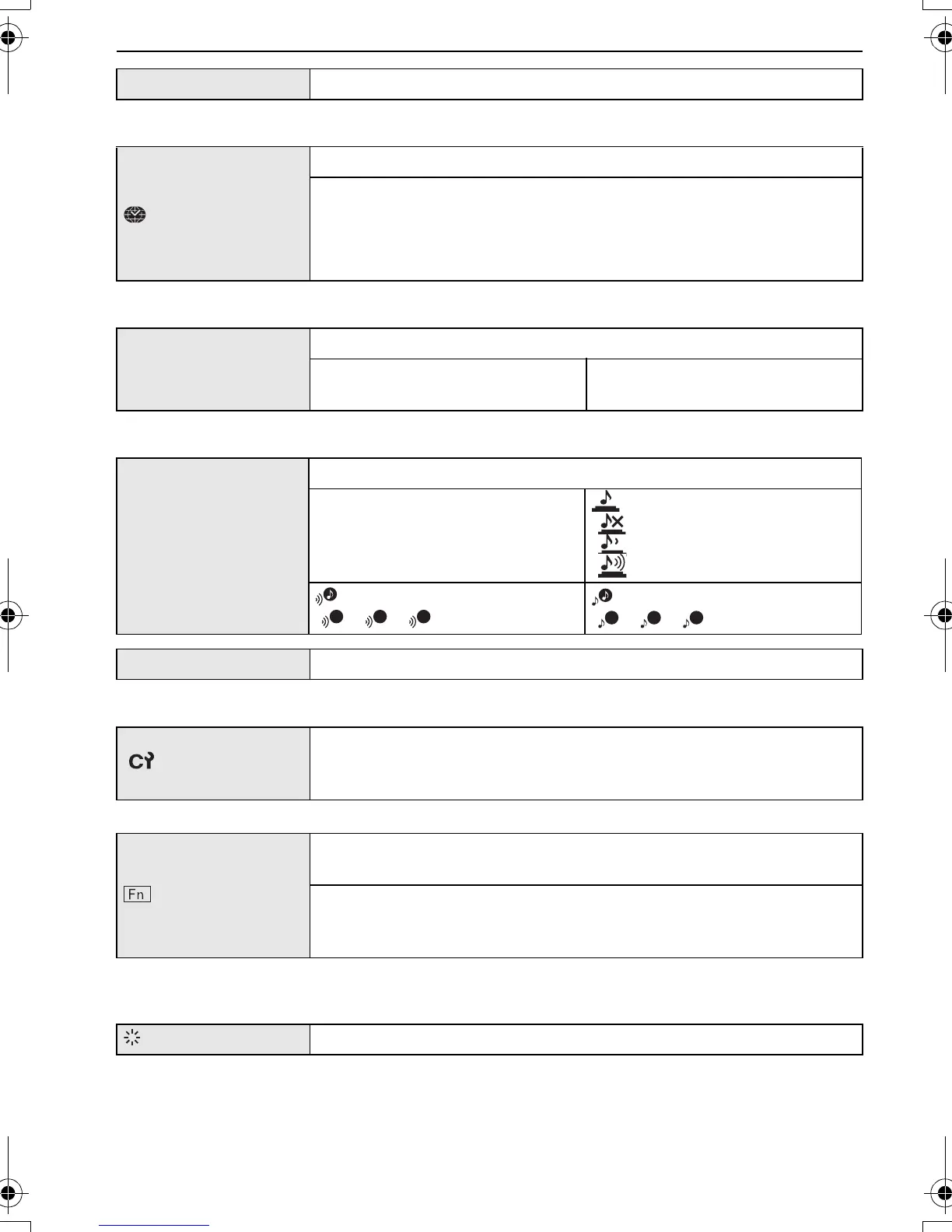
U [CLOCK SET]
Setting Date/Time.
[WORLD TIME]
Set the time in your home area and travel destination.
“ [DESTINATION]:
Travel destination area
– [HOME]:
Your home area
— [TRAVEL DATE]
Set the departure date and the return date of the vacation.
[TRAVEL SETUP]
[OFF]/[SET]
[LOCATION]
[OFF]/[SET]
r [BEEP]
This allows you to set the beep and shutter sound.
r [BEEP LEVEL]:
[s] (Muted)
[t] (Low)
[u] (High)
[SHUTTER VOL.]:
[] (Muted)
[ ] (Low)
[ ] (High)
[BEEP TONE]:
[]/[]/[]
[SHUTTER TONE]:
[]/[]/[]
u [VOLUME] Adjust the volume of the speaker to any of 7 levels.
[CUST. SET MEM.]
Up to 4 current camera settings can be registered as custom
settings.
(Recording mode only)
[Fn BUTTON SET]
Assign [REC] Mode Menu to 4 button. It is convenient to register
[REC] Mode Menu that is used often.
[REVIEW]/[FILM MODE]/[SENSITIVITY]/[WHITE BALANCE]/
[METERING MODE]/[AF MODE]/[I.EXPOSURE]
(Recording mode only)
[MONITOR]
Adjust the brightness of the LCD monitor in 7 steps.
1
P.PC_DMC-LX3_eng.book 24 ページ 2008年7月8日 火曜日 午後10時13分


 To Next Page
 Loading...