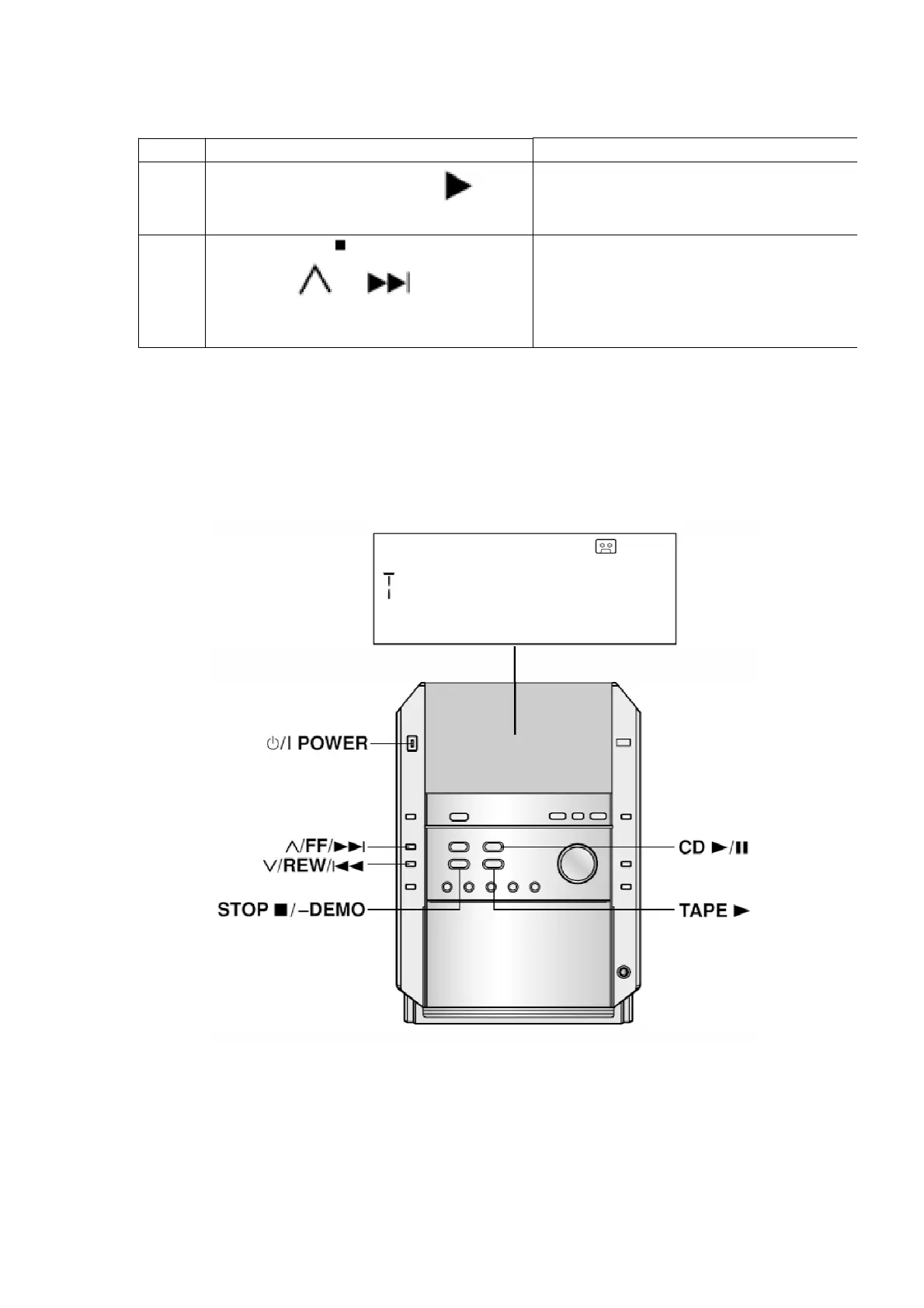
No. Operation Procedure Operation and Processing of
1
Switch the SELECTOR to TAPE . There
should be NO cassettes loaded.
2 Press the [STOP /-DEMO] key for 2 sec
and press [ /FF/ ] for another 2
sec, it shall enter into the self-diagnostic
mode.
[T ] shall be displayed in the FL.
11.3. Restoring Normal Display
- From the F76 display, the normal display does not appear till an
error is recovered.
- For displays other than F76, press “POWER” button to turn off the
power, and then turn on the power.
11.4. Clearing Self-Diagnostic Memory
<CD Section> (F15, F17, F22, F26, F27, F28, F29)
1. Enter a self-diagnostic mode.
73








 To Next Page