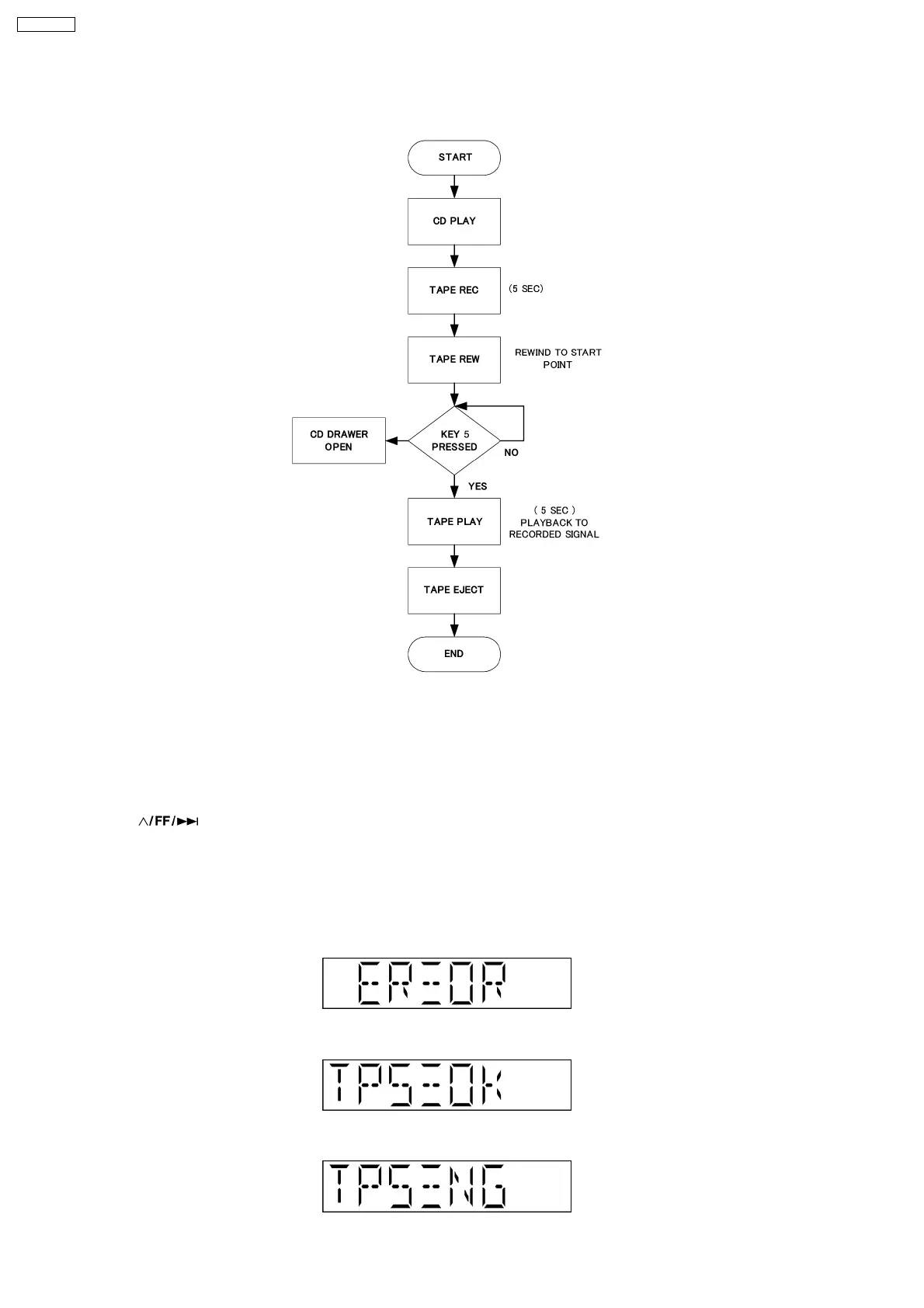
c) If STOP key is pressed while recording or playing, the operation shall be terminated by stopping TAPE. In this case, the doctor
mode is not released.
d) DMT is output with the same timing as usual.
8.1.5. TPS Inspection
Purpose : To check the TPS.
Below is the procedures for this mode.
Procedure :
Step 1: Enter into Doctor mode (Refer section 8.1 Special Mode Table)
Step 2: Press [
] button on remote control. Enter into TPS Test mode. (During this mode)
·
Software will start checking for existence of cassette in Deck.
·
If the Deck does not contain any cassette, it shall end the test and displays the result of the test.
·
The test will start by playing the Deck in forward direction for 1 sec and then FF TPS.
·
If TPS signal is OK, the Deck shall be ejected. Below is information on the TPS under 3 examples.
1. If ERROR Flag is set "ERROR" shall be displayed. TPS check result shall not be shown in this case.
2. If Deck TPS check = OK
3. If Deck TPS check = NG
16
SA-PM33EE










 To Next Page