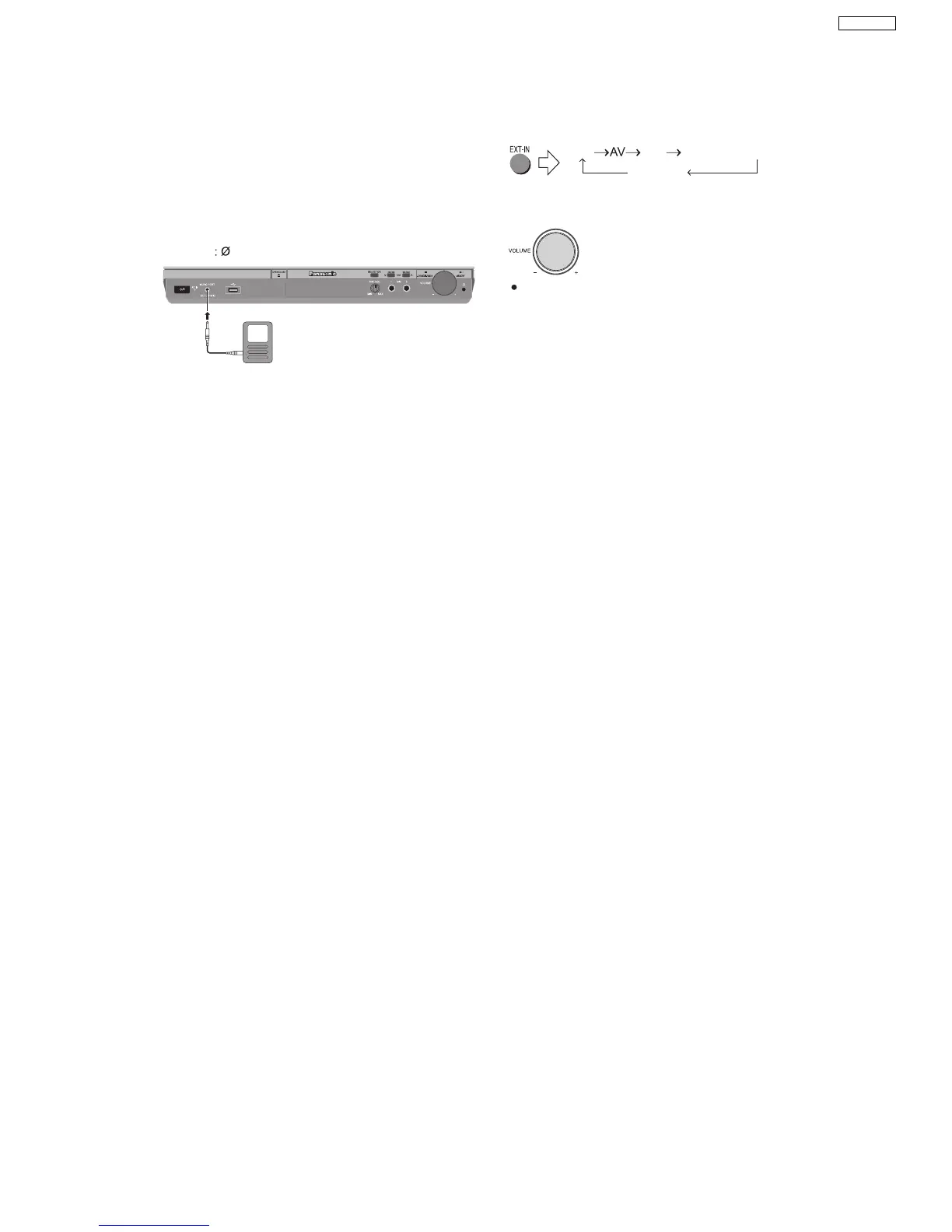
7.4. Music Port Connection and Operation
The Music Port allows you to connect and enjoy music from
an external device (example: MP3 player) through your
home theater system.
Preparation
To avoid distorted sound, make sure that any equalizer
function of your external device is turned off.
1
Reduce the volume and connect the external device
(not included).
Plug type
3.5 mm stereo mini plug
External device
(not included)
Reduce the volume
before connecting.
2
To select "MUSIC P.".
USB AUX D-IN (Digital In)
MUSIC P.
3
Adjust the external device volume to a normal listening
level, and then adjust the volume of the main unit.
You can enjoy surround sound when you turn on
Super Surround (MOVIE, MUSIC) ( Refer to the O/I book).
17
SA-PT850EE



 To Next Page