11
Top
Using the printer with
Easy-Mark Plus
Troubleshooting
Part Names and
Functions
Start Here
Cleaning
Initializing the
Settings
Label Functions
Key Menu Index
Frame and Table Lists
Symbol List
Specications
Technical Support
Start Here
Deleting text
1. Press .
A character is backspaced.
Deleting all text
1. Press
+ .
2. Select a function with
/ and
then press .
Text Only
Deletes all text.
Text & Setting
Deletes all text and restores the font size and other
settings to the initial settings.
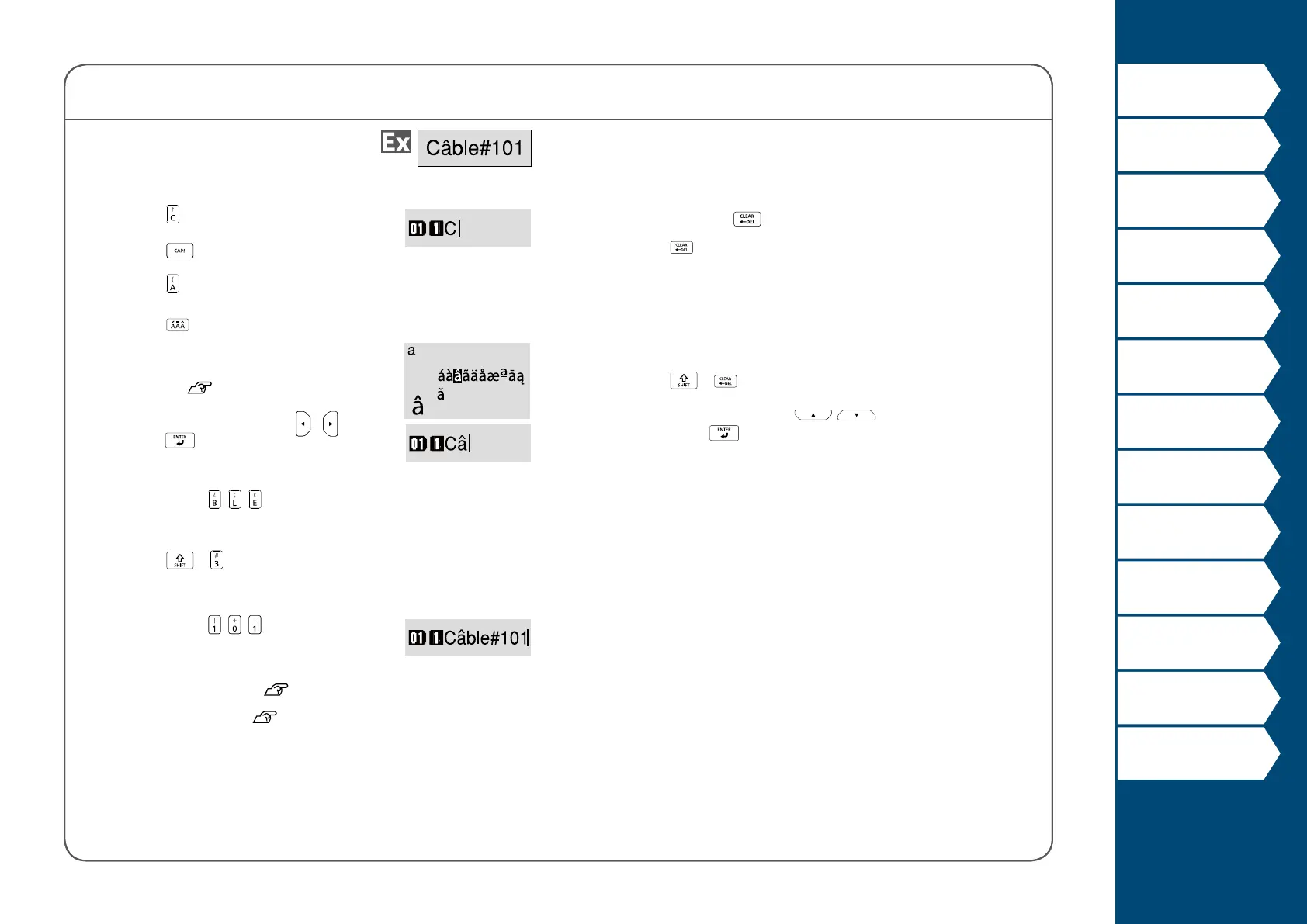
4. Entering text
1. Press .
2. Press
.
3. Press
.
4. Press
.
A list of characters appears.
For the accent marks that can be
inserted
"Accent"
5. Select a character with
/ and
press .
"â" is entered.
6. Press keys:
, ,
"Câble" appears on the screen.
7. Press
+ .
"#" is entered.
8. Press keys:
, ,
Save the created label: "Saving Frequently Used Labels"
Change the font size:
"Changing the Font Size"



 To Next Page