8
Top
Using the printer with
Easy-Mark Plus
Troubleshooting
Part Names and
Functions
Start Here
Cleaning
Initializing the
Settings
Label Functions
Key Menu Index
Frame and Table Lists
Symbol List
Specications
Technical Support
Start Here
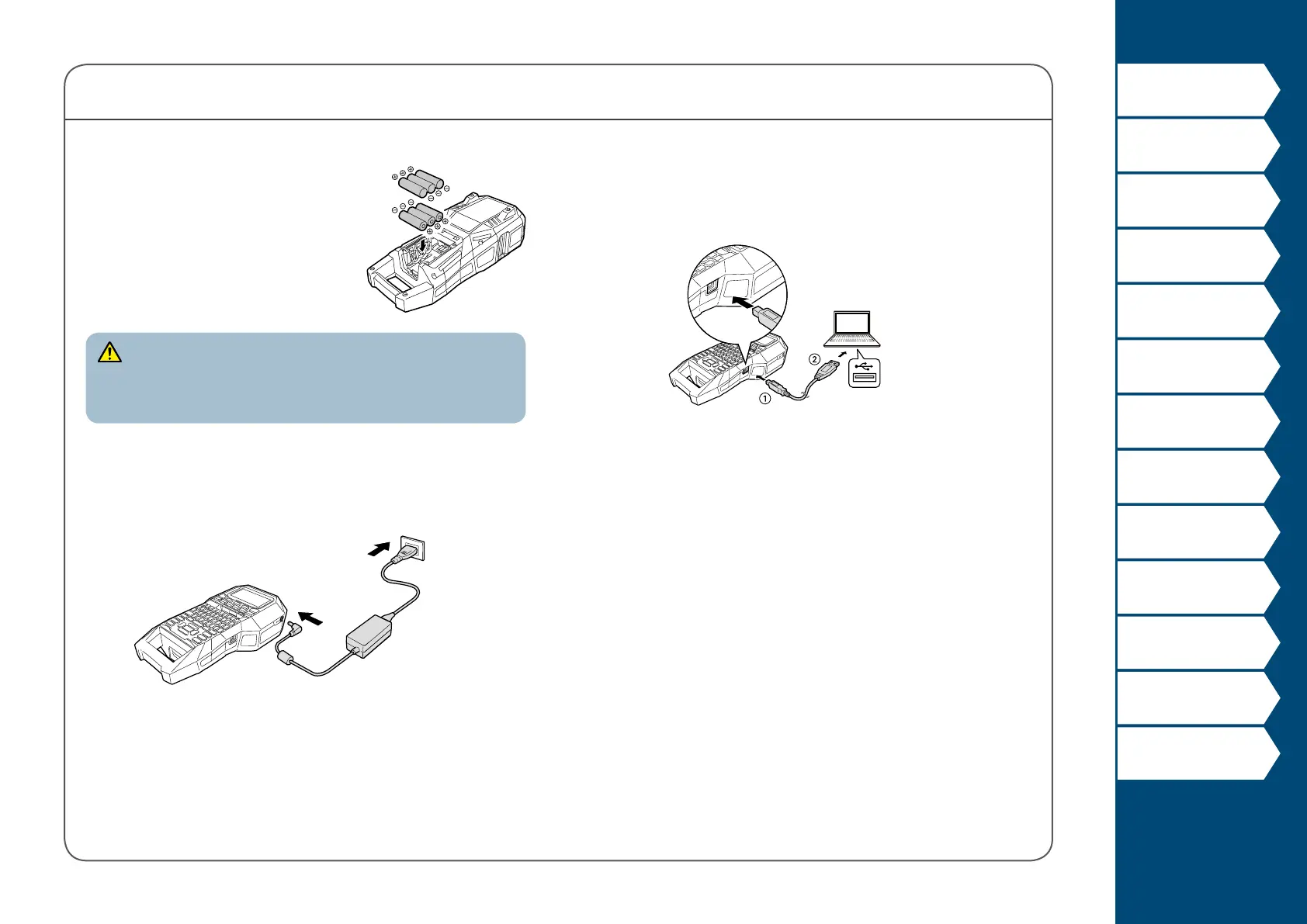
Connecting the Computer
1. Connect the USB cable to the printer.
2. Connect the other connector of the USB cable to
the computer.
Using alkaline batteries
You can use alkaline batteries instead
of the Li-ion battery. When using
alkaline batteries, install them in the
correct orientation.
CAUTION
When you have printed continuously for 30 minutes using
alkaline batteries, leave the printer for at least one hour to allow
the batteries to cool down.
Connecting the AC adapter
Connect the AC adapter as shown below.



 To Next Page