75
<Setting switching>
n Do not allow it to be operated by a person deemed incapable of
understanding the operation (a child aged 12 or under or a person with
dementia). If a person deemed incapable of understanding the operation
operates the handheld controller by oneself, the body may get caught in
the bed by mistake, resulting in accidental injury. When such a person
runs the risk of operating the handheld controller by oneself, you can
use one of the following procedures to limit operation and decrease the
chance of accident caused by incorrect operation.
• Set Overall lock-out on the side-rail integrated panel to disable the
operation of the handheld controller. (For the setting procedure, see
p. 65.)
• Set Patient lock-out on the side-rail integrated panel to disable the
operation of the handheld controller. (For the setting procedure, see
p. 65.)
• Disconnect the power plug and turn the battery off.
n Note that if you do not press any button for 20 seconds after pressing
the settings button, the settings will not be completed and return to
their original settings. The bed may operate unexpectedly, resulting in
injury.
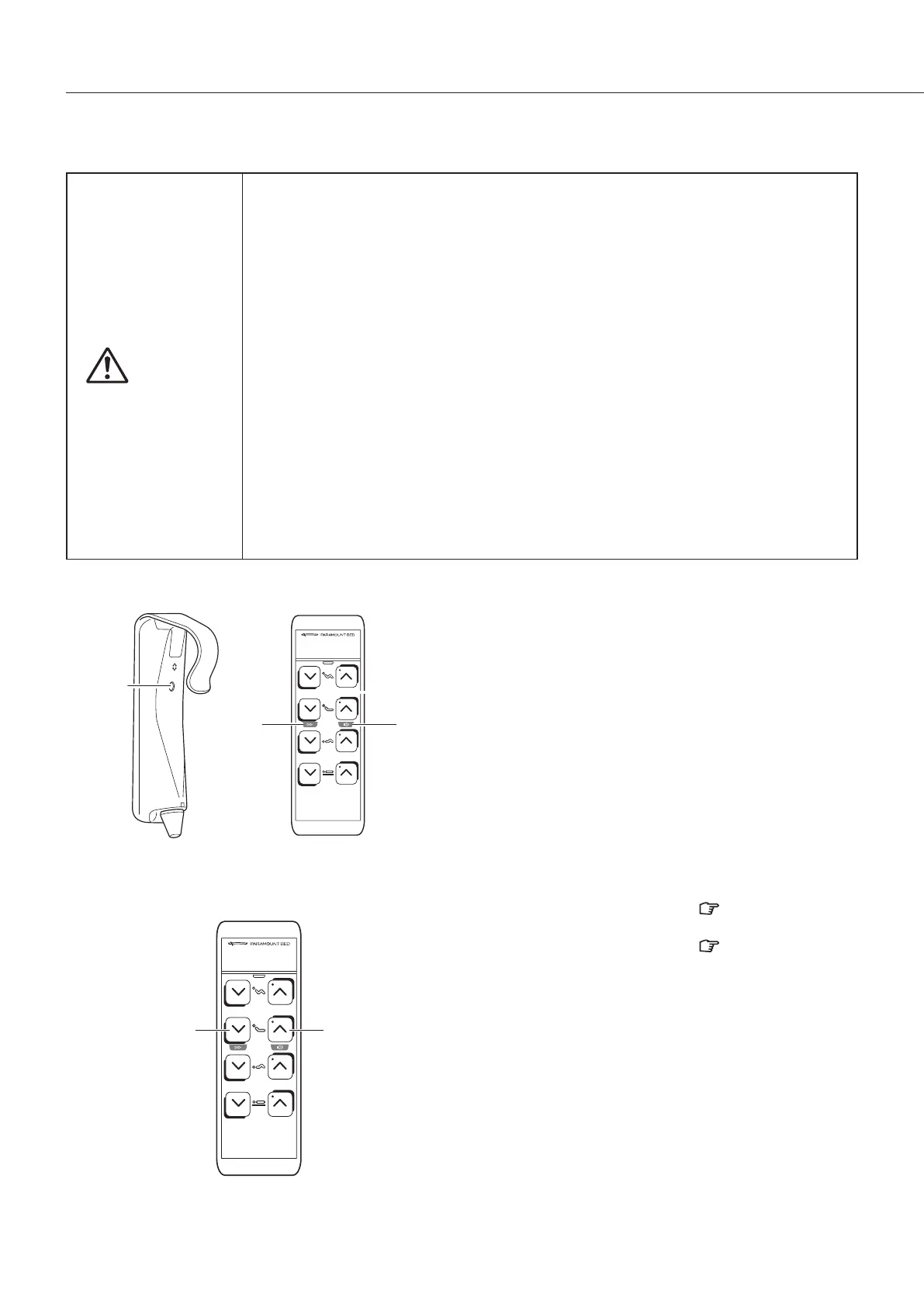
g Switching to the setting mode
Press the settings button on the back of the
handheld controller to turn on the setting selection
lamp on the front, and to enable configuring various
settings with the function selection buttons.
When you have changed the settings, press the
settings button again to confirm the settings. If you
do not press the settings button, the settings will not
be confirmed.
g Function selection buttons
1 Speed switching button ..... [ p. 77]
2 Operation sound button ..... [ p. 77]
Setting
button
Setting
selection
lamp
Setting
selection
lamp
3 SUITABLE PRODUCTS



 To Next Page