23 MIC 1161 Manual
Pressing the SCROLL key and the display returns to its normal mode.
To gain access to the Program and/or Set-Up modes while an alarm is
active, press the SCROLL key until "ALSt" appears in the lower display.
With "ALSt" in the lower display, press the UP key and "ULoc" appears in
the lower display and "0" in the upper display. Enter the correct code to
unlock, then press the SCROLL key to the Program and/or Set-Up modes.
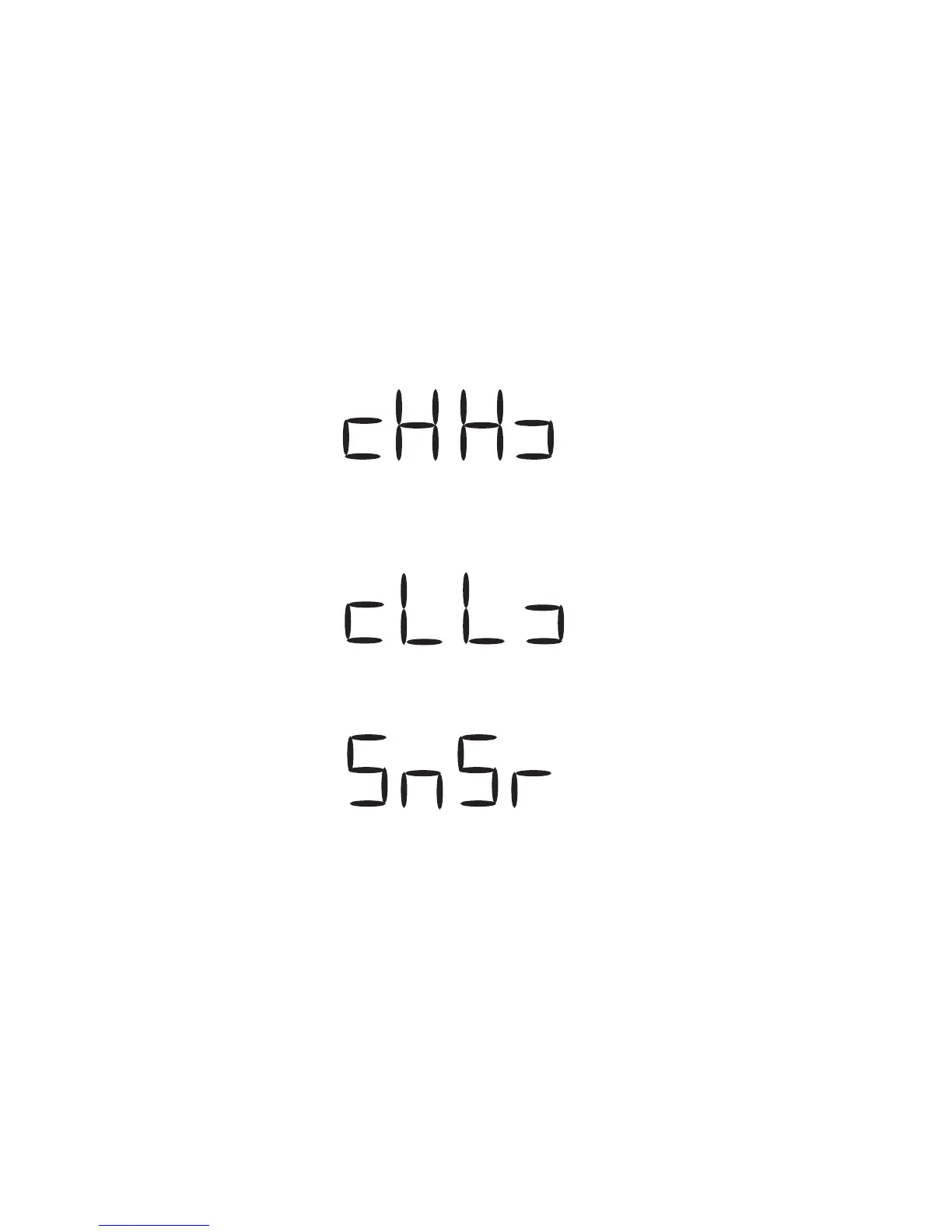
3.1.3.2 OVER-RANGE/UNDER-RANGE DISPLAY
If the process variable attains a value higher than the input scale maximum
limit, the upper display will show:
If the process variable attains a value lower than the input scale minimum
limit, the upper display will show:
If a break is detected in the sensor circuit, the upper display will show:
www.GlobalTestSupply.com
Find Quality Products Online at: sales@GlobalTestSupply.com



 To Next Page