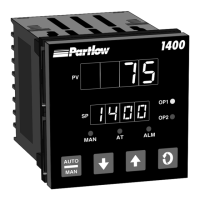
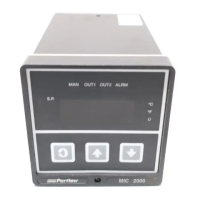
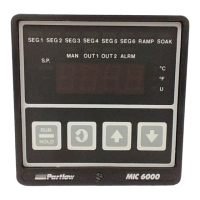
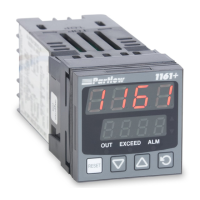
MIC 1161 Manual
24
3.1.4 FRONT PANEL INDICATORS
OUT Indicates the status of the Limit Relay. When the indicator is
ON, the relay is de-energized and when Off the relay is
energized.
EXCEED This indicator is On when the process variable exceeds the limit
setpoint (above for high limit, below for low limit). The indicator
flashes if the exceedence is not acknowledged (i.e. Reset key
is not pressed). The indicator is on steady if the exceedence
has been acknowledged (i.e. Reset key has been pressed).
Note: This LED action will occur even if the annunciator
output is NOT selected in configuration.
ALM This indicator shows an alarm condition.
S Indicates when in Set-Up mode.
3.1.5 SETPOINT ADJUSTMENT
To adjust the instrument setpoint, proceed as follows:
The setpoint is adjusted in the Set-Up mode. With "SEt" in the lower dis-
play, press the DOWN key, "SP" will appear in the lower display. With "SP"
in the lower display, press the SCROLL key. The current setpoint value will
appear in the upper display. To adjust the setpoint, press the UP or DOWN
key as applicable.
Momentary depression will increment or decrement the setpoint by one unit
in the least significant digit. If the key is held for longer than 1 second, the
least significant digit will change at the rate of 25 units per second. If the
key is held for longer than 10 seconds, the second least significant digit will
change at the rate of 25 units per second. If the key is held for another 10
seconds, the third least significant digit will change at the rate of 25 units
per second.
www.GlobalTestSupply.com
Find Quality Products Online at: sales@GlobalTestSupply.com


 To Next Page