25
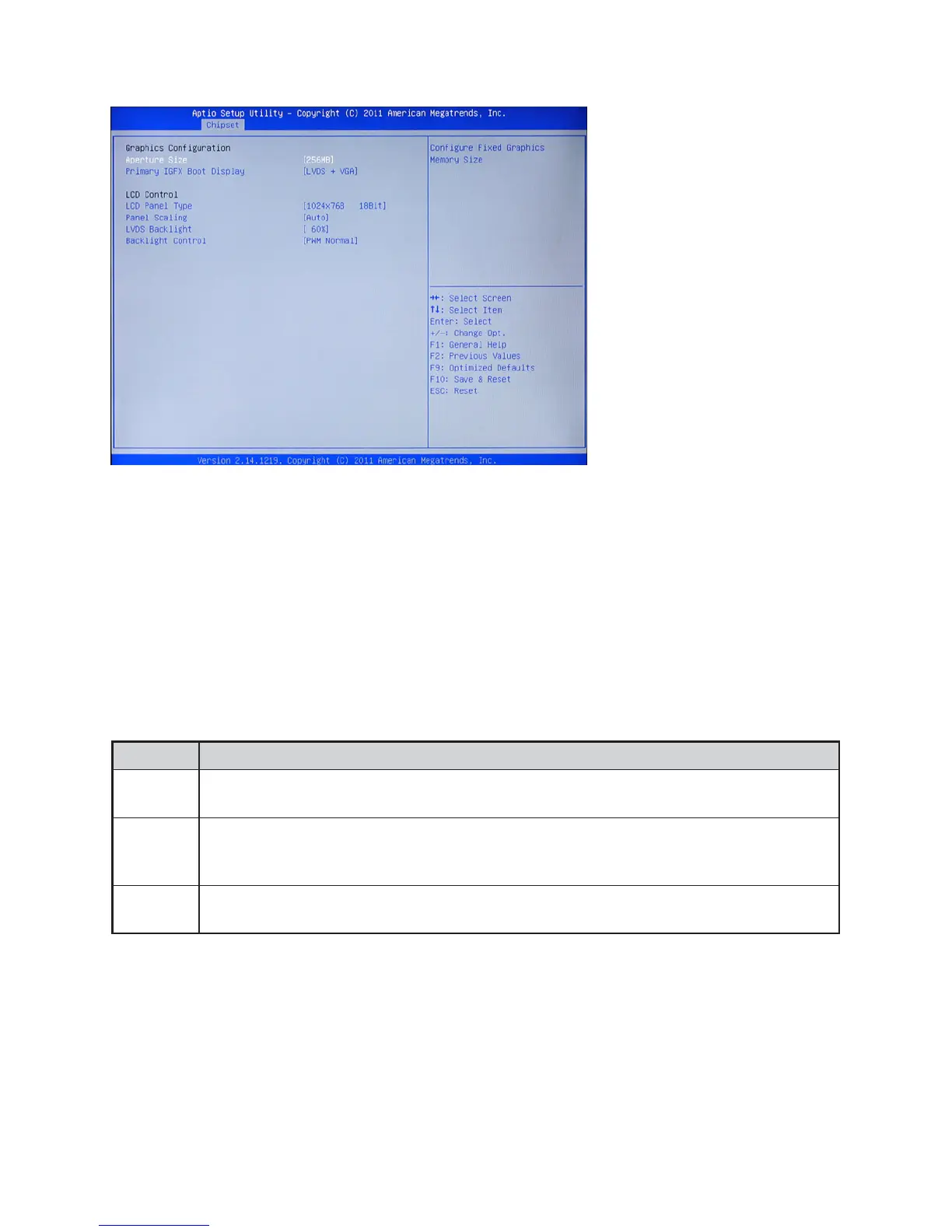
Host Bridge > Graphics Conguration
Figure 3.15 Graphics Con-
guration sub-menu
Aperture Size
This eld allows you to select how much system memory can be allocated to graphics chip for video pur-
poses. The aperture is a portion of the memory address range dedicated to graphics memory address space.
Host cycles that hit the aperture range are forwarded to the graphics chip without any translation.
Primary IGFX Boot Display
This option allows you to set the video display that the internal graphics device will enable during the POST.
LCD Panel Type
This item allows you to select the LCD panel type
Panel Scaling
This item allows you to determine how various resolutions appear on your screen.
Option Description
Auto
The scaling unit on your graphics card will rescale the image before it reaches your LCD
display. This option results in the best image quality.
Off
The image isn’t scaled at all, but instead your LCD display will run at its maximum resolu-
tion and the image will display in the centre of your LCD display. This may result in a black
border around the sides of the image.
Ofce
Scaling
This option will maintain the original aspect ratio of the chosen resolution and display it with
black bars to the sides/above/below the on-screen image as required.
LVDS Backlight
This feature allows you to adjust the backlight of the LCD monitor.
Backlight Control
This feature allows you to specic how to control the backlight.



 To Next Page