64 CHAPTER 5 REPLACING FIELD REPLACEABLE UNITS (FRUs)
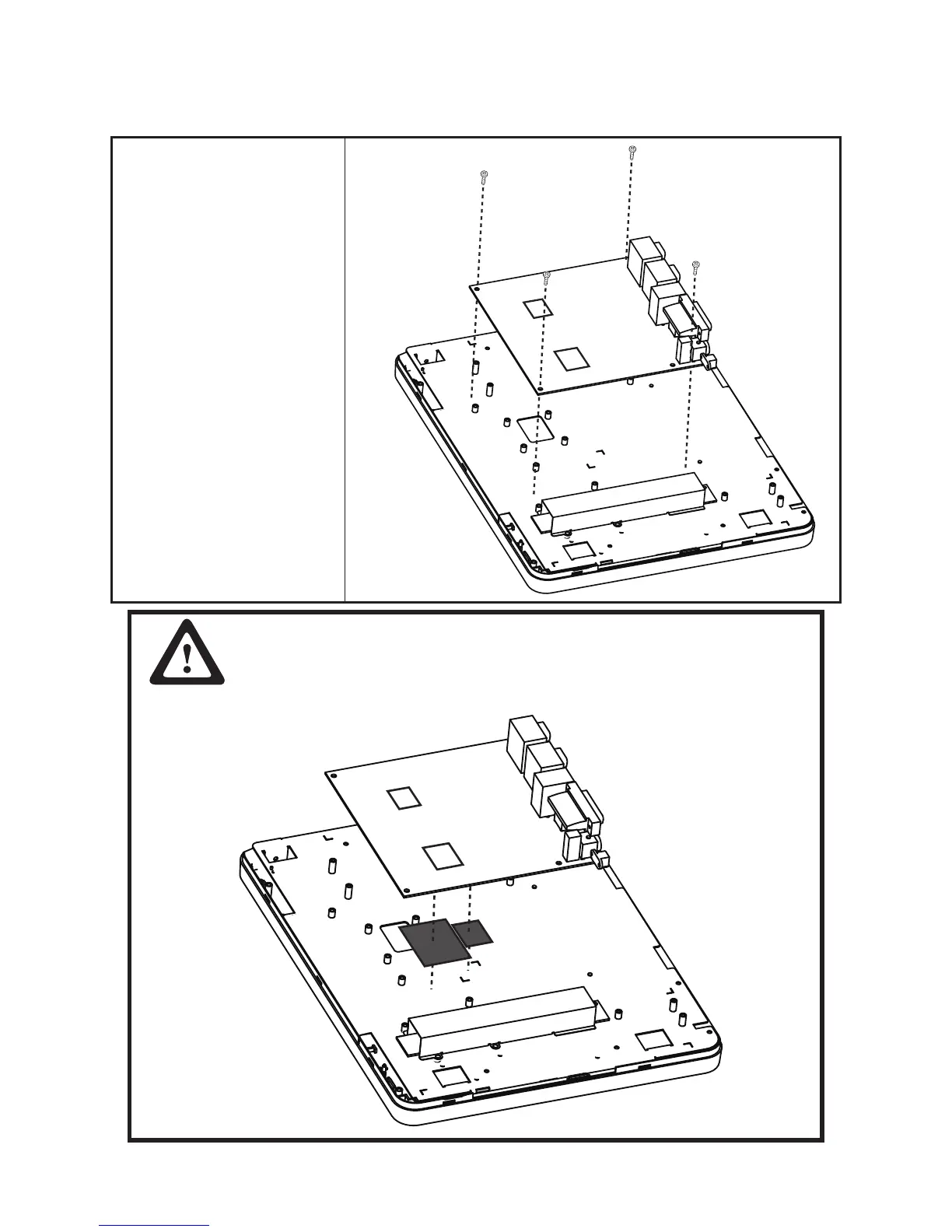
Mainboard Board
Before proceeding, remove the
following FRUs.
• “SP-600-A Panel” on page
57.
• “Panel Back Cover” on page
58.
• “Heat Sink” on page 61.
• “I/O Shield” on page 63.
1. Disconnect all cables from
the mainboard.
2. Remove four screws.
3. Remove the mainboard.
CAUTION
To avoid the thermal issue. When you replace the mainboard, check the
thermal pads should be stuck with the location marked on the panel
bracket.



 To Next Page