Copyright © 2014 PAYTER
BV. All rights reserved. No
part of this document may be
reproduced in any form by
print, photo print, microfilm,
electronic copy or any other
means without written
permission by Payter BV.
CCI Mode
6.5.1 Description
Some Coffee machines are equipped with a CCI interface this interface is a message based
protocol over an RS232 connection, that enables the communication of certain types of coffee
machines with a P6X terminal.
6.5.2 Connecting the Terminal
Always power off the host machine and terminal when connecting the RS232 Cable to the
terminal and the host machine devices. Power up the machine and the terminal, make sure the
correct payment device is selected in the host machine.
6.5.3 Pay flow
CCI protocol is not able to notify the terminal that a vend was successful/unsuccessful therefore
transactions cannot be canceled.
6.5.4 Applicable Settings
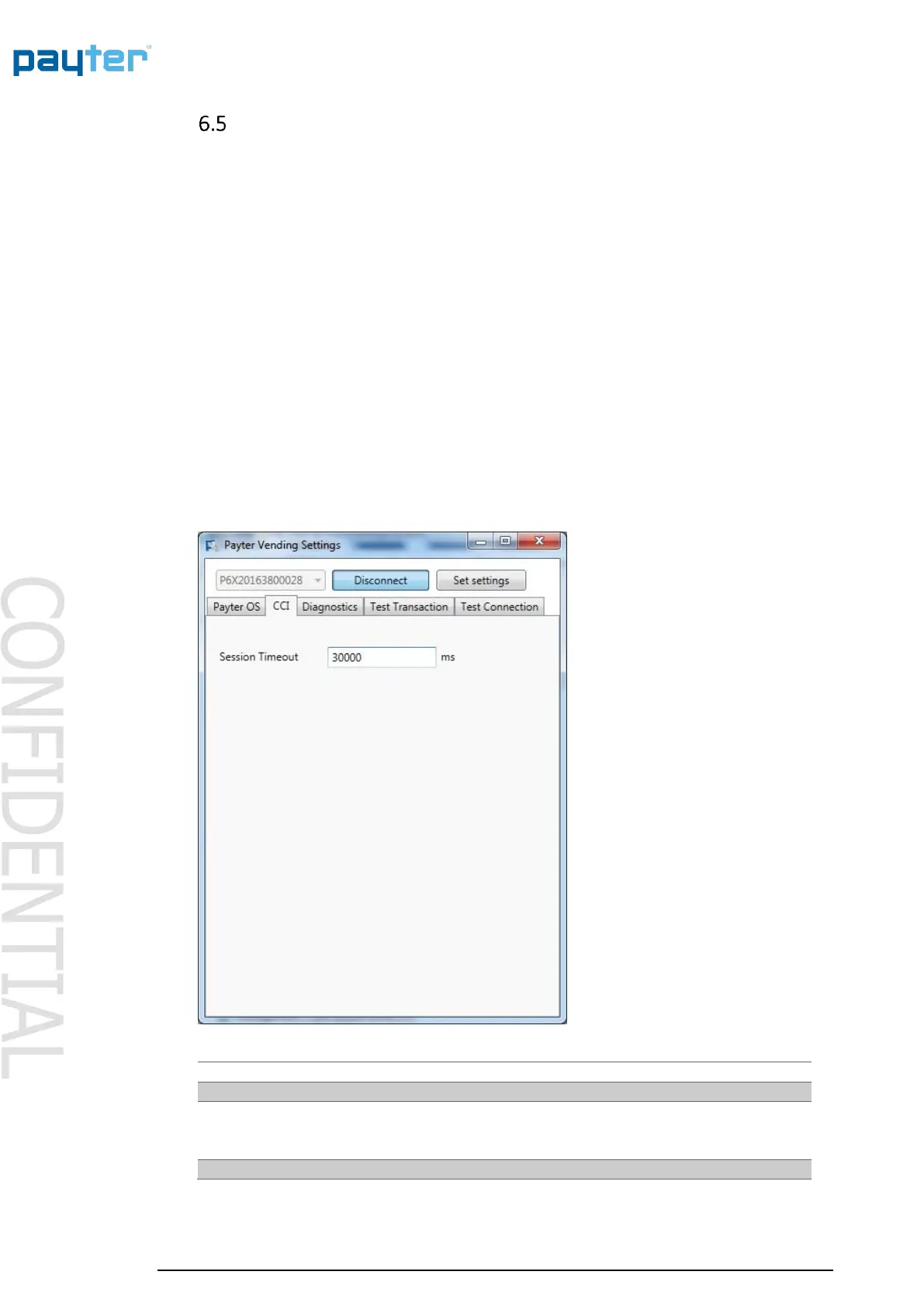
Fig. 12 – CCI Setting
Indicates the time period, in ms, for selecting a product after
the START button is pressed.
Note this is only applicable when not in “always idle” mode.



 To Next Page