Copyright © 2014 PAYTER
BV. All rights reserved. No
part of this document may be
reproduced in any form by
print, photo print, microfilm,
electronic copy or any other
means without written
permission by Payter BV.
8. Terminal Configuration
Installing Vending Settings Tool
Download the Vend Settings Tool from the www.payter.com.
Install the program by clicking on the install package.
Please follow the installations instructions on the screen to successfully finish the install process.
Connecting to the terminal
Use a USB mini B to USB A cable to connect the P6X terminal to a computer.
Power up the terminal and wait until the terminal has finished the boot up process.
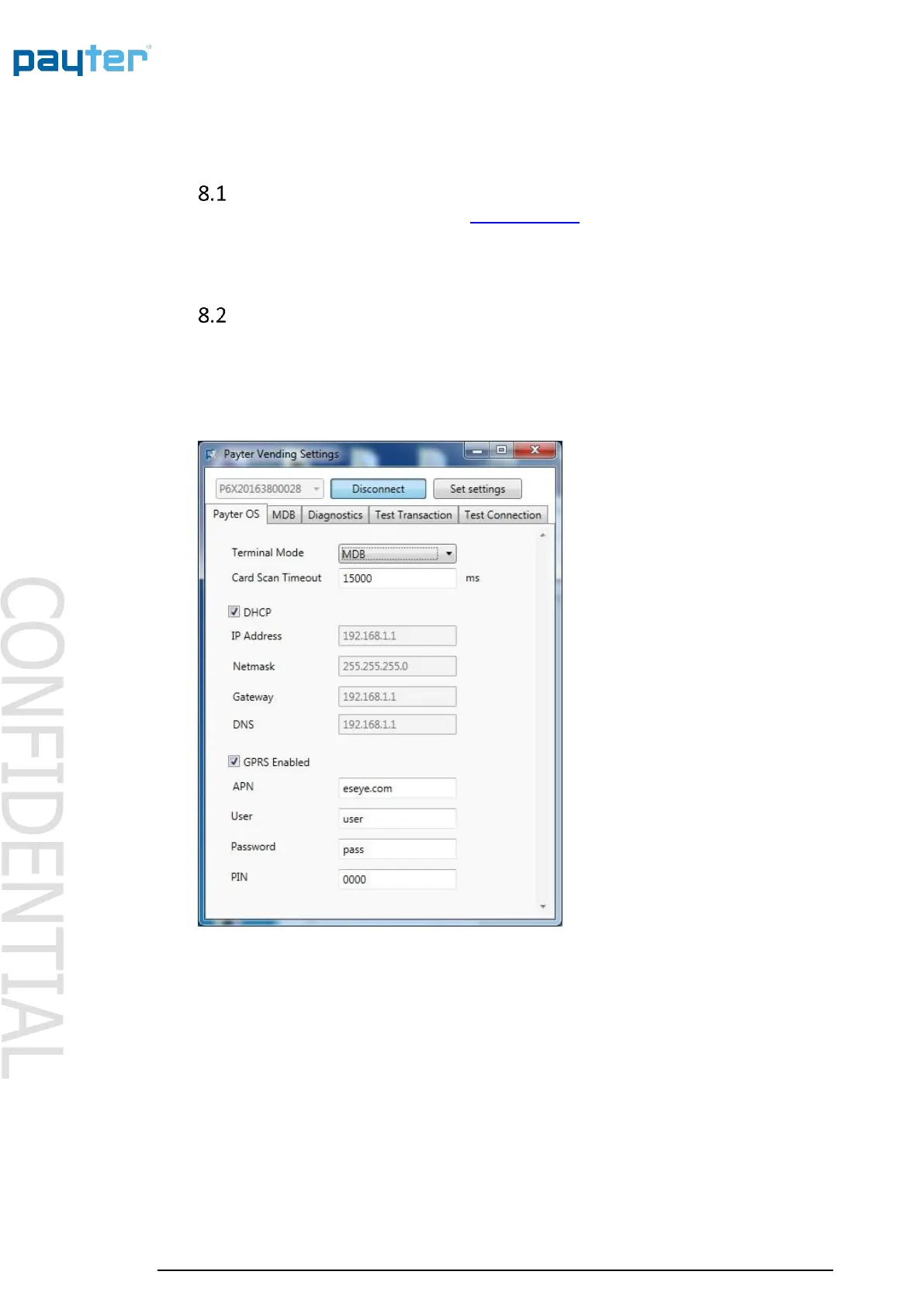
In the meantime, open the Vend Settings Tool and press connect, as soon as the serial number
appears in the top left of the screen.
Press the button again to disconnect.
Fig. 18 – Vend Settings Tool
When successfully connected to the terminal the settings, under different tabs, become available
for editing. Refer to the respective interface mode chapter for the settings under each mode.



 To Next Page