Copyright © 2014 PAYTER
BV. All rights reserved. No
part of this document may be
reproduced in any form by
print, photo print, microfilm,
electronic copy or any other
means without written
permission by Payter BV.
GPRS/EGDE/3G/HSPA MODEM
When no LAN connection is available a mobile internet connection can be established with an
optional 3G/HSPA modem. A HSPA network connection allows a good transactions processing
performance. In case the 3G/HSPA network service is not available a 2G fallback mechanism is in
place, but at a cost of transaction performance.
As part of the MODEM option a suitable antenna, is supplied with the terminal.
The antenna performance should be satisfactory for most applications, provided of course there
is sufficient coverage of the network operator. It is encouraged that a signal quality
measurement is performed at the intended installation location. Antenna mounting position and
location is key in achieving a good signal quality. Place the antenna on top of your
application/vending machine, not inside, the metal surroundings will degrade the signal quality.
7.2.1 Connection Setup
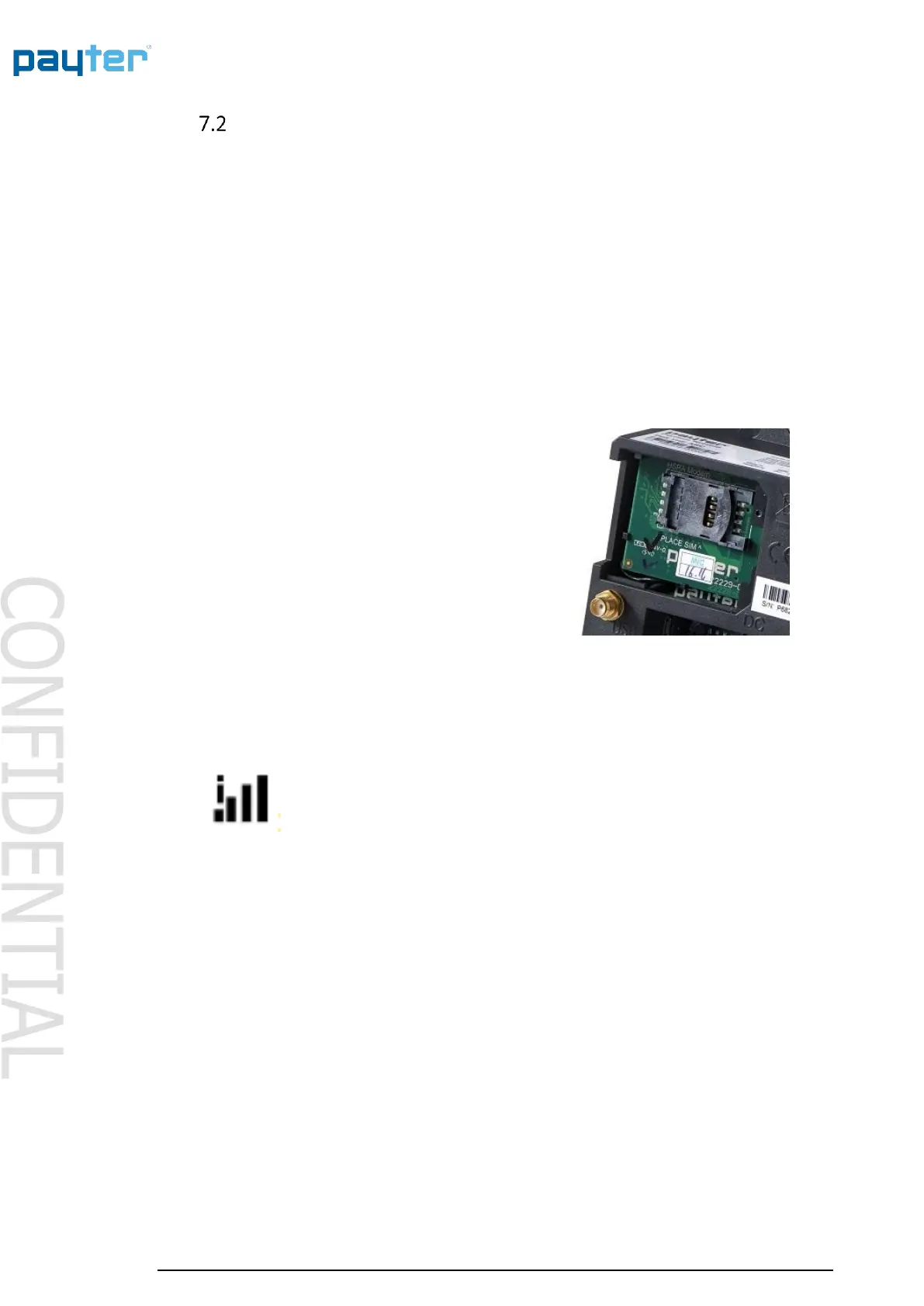
The modem option is installed during manufacturing
and cannot be installed by a user. Always remove the
power from the Terminal before accessing the modem
compartment, or when removing/placing an antenna.
Remove the hatch on the back of the terminal labeled
“MODEM” to access the MODEM compartment. This
allows access to the SIM Card Slot.
The Antenna can be connected to a dedicated
connector on the back of the terminal
For the modem to connect to a mobile internet service
properly it needs a data SIM with internet services
enable. The data SIM can optionally be ordered with your terminal, it is also possible to use your
own data SIM card, provided you configure the correct APN settings for accessing the local
network.
The bars show the signal strength of the 3G/HSPA connection. When the terminal
is connecting the ‘i’ will be blinking. As soon as the ‘i‘ is on the connection has
been established with the 3G/HSPA network and the modem is working properly.
Fig 16 – Signal strength icon



 To Next Page