3.3. Status of Mini-101M
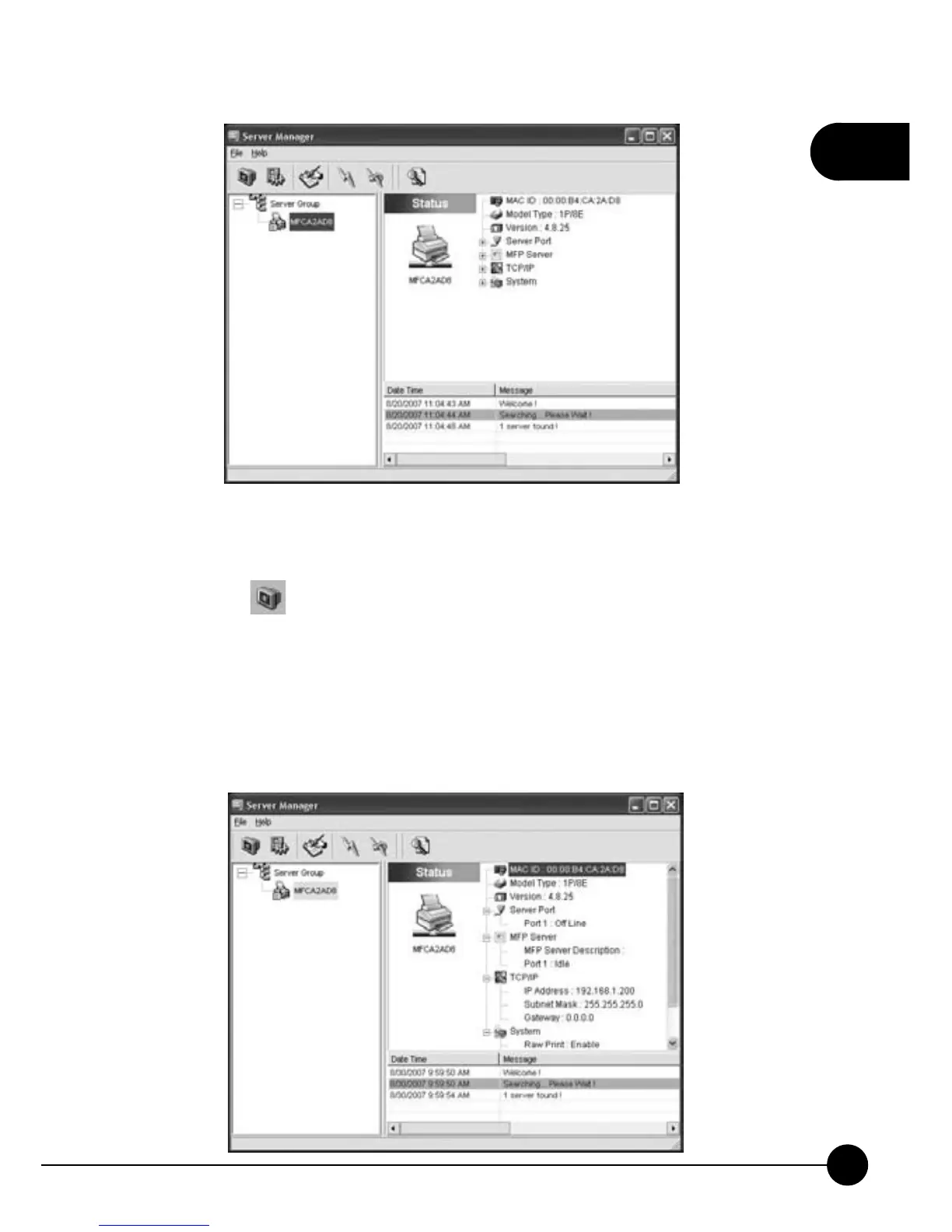
Clickonthe icon on the tool bar and choose the print server which
you want to use. Right side of the window will show you the status of
the currently selected MFP Server. The information of the MFP Server
displayed includes MAC ID, Model Type, Firmware Version, status of each
server port, IP address, subnet mask, default gateway, supported printing
protocols, and etc.



 To Next Page