2
40
Mini-101M
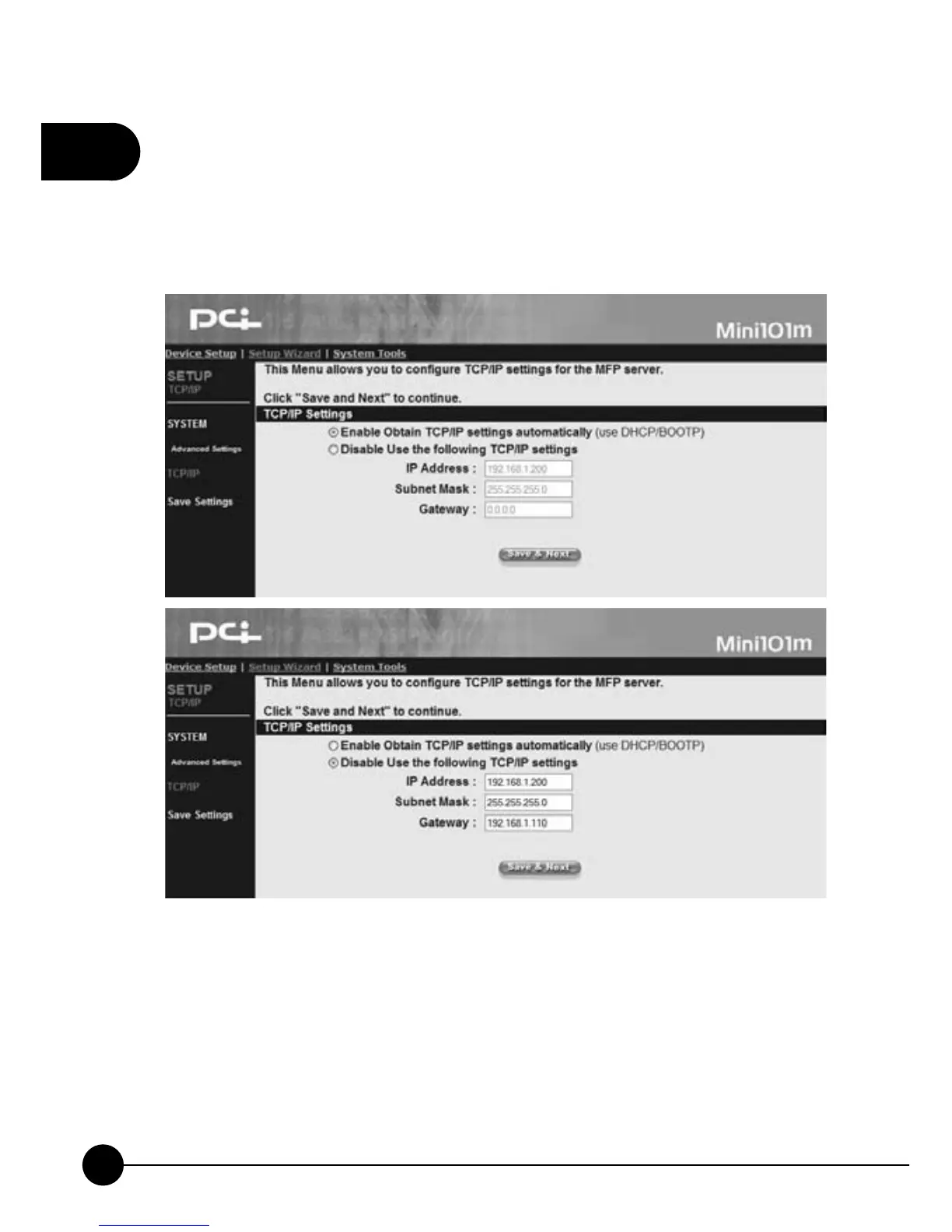
4.3.3. TCP/IP
ClickņSetup WizardŇon the web browser of the print server's home
page. And clickņTCP/IPŇthen it will show the following picture. You
can change the TCP/IP settings of the print server on this page.
TCP/IP Settings
œEnable Obtain TCP/IP settings automatically (Use DHCP/BOOTP)Ĉ
If your network has DHCP/BOOTP function, you can enable this
function and let related IP settings to have the IP addresses automatically
from the DHCP server.
œDisable Use the following TCP/IP settingsĈIf you do not use DHCP/
BOOTP, please select this entry and fill in the following information.



 To Next Page