2
12
Mini-101M
2. MFP Manager
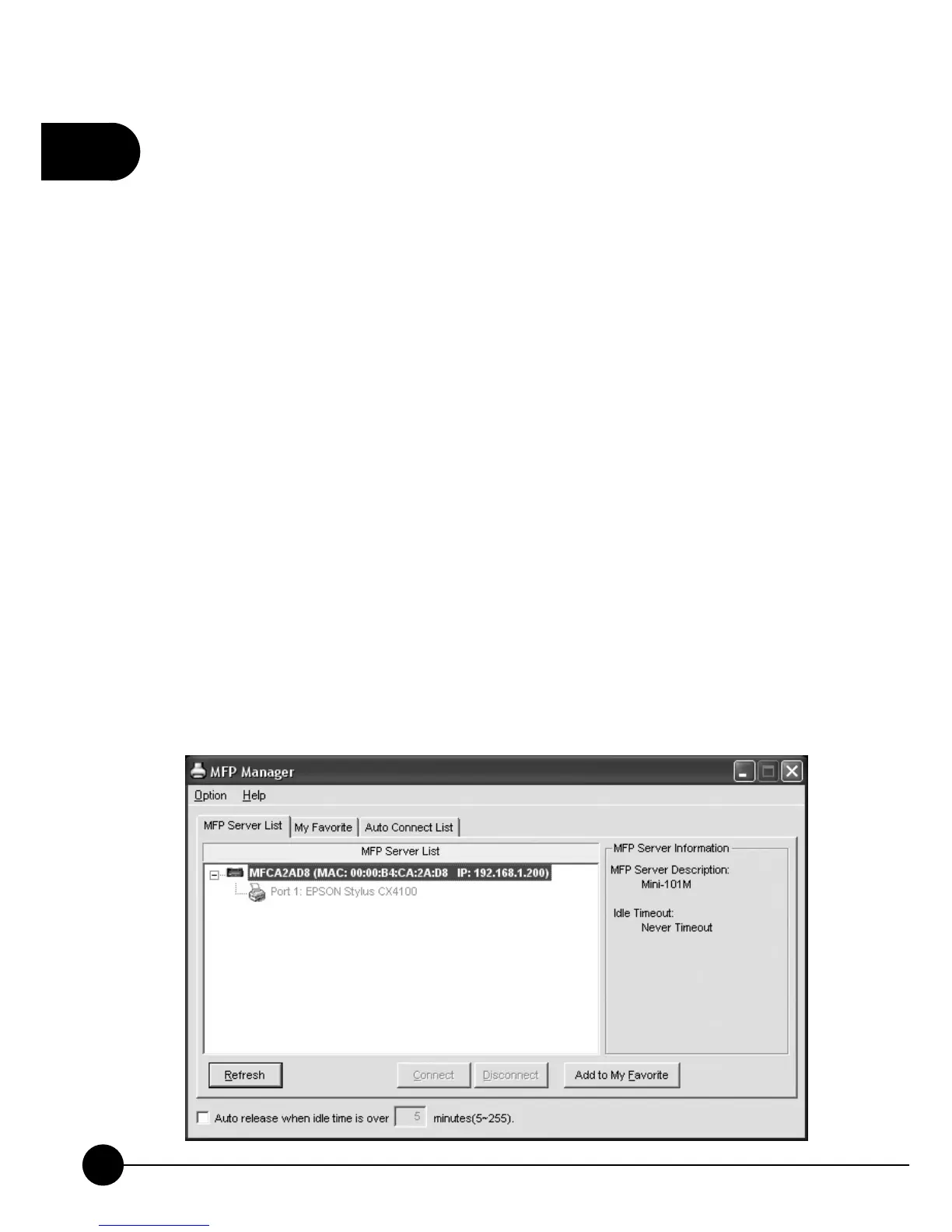
TheņMFP ManagerŇcan automatically find the MFP server in the
network and show it in the MFP Server List.
2.1 MFP Server List
Users can select an MFP and clickņConnectŇto connect the MFP just
like you have directly connected the MFP to your computer through USB
cable. It also displays the connection status. When you don't want to use
the MFP or Printer, please clickņDisconnectŇso that other users can use
the device. Or you can click the check box to enable theņAuto ReleaseŇ
setting, so that the Mini-101M will release the connection after a period of
idle time that you have set.
If you unplug the USB cable of MFP or turn off the MFP while using, the
MFP will not display in the list. After you reconnect the USB cable or turn
on MFP, you have to clickņRefreshŇandņConnectŇbuttons to recover
the connection.



 To Next Page