3
78
Mini-101M
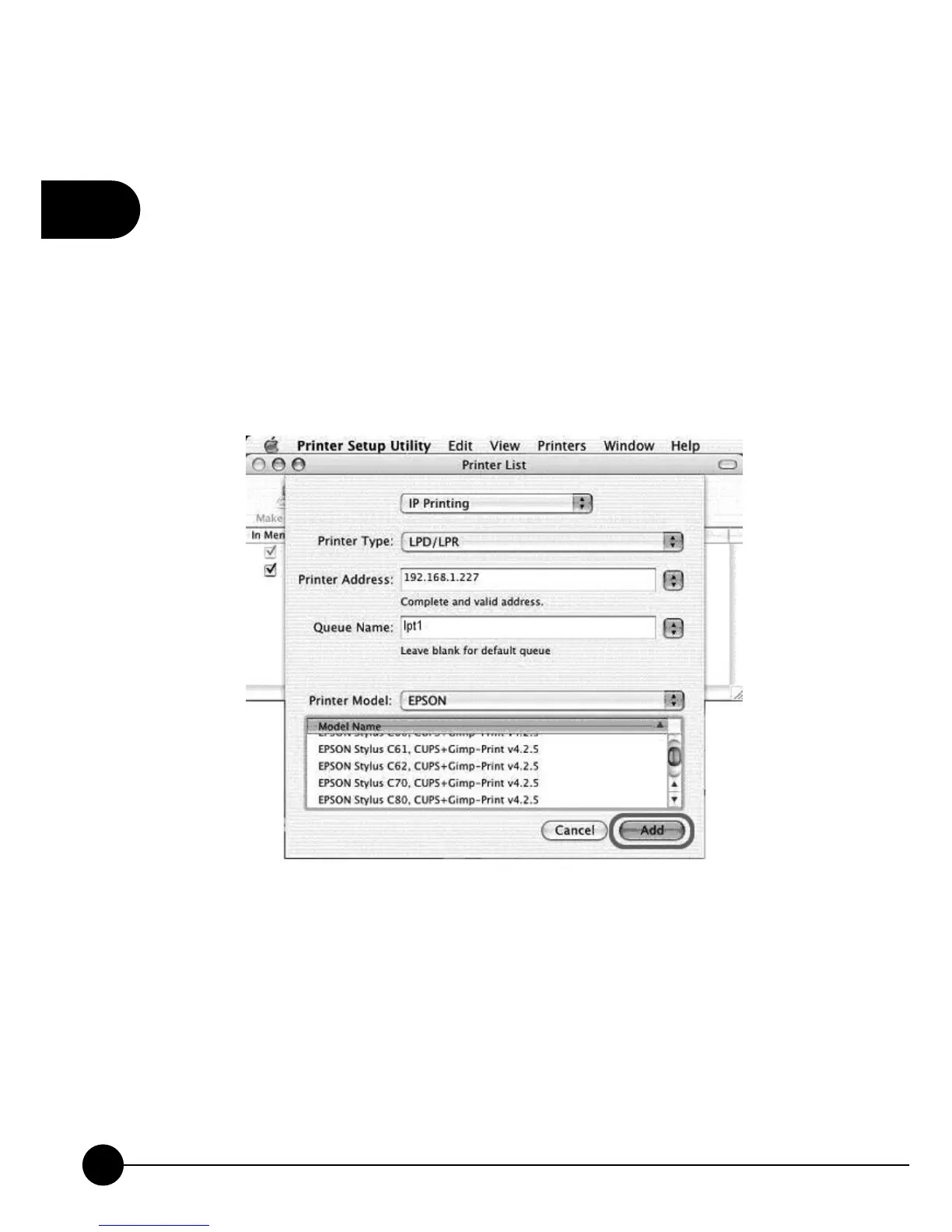
5.Enter theņPrinter TypeŇ,ņPrinter AddressŇandņQueue NameŇ
and then select theņPrinter ModelŇ to setup the MFP Server. Clickņ
AddŇto continue.
Printer Type: LPD/LPR
Printer Address: Input the IP Address of the MFP Server
Queue Name: The queue name of the MFP Server is ņlpt1Ň.
Printer Model: Select the MFP or Printer Model that is attached to the MFP
Server.



 To Next Page