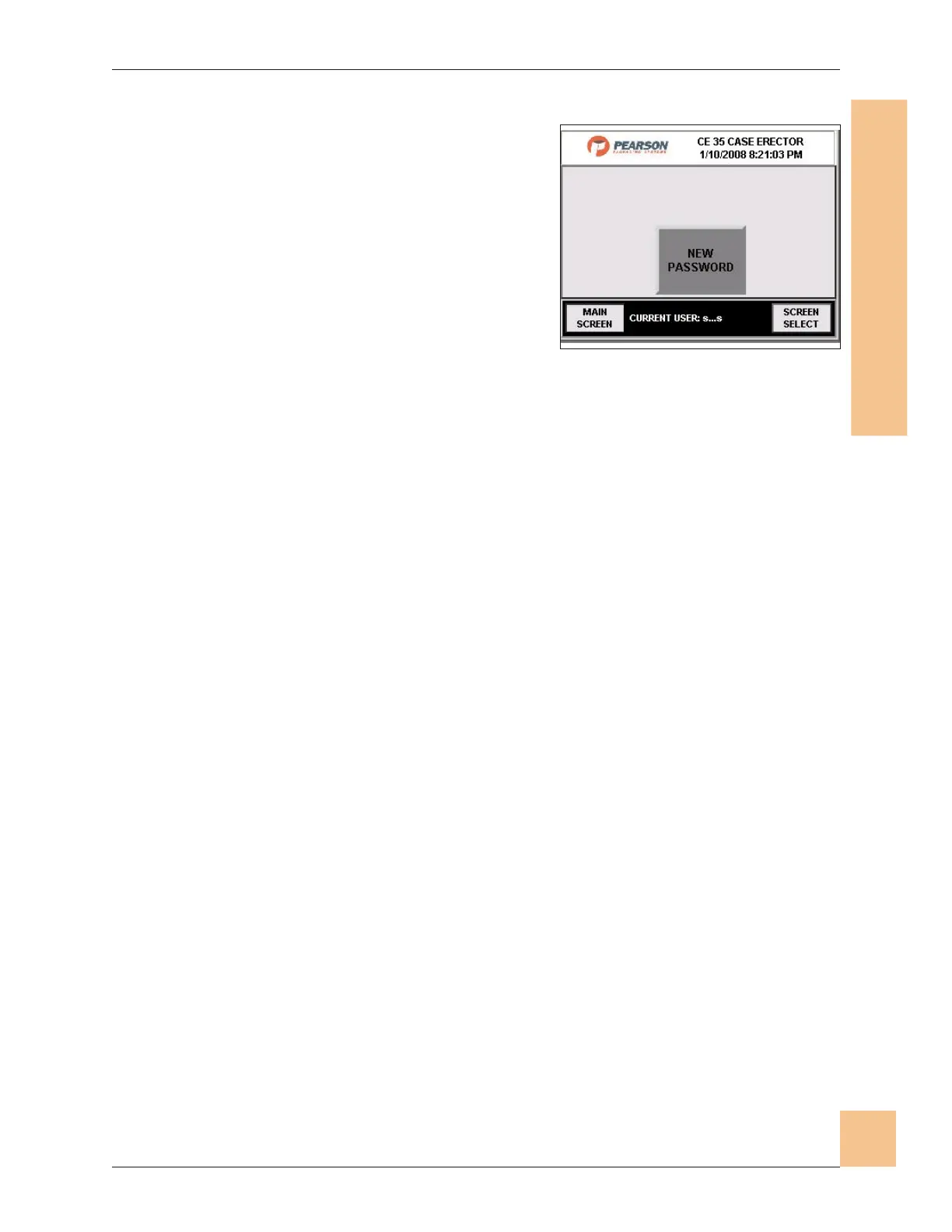
Password Screen
1. This screen is accessed in order to
change existing log in passwords.
Note: The OEM password cannot be changed.
2. Press New Password.
3. Follow the instructions for entering a
new password.
4. Press Main Screen to go to the Main
Operator screen.
5. Press screen Select to go to the Screen Select screen.
Note: If the password is lost or forgotten, call the Pearson Packaging Service
Department at 800-732-7766 for assistance.
Operations Manual CE35-T Case Erector
M-CE35T-2c Horiz Mag 3/2/2010
Human-Machine Interface
(HMI)
77
Fig. 73: Password Screen


 To Next Page