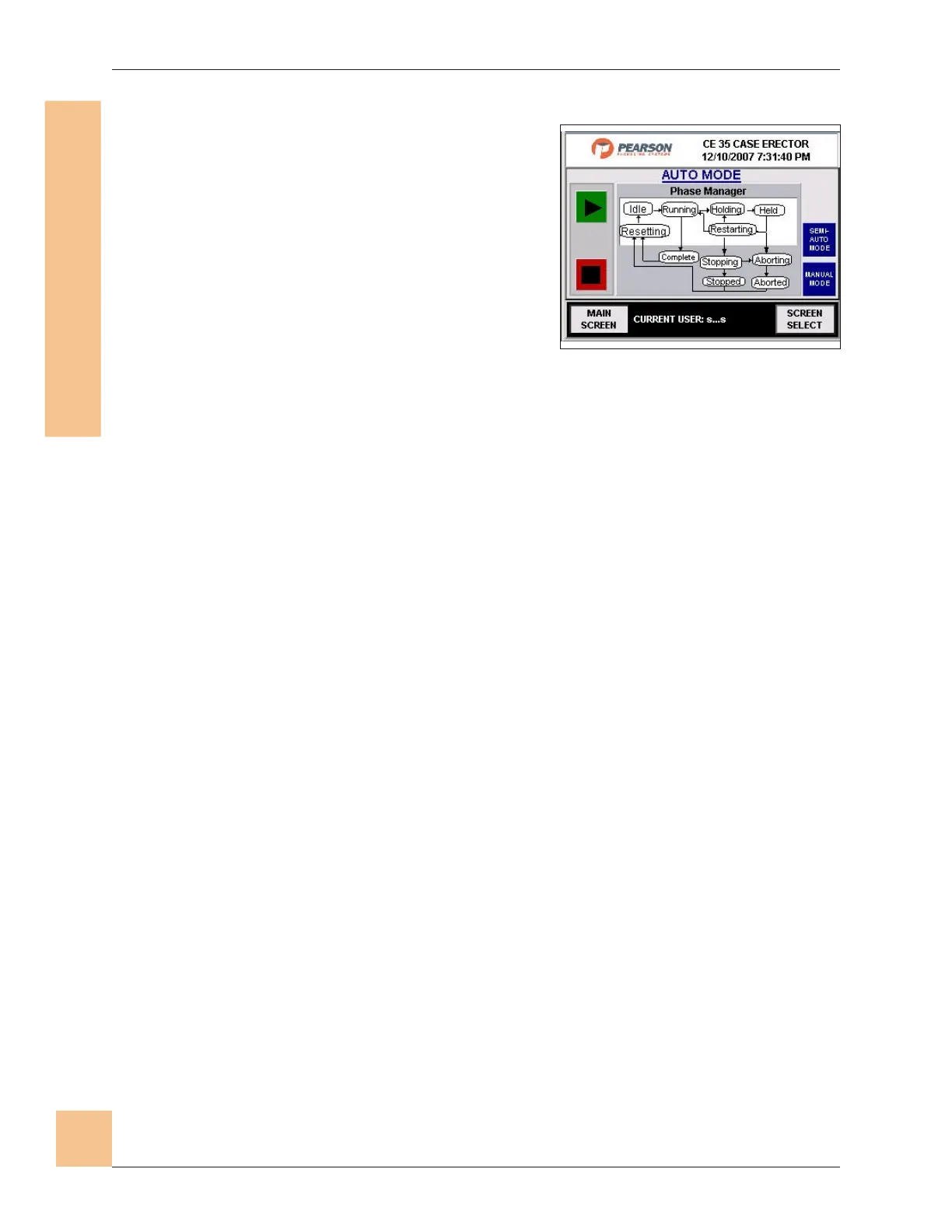
Phase Manager Display - Auto
1. The Phase Manager Monitor screen
displays a flow chart of the various
machine functions while the machine is
in auto mode. Each circle on the flow
chart will illuminate as that function
happens. This is a status screen only.
2. Press Semi-Auto Mode button to go to
the Phase Manager Monitor - Semi-Auto
screen
3. Press Manual Mode button to go to the
Phase Manager Monitor - Manual screen.
CE35-T Case Erector Operations Manual
3/2/2010 M-CE35T-2c Horiz Mag
78
ecafretnI enihcaM-namuH
)IMH(
Fig. 74: Phase Manager Display -
Auto Screen


 To Next Page