MY22P01 - 12_1.0_31.08.2021
198
Maintenance
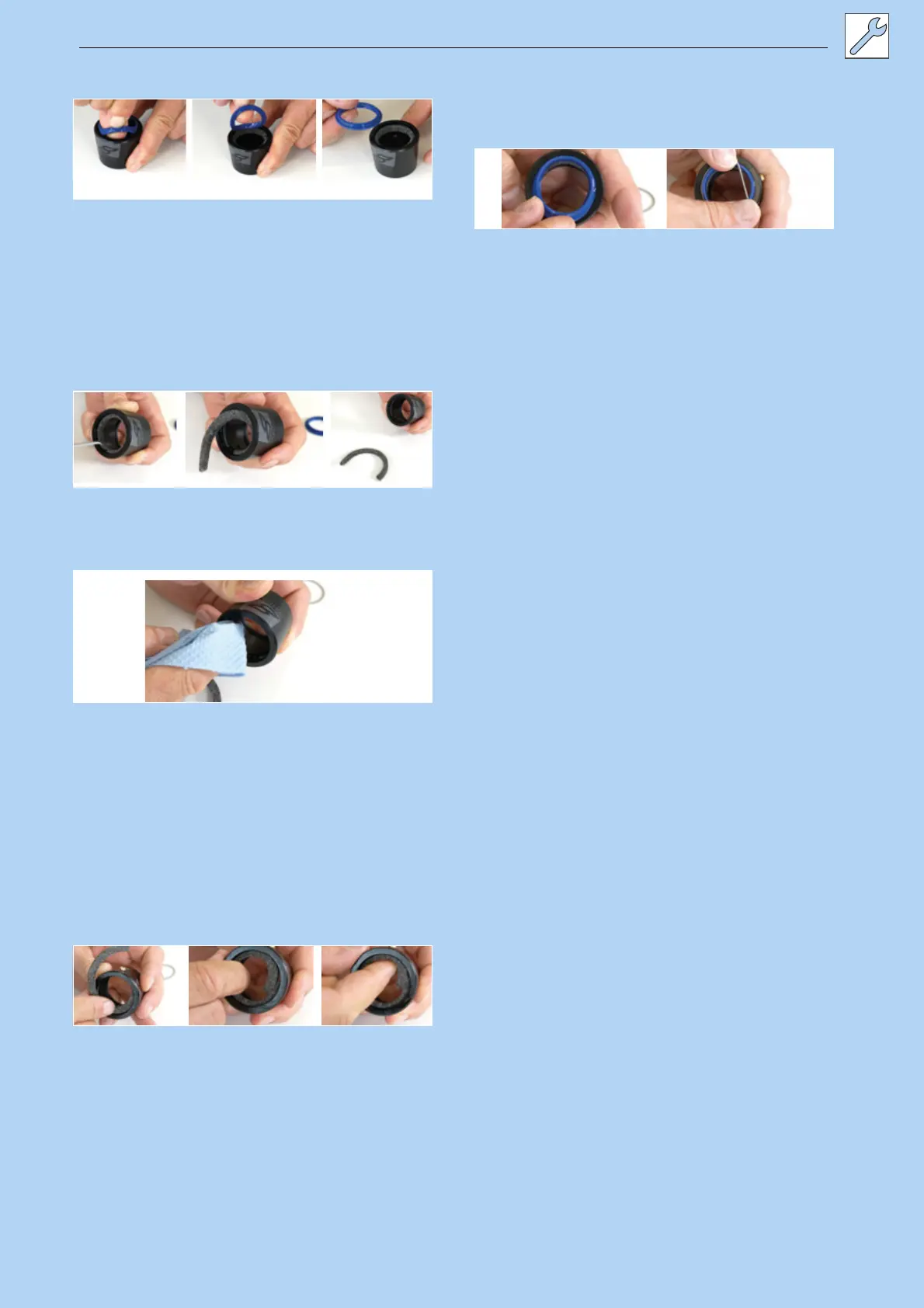
4 Carefully remove the wiper from the groove.
Figure 208: Removing the wiper
5 Use a small, sharp object to look for and
remove the end of the felt ring.
6 Carefully take out the felt ring.
7 Remove felt ring.
8 Clean or replace felt ring.
Figure 209: Removing the felt ring
9 Clean inside of outer sleeve with a cloth.
Figure 210: Cleaning the outer sleeve
10 Carefully re-insert dry felt ring with one end in
the designated groove.
11 Unfurl felt ring within the outer sleeve, so that
it lies on the groove.
12 Carefully press felt ring into the groove by
hand. Ensure that both ends are fully pressed
in and meet and that they do not overlap and
are not twisted.
Figure 211: Inserting the felt ring
13 Insert cleaned or new wiper in the upper
groove.
14 Stretch spring washer over the wiper.
Figure 212: inserting and fastening the wiper



 To Next Page