104
Shooting Functions
4
You can select from the following autofocus methods when shooting with
Live View.
1
Press the M button in standby mode.
The control panel appears.
2
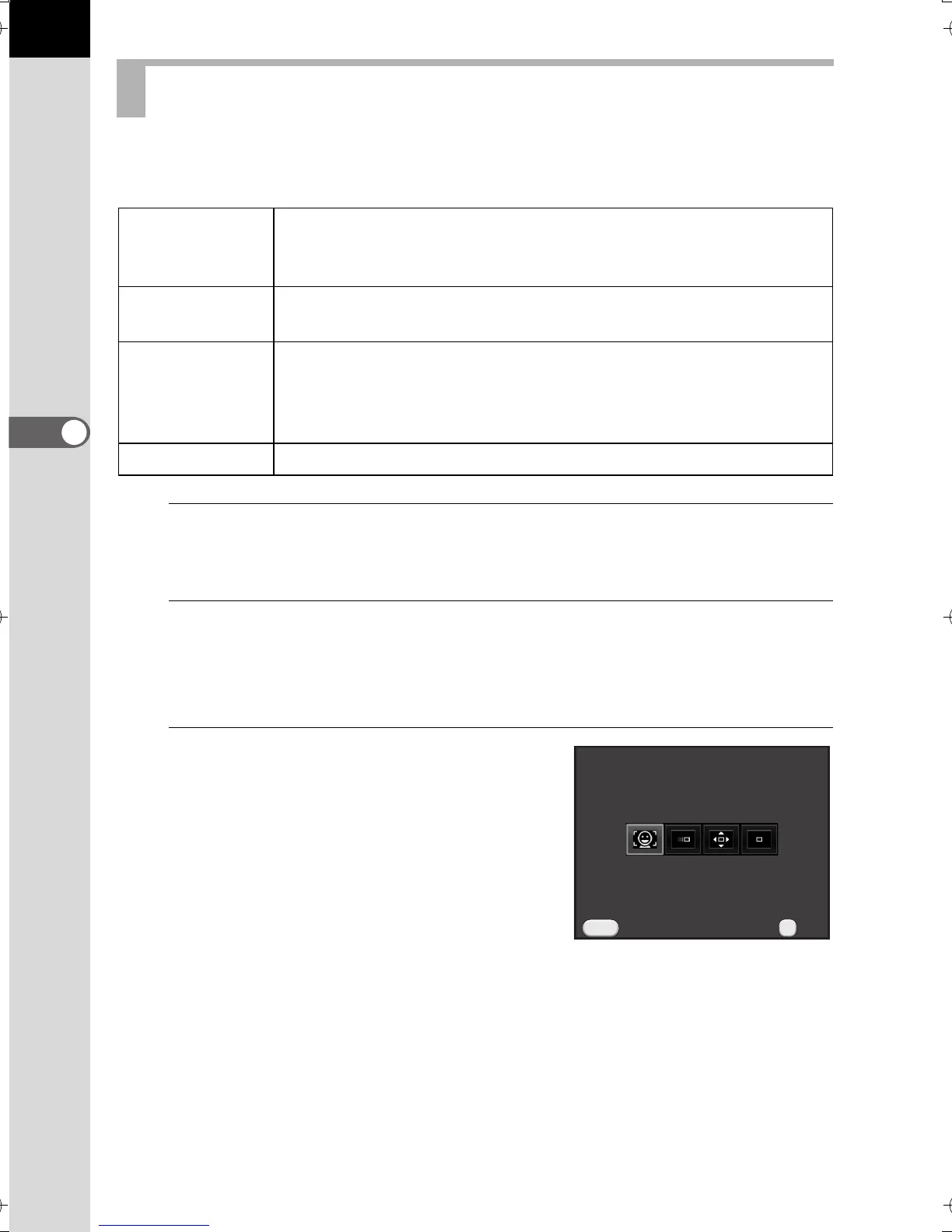
Use the four-way controller (2345) to select [Contrast AF],
and press the 4 button.
The [Contrast AF] screen appears.
3
Use the four-way controller (45) to
select the desired mode and press
the 4 button.
The camera returns to the control panel.
Setting the Contrast AF during Live View
D
Face
Detection
Detects and tracks faces of people. (default setting)
The main face detection frame for autofocus and auto
exposure is displayed in yellow.
E Tracking
Tracks the subject in focus when the shutter release button is
pressed halfway.
G Select
Focuses on a desired area.
The sensor is divided into 100 areas (10 horizontal by 10
vertical), and you can select a wider or narrower focusing area
by using 4, 16, or 36 of those 100 available areas. (p.106)
H
Spot Focuses on a limited area at the center.
Contrast AF
Face Detection
OK
OK
Cancel
MENU
e_kb524_84percent.book Page 104 Friday, June 15, 2012 12:13 PM



 To Next Page
 Loading...












