112
Shooting Functions
4
Checking the Depth of Field (Preview)
You can use the preview function to check depth of field, composition,
exposure and focus before taking a picture.
There are two preview methods.
1
Assign [Optical Preview] to the V/Y button.
Refer to “Setting the V/Y Button Operation” (p.165) for details.
2
Look through the viewfinder to focus on the subject.
3
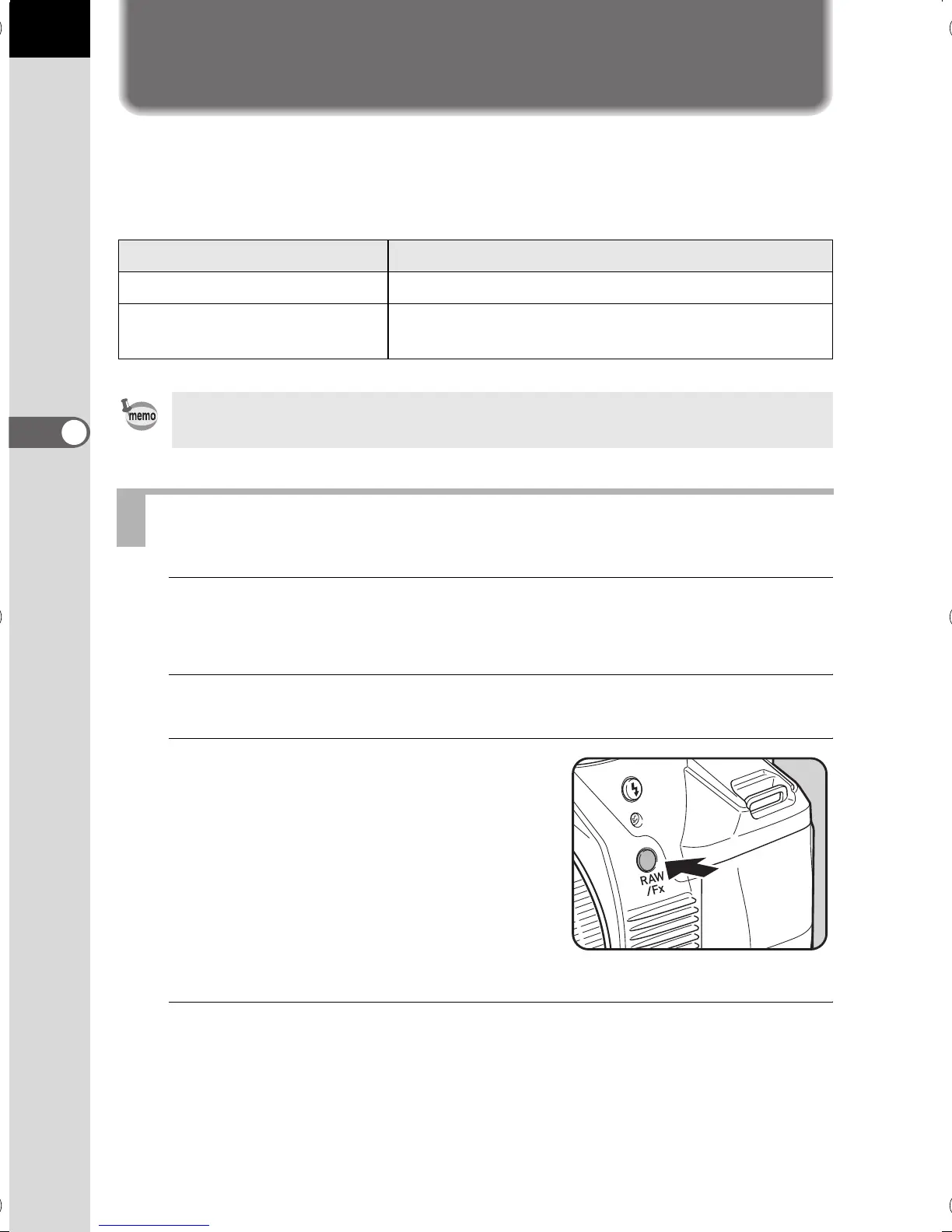
Press the V/Y button while
looking through the viewfinder.
You can check the depth of field in the
viewfinder while the V/Y button is
pressed.
During this time, no shooting information
is displayed in the viewfinder, and the
shutter cannot be released.
4
Take your finger off the V/Y button.
Optical Preview is ended and the camera is ready to take a picture.
Preview Method Description
|
Optical Preview For checking the depth of field with the viewfinder.
e
Digital Preview
For checking the composition, exposure and
focus on the monitor.
Optical Preview is always used for Interval Shooting and Multi-exposure.
Displaying the Optical Preview
e_kb524_84percent.book Page 112 Friday, June 15, 2012 12:13 PM



 To Next Page
 Loading...












