200
Playback Functions and Image Editing
6
Connecting the Camera to an AV
Device
You can connect the camera to a TV or other device and play back
captured images.
You can connect the camera to a device with a video input terminal.
Use the optional AV cable I-AVC7.
1
Turn the AV device and camera off.
2
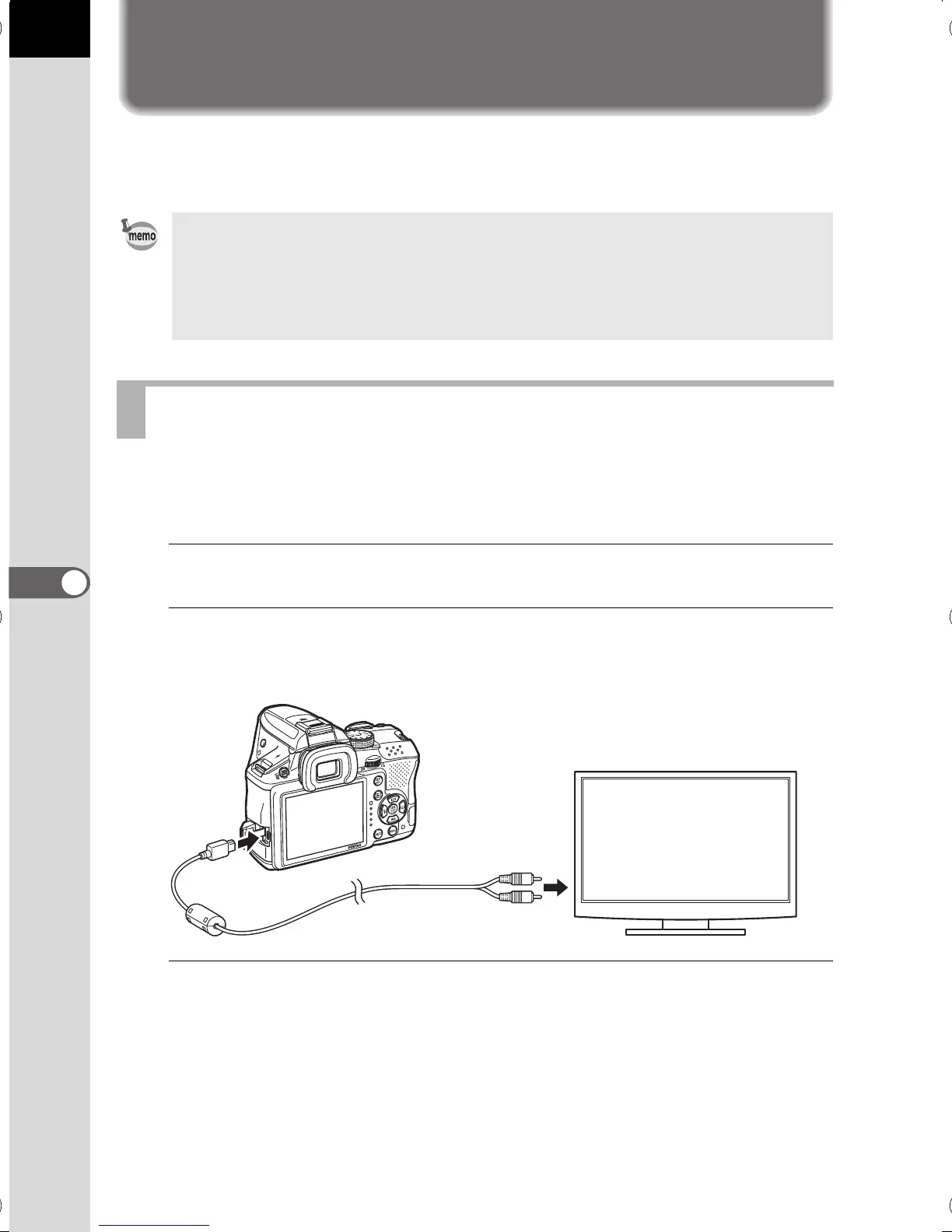
Open the terminal cover of the camera, and connect the AV
cable to the VIDEO/PC output terminal.
3
Connect the other end of the cable to the input terminal on the
AV device.
• For an AV device with multiple video input terminals, check the operating
manual of the device, and select a suitable video input terminal for
connecting the camera.
• If you intend to use the camera continuously for a long period, use of the
optional AC adapter kit is recommended.
Connecting the Camera to a Video Input Terminal
e_kb524_84percent.book Page 200 Friday, June 15, 2012 12:13 PM



 To Next Page