117
Shooting Functions
4
1
Mount the camera onto a tripod.
2
Press the four-way controller (5) in standby mode.
The Drive Mode setting screen appears.
3
Use the four-way controller (45) to select g.
4
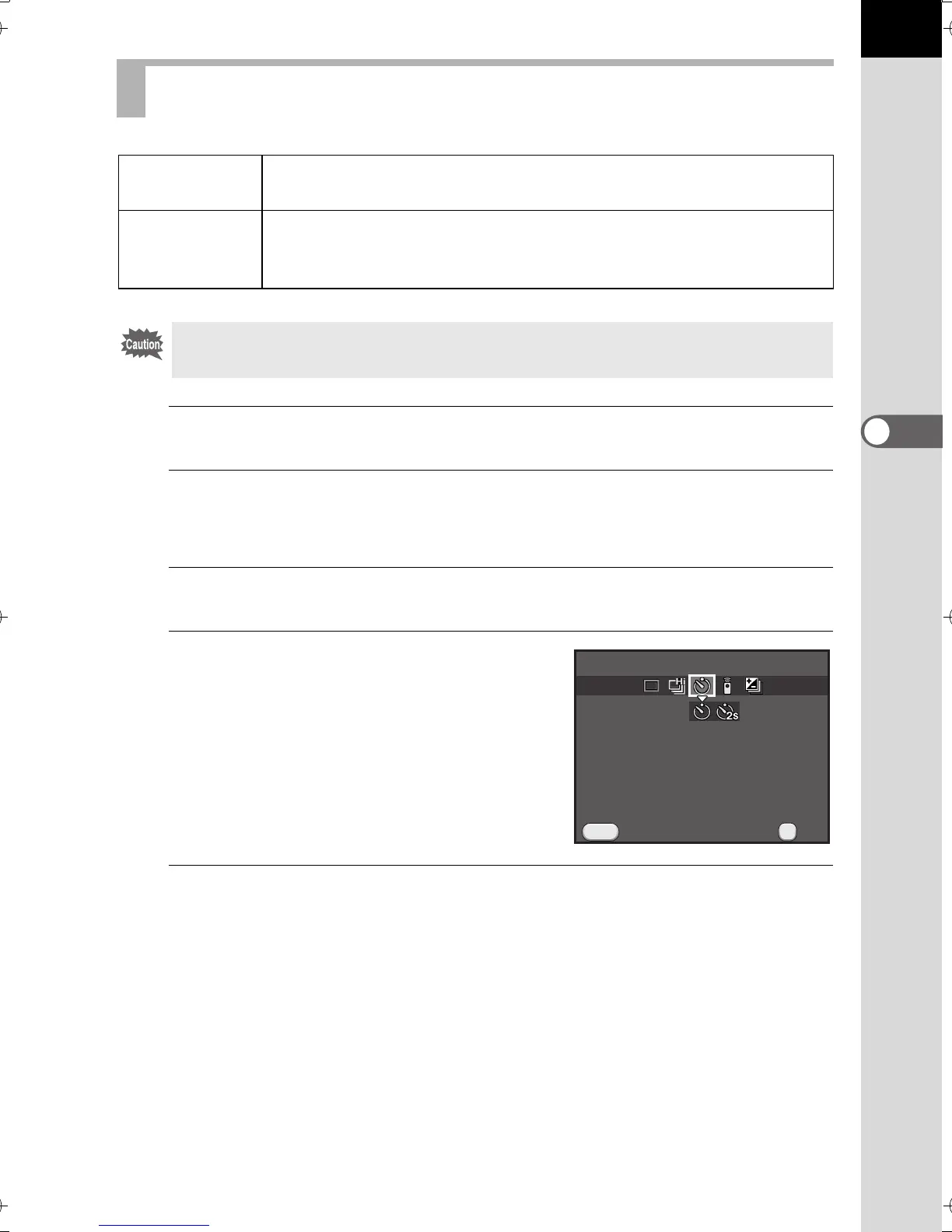
Press the four-way controller (3),
use the four-way controller (45)
to select g or Z, and press the 4
button.
The camera is ready to take a picture.
5
Press the shutter release button halfway.
The autofocus system operates.
Shooting with the Self-timer
g
Self-timer
(12 sec.)
The shutter is released after about 12 seconds. Use this mode
to include the photographer in the picture.
Z
Self-timer
(2 sec.)
The shutter is released about 2 seconds after the shutter release
button is pressed. Use this mode to avoid camera shake when
the shutter release button is pressed.
Shooting with the self-timer is not available in \ (Moving Object)/Z (Pet)/R
(Kids) of H mode.
Cancel
MENU
Self-timer (12 sec.)
OK
OK
e_kb524_84percent.book Page 117 Friday, June 15, 2012 12:13 PM



 To Next Page